Build a flow that asks you
Build the sign_off flow. An agent does a task, then the flow shows you the diff and asks you to approve it or send it back. You answer in the app and the terminal, build a custom HTML page for the question, test the flow, and run it unattended.
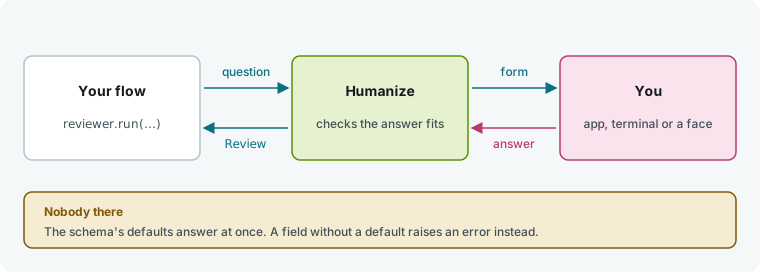
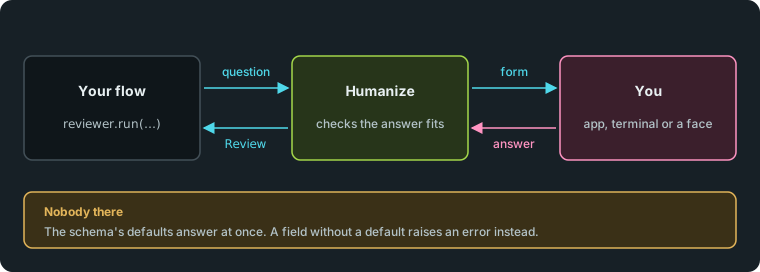
A flow treats you as a role with the Outworlder type. Each run call on it asks you one question and returns your answer.
What you need
- Humanize installed with one signed-in coding agent. See Finish your first task in Humanize Desktop or in the terminal.
- A git repository. This tutorial uses
~/shop. - Basic familiarity with flow files. See Write your first flow.
pytestinstalled in the same Python environment ashmz(for step 5).
1. Write the flow
Create .hmz/flows/sign_off/__init__.py in your project:
"""Sign-off: an agent does the task, and you approve what it did."""

from typing import Literal

from pydantic import BaseModel, Field

from hmz.flows import (
    Agent,
    AgentCollection,
    Diff,
    EnvCollection,
    FlowContext,
    FlowParams,
    LocalEnv,
    Markdown,
    Outworlder,
    ShellEnvMixin,
    flow,
)


class Review(BaseModel):
    verdict: Literal["approve", "request changes"] = Field(
        description="What to do with the change."
    )
    notes: str = Field("", description="What to change, if anything.")


class Agents(AgentCollection):
    coder: Agent
    reviewer: Outworlder


class Workspace(LocalEnv, ShellEnvMixin): ...


class Envs(EnvCollection):
    workspace: Workspace


@flow(agents=Agents, envs=Envs, params=FlowParams)
async def sign_off(
    task: str, *, agents: Agents, envs: Envs, params: FlowParams, ctx: FlowContext
) -> str:
    """An agent does the task, and you approve what it did."""
    coder, reviewer = agents["coder"], agents["reviewer"]
    workspace = envs["workspace"]
    working = await coder.spawn()
    asking = await reviewer.spawn()
    said = await coder.run(task, session=working, env=workspace)
    while True:
        _, patch, _ = await workspace.exec(["git", "diff"])
        review = await reviewer.run(
            "Sign off this change?",
            session=asking,
            output_schema=Review,
            context=(Markdown(title="What the agent says", text=said), Diff(patch=patch)),
        )
        if review.verdict == "approve":
            return "approved"
        said = await coder.run(review.notes, session=working, env=workspace)
Three parts define the question:
reviewer: Outworlderdeclares your role. Humanize binds it automatically; you never pass it with-a.output_schema=ReviewturnsReviewinto a form.verdicthas no default, so it is required.noteshas a default, so it is optional.contextattaches data for you to read: here aMarkdownnote and aDiff. Other available blocks areCode,Table,Image,Json, andChart.
2. Answer in the app
Open your project in Humanize Desktop.
- Click New epic.
- Confirm Folder shows your project. Click the flow button at the top and pick
@local/sign_off. - Under Budget, type
10in Time, min. - In Task, type
Add a discount code to checkout. - Click Send.
The agent runs, then the epic pauses. The sidebar marks it Waiting, and a question card appears above the message box.
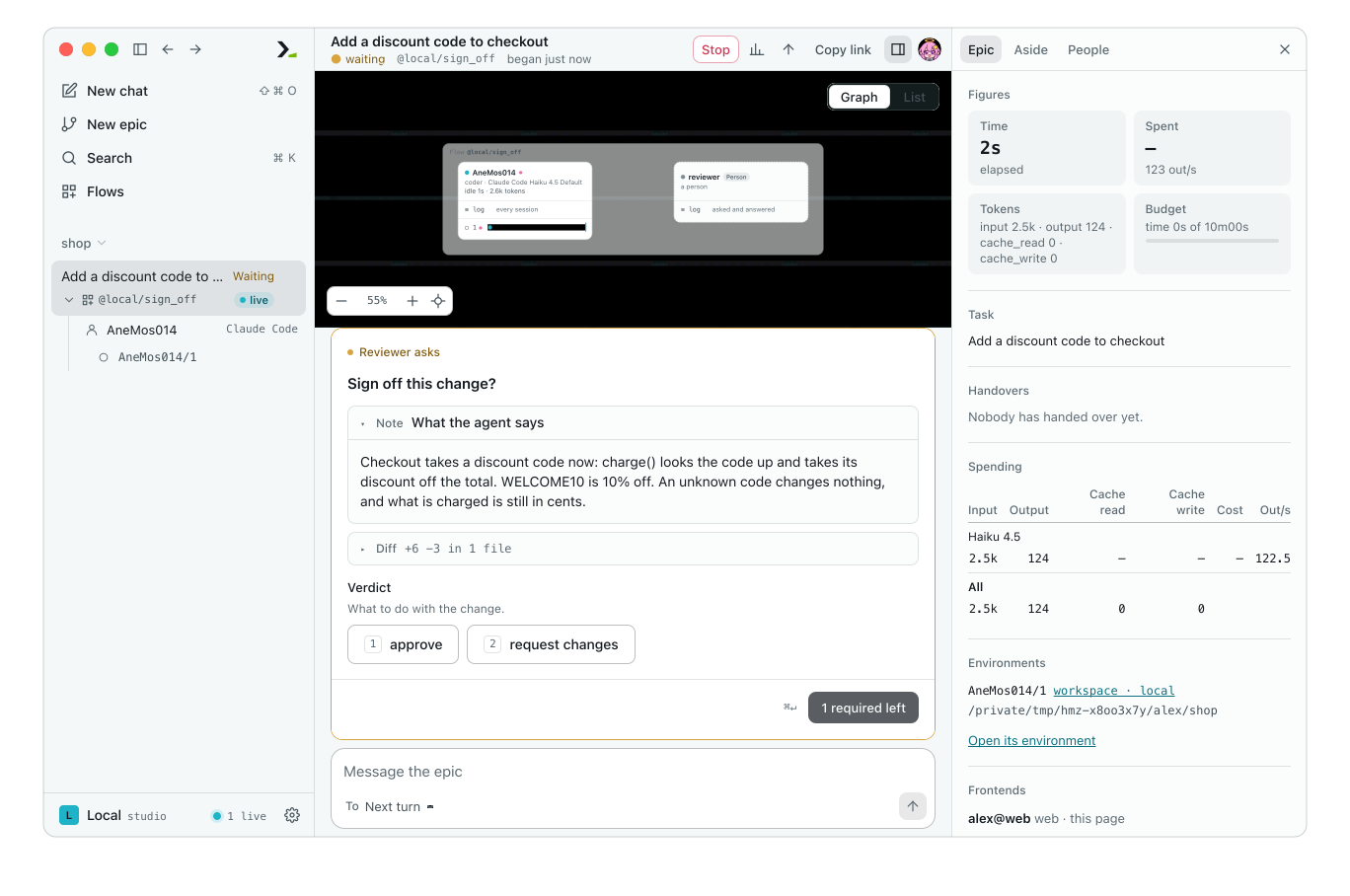
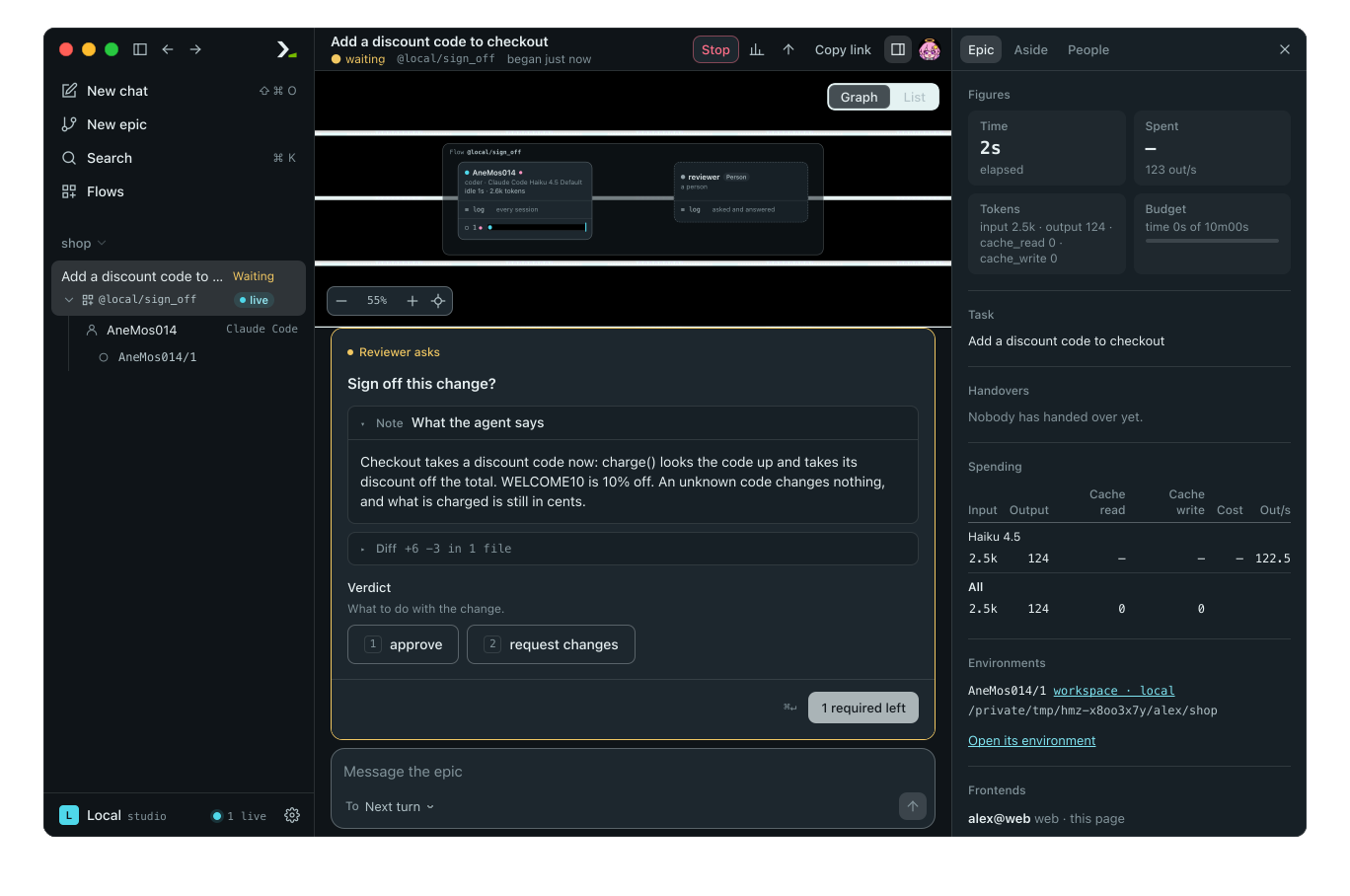
The card displays the prompt, the context blocks, and the form. Click a context block's header to expand it. The send button reads 1 required left until you pick a verdict.
Click request changes, type add a test under Notes, and click Send answer.
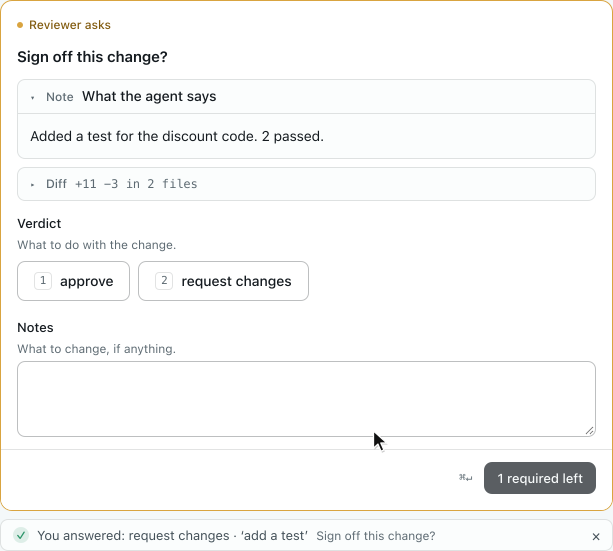
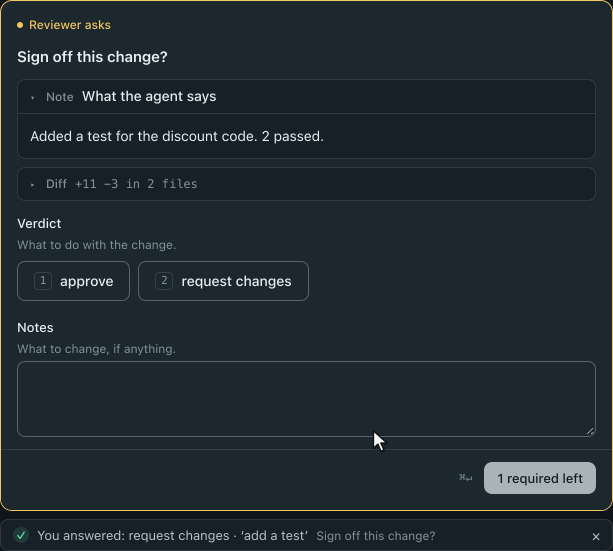
The agent receives your note, updates the code, and the flow asks again. Click approve, then Send answer. The epic finishes.
3. Answer in the terminal
Run hmz in your project. On the first run, set a budget: type /flow sign_off, open budget, set duration to 10m, and save (see Finish your first task in the terminal). Start the flow:
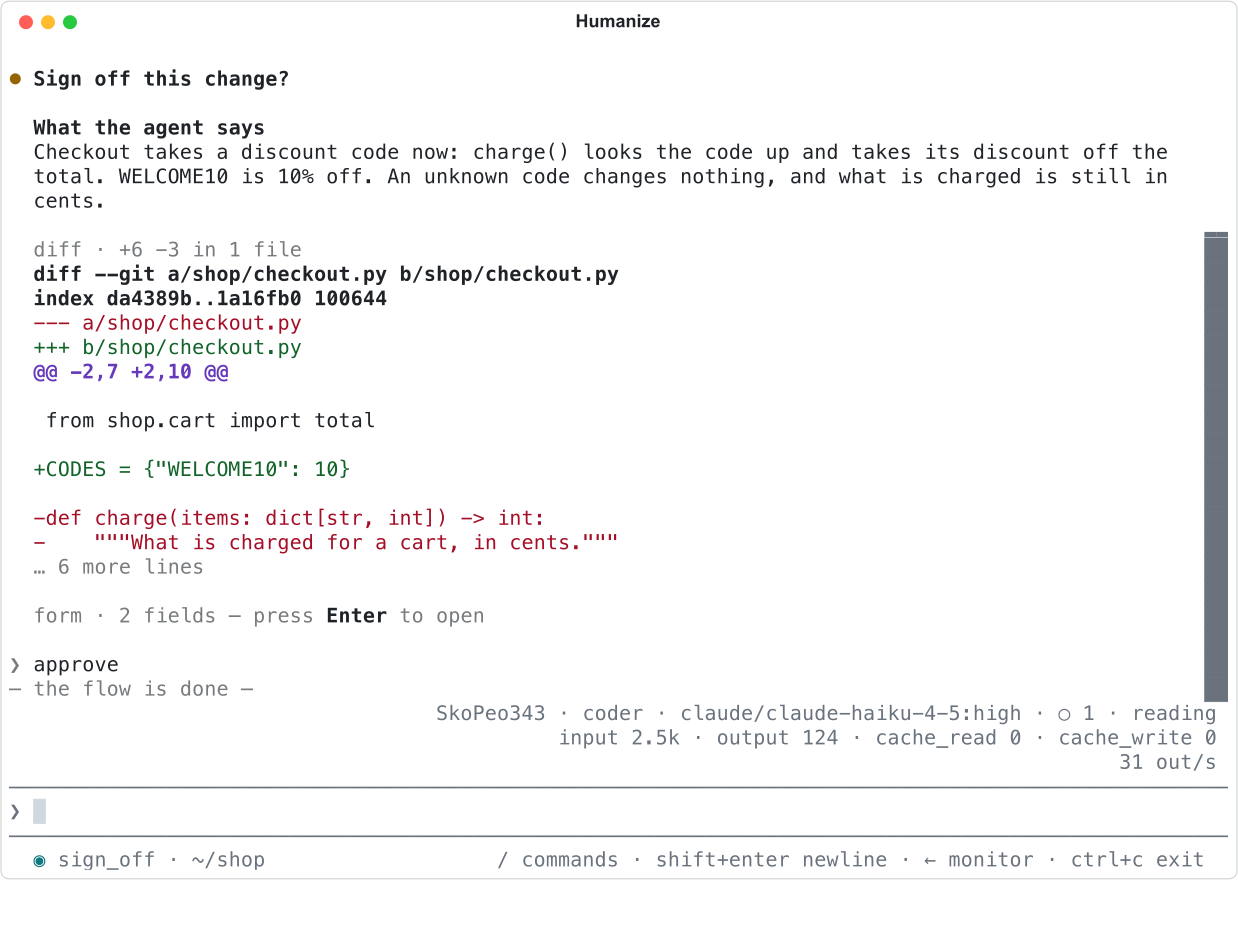
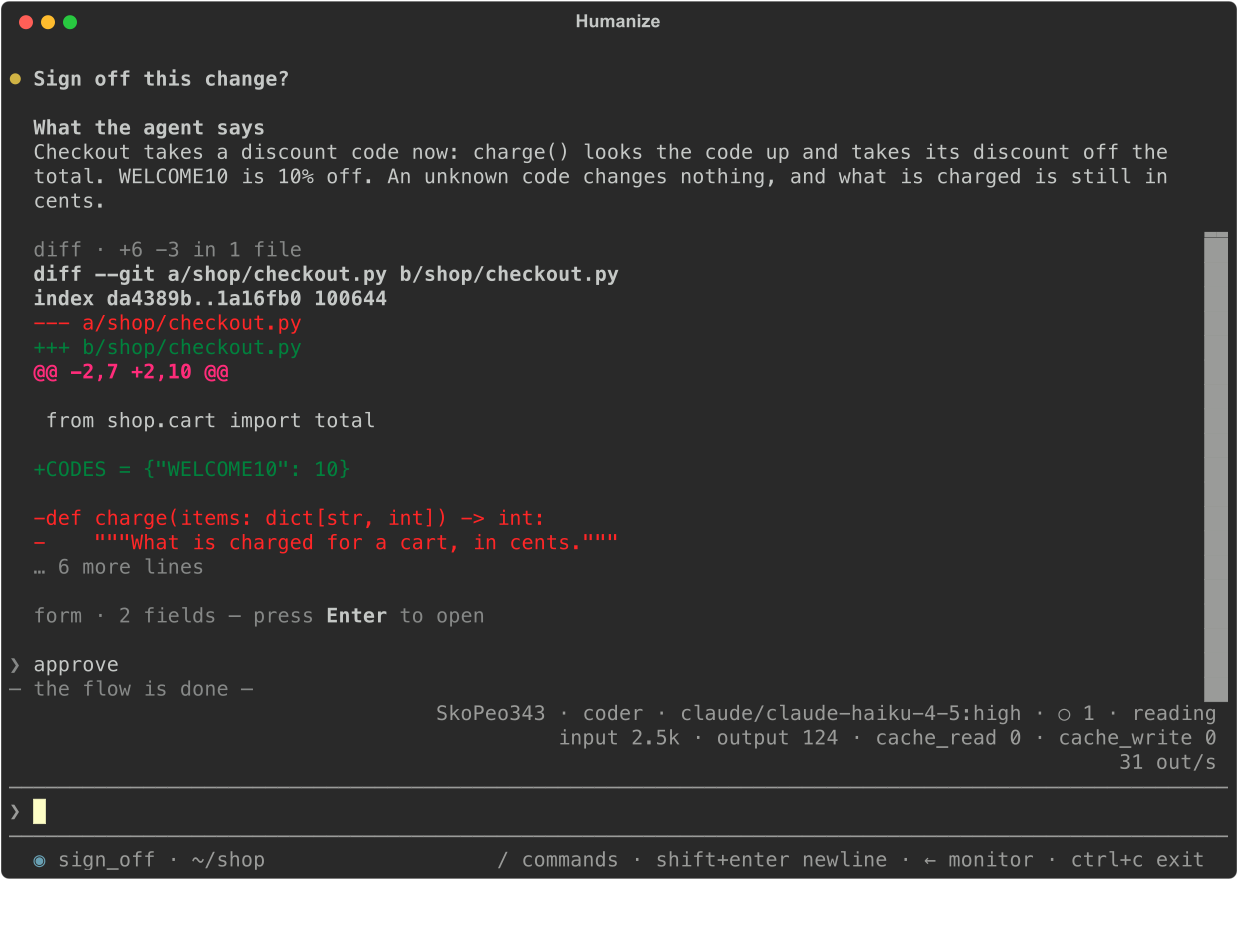
/flow sign_off Add a discount code to checkoutThe question and its context appear in the transcript, ending with form · 2 fields — press Enter to open.
- Press enter on the empty prompt. The form opens at the bottom.
- Press 1 to pick
approve. - Press tab to select
Answer, then press enter.
4. Give the question a face
A face is an HTML file bundled with your flow that replaces the default form in the app. Create review.html next to __init__.py:
<!doctype html>
<meta charset="utf-8" />
<style>
  body { margin: 0; padding: 12px; font: 14px/1.5 var(--sans); color: var(--ink); }
  pre { font: 12px/1.5 var(--mono); border: 1px solid var(--line); padding: 8px;
        max-height: 220px; overflow: auto; }
  .add { color: var(--done); }
  .del { color: var(--fail); }
  textarea { width: 100%; box-sizing: border-box; }
  #error { color: var(--fail); }
</style>
<pre id="diff"></pre>
<label for="notes">Notes for the agent</label>
<textarea id="notes" rows="2"></textarea>
<p id="error" role="alert"></p>
<button data-verdict="approve">Approve</button>
<button data-verdict="request changes">Request changes</button>
<script>
  hmz.on("ask", ({ context, errors }) => {
    const diff = document.getElementById("diff");
    diff.replaceChildren();
    const patch = context.find((block) => block.kind === "diff")?.patch ?? "";
    for (const line of patch.split("\n")) {
      const row = document.createElement("div");
      row.textContent = line;
      row.className = line.startsWith("+") ? "add" : line.startsWith("-") ? "del" : "";
      diff.append(row);
    }
    document.getElementById("error").textContent = errors.map((e) => e.message).join("; ");
    hmz.resize(document.body.scrollHeight);
  });
  for (const button of document.querySelectorAll("[data-verdict]")) {
    button.onclick = async () => {
      const notes = document.getElementById("notes").value;
      const said = await hmz.submit({ verdict: button.dataset.verdict, notes });
      if (!said.ok) document.getElementById("error").textContent = said.errors[0].message;
    };
  }
</script>
hmz.on("ask", …) receives the question data. hmz.submit(value) sends your answer, which Humanize validates against Review.
In __init__.py, import Face from hmz.flows and pass it when spawning the reviewer session:
asking = await reviewer.spawn(face=Face.file("review.html", title="Review"))Start a new epic as in step 2.
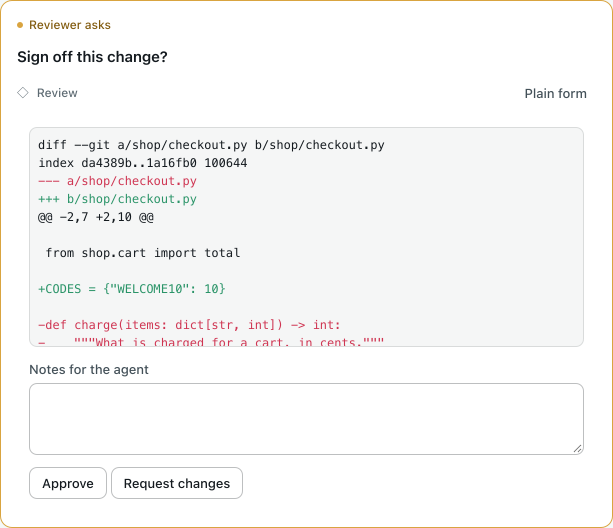
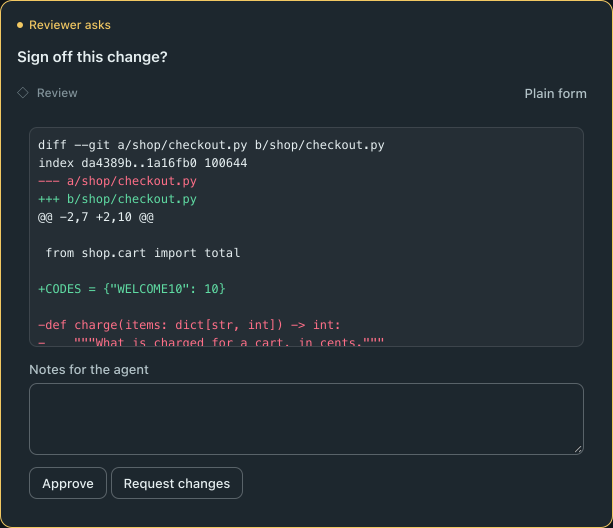
Click Plain form on the card to switch back to the standard form. The terminal always uses the standard form.
5. Test it with a scripted person
Use FakeOutworlder and run_fake to test the flow with scripted answers and fake agents, without running a real coding agent or spending tokens. Create tests/test_sign_off.py:
import asyncio

from hmz.sdk import fakes


def test_changes_then_approve() -> None:
    you = fakes.FakeOutworlder(
        reply=[
            {"verdict": "request changes", "notes": "add a test"},
            {"verdict": "approve"},
        ]
    )
    coder = fakes.FakeAgentDriver(reply=["done", "added a test"])
    result = asyncio.run(
        fakes.run_fake(
            "sign_off", "add a discount code", agents={"coder": coder}, outworlder=you
        )
    )
    assert result == "approved"
    assert you.asked == ["Sign off this change?", "Sign off this change?"]
    assert coder.prompts == ["add a discount code", "add a test"]
Each scripted reply matches the schema, and you.asked records every prompt. Run the test from the project root:
pytest -q tests/test_sign_off.py

6. Run it with nobody there
When you run hmz exec, nobody is present to answer. run returns immediately using the schema's defaults. Because Review.verdict has no default, the flow fails with OutworlderAway. The same applies in a live epic while you are marked away with /afk (see Answer a flow's questions).
Run the flow unattended:
hmz exec -f sign_off -a coder=claude/claude-haiku-4-5 -p budget.duration=10m "Add a discount code"

Check reviewer.away before asking. In __init__.py, add two lines above while True::
    if reviewer.away:
        return "left for review"
Run the command again. The agent finishes its turn and the flow exits cleanly without asking.


TIP
Alternatively, give every field in the schema a default so unattended runs use those defaults.
What you did
- Declared an
Outworlderrole and asked a question with a schema and context blocks. - Answered the question in the desktop app and in the terminal.
- Built a custom HTML face in
review.html. - Tested the flow using
FakeOutworlderandrun_fake. - Handled unattended runs when nobody is present.
Next
- The person as an agent: text questions,
show(), and standing in for the person. - Faces: the full
window.hmzbridge. - Answer a flow's questions: card and form controls, and going away.
- Drive Humanize from Python: answer questions from a script.