Drive Humanize from Python
Write a Python script with hmz.sdk to run a flow, print agent events, answer questions in code, read token usage, and stop a slow run. Your script talks to the daemon the same way the desktop app and hmz exec do.
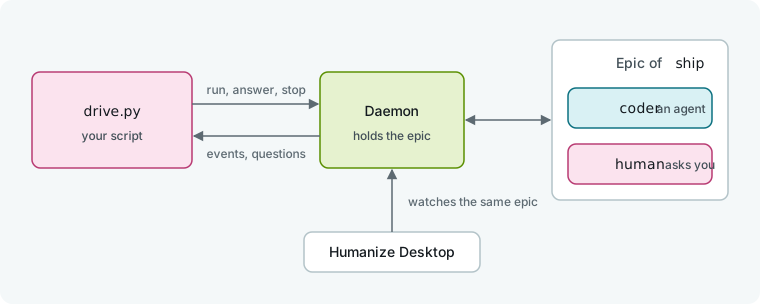
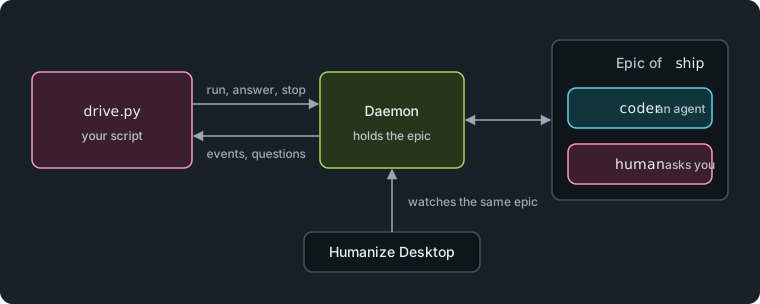
Your script is one more frontend of the daemon. The daemon holds the epic.
What you need
- Python 3.12 or newer with
hmzinstalled: runuv add hmzin a uv project, orpip install hmzin a virtual environment. - One coding agent CLI installed and signed in. This tutorial uses Claude Code. See Coding agents.
- A project folder. This tutorial uses
~/shop.
1. Add a flow to the project
Save this flow as .hmz/flows/ship.py in your project. Humanize names a project flow after its file: ship.
from typing import Literal

import pydantic

from hmz.flows import (
    Agent,
    AgentCollection,
    EnvCollection,
    FlowContext,
    FlowParams,
    LocalEnv,
    Markdown,
    Outworlder,
    flow,
)


class Decision(pydantic.BaseModel):
    """What the person decides."""

    action: Literal["ship", "hold"] = "hold"
    notes: str = ""


class Agents(AgentCollection):
    coder: Agent
    human: Outworlder


class Envs(EnvCollection):
    workspace: LocalEnv


@flow(agents=Agents, envs=Envs, params=FlowParams)
async def ship(
    task: str, *, agents: Agents, envs: Envs, params: FlowParams, ctx: FlowContext
) -> str:
    """A coder does the task, and a person decides whether it ships."""
    coder, human = agents["coder"], agents["human"]
    said = await coder.run(task, session=await coder.spawn(), env=envs["workspace"])
    decision = await human.run(
        "Ship this change?",
        session=await human.spawn(),
        output_schema=Decision,
        context=(Markdown(text=said),),
    )
    return decision.action
The flow defines two roles: coder is an agent that does the task, and human is an Outworlder representing the person outside the run. The flow asks that person one question and returns the answer's action. See Write your first flow and Build a flow that asks you for a line-by-line explanation.
2. Run it from a script
Save this script as drive.py in the project directory:
from hmz.sdk import Hmz

run = Hmz().run(
    "ship",
    "Add a coupon code to checkout",
    agents={"coder": "claude/claude-haiku-4-5"},
    budget={"output_tokens": 20000},
)
print("result:", run.run())
Hmz() points to the current working directory. run(...) takes the flow name, the task, an agent for each agent role (harness, then model), and a required budget. The daemon validates these inputs before anything starts, and run(...) raises hmz.sdk.Refused if anything is wrong. The last line starts the epic, waits for it to finish, and prints what the flow returned. If the epic fails, run.run() raises the error instead.
Run the script (in a uv project, uv run python drive.py):
python drive.py

The script prints hold. Because nobody was present to answer the question, the flow used the default answer.
3. Follow the run
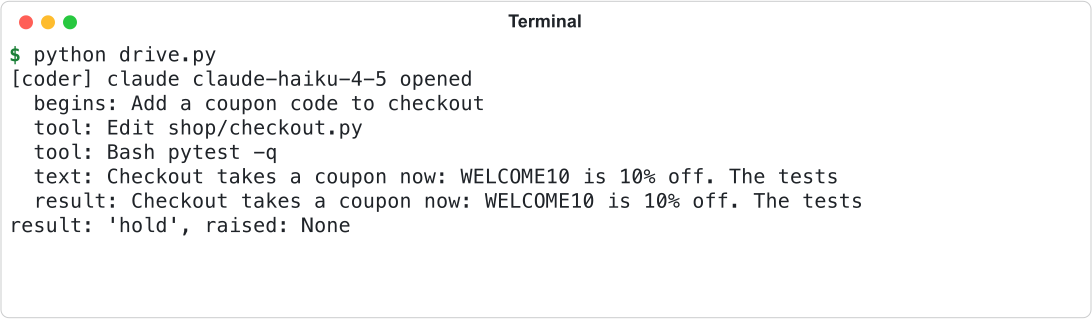
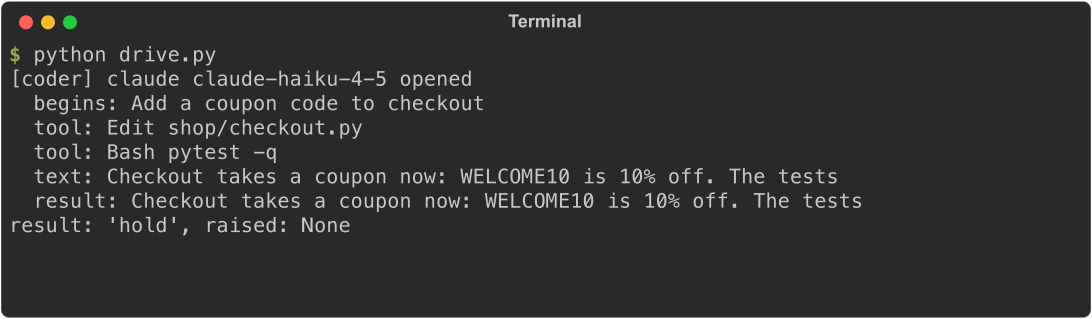
Replace the last line of drive.py with callbacks to print sessions and events as they happen:
def opened(role, session):
    print(f"[{role}] {session.cli} {session.model} opened")


def event(agent, session, record):
    if record["text"]:
        print(f"  {record['kind']}: {record['text'][:60]}")


run.opened(opened)
run.watch(event)
run.start()
run.wait()
print(f"result: {run.result!r}, raised: {run.raised!r}")
Register both callbacks before calling start(). Humanize calls opened once per agent session, and watch for every event, such as a turn beginning, a tool call, text, a result, or a notice. Each event is a dictionary with keys including kind and text, matching the output of hmz exec --json. Keep callbacks short because they run on another thread.
start() returns once the epic has started, and wait() blocks until the epic ends. Afterward, run.result holds the return value and run.raised holds any exception.
4. Answer the flow's questions
Give the run an object with away_for and run methods to answer in place of a person. Replace the import line in drive.py with this:
from hmz.sdk import Ask, Hmz


class Reviewer:
    def away_for(self, role: str) -> bool:
        return False

    async def run(self, ask: Ask, role: str) -> dict[str, str]:
        print(f"[{role}] asked: {ask.prompt}")
        print(f"  choices: {ask.schema['properties']['action']['enum']}")
        return {"action": "ship", "notes": "approved by drive.py"}
Pass the object to Hmz().run(...) after the budget:
outworlder=Reviewer(),away_for returns whether the person for a role is away. run receives each question as an Ask containing ask.prompt (the question), ask.schema (the answer's JSON Schema), and ask.context (supporting material). Return a string for a plain question, or a dictionary matching the schema. If the answer fails validation, Humanize populates ask.errors and calls run again, for three tries in all.
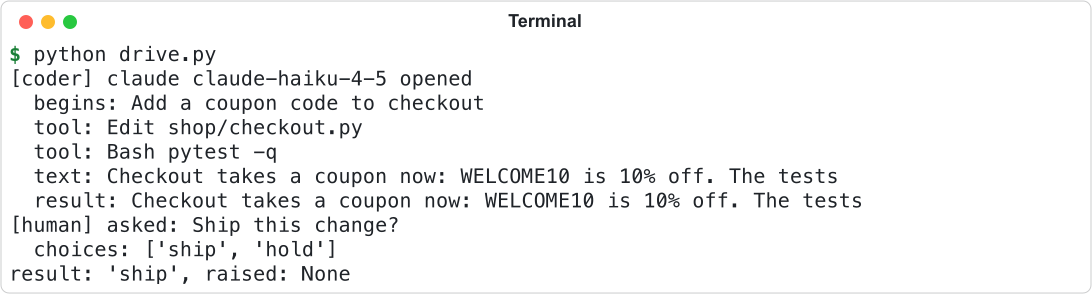
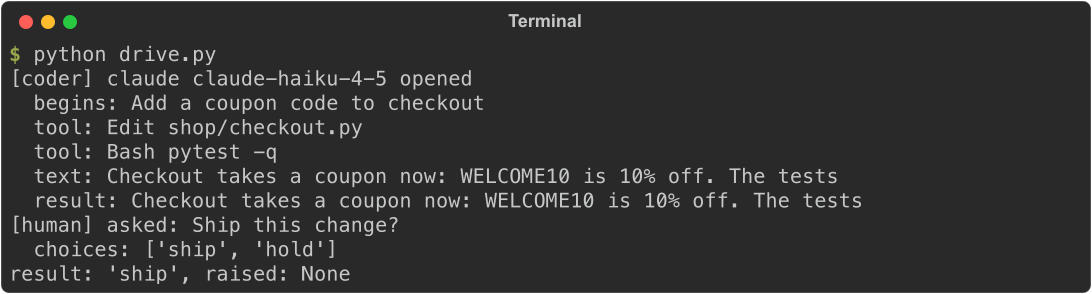
The script answers ship, and the flow returns ship.
5. Read what it spent
Add these lines to the end of drive.py:
usage = run.usage
print(f"spent: {usage.output_tokens} output tokens, {usage.duration.total_seconds():.0f}s")
print("epic:", run.epic.name)
Read run.usage during or after the run to get output_tokens, cost in US dollars, and agent turn duration. run.epic is the directory where the daemon stores the epic's record.
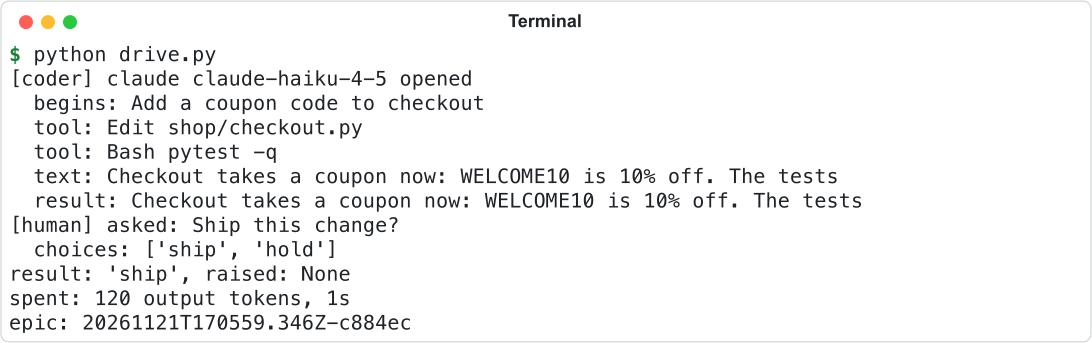
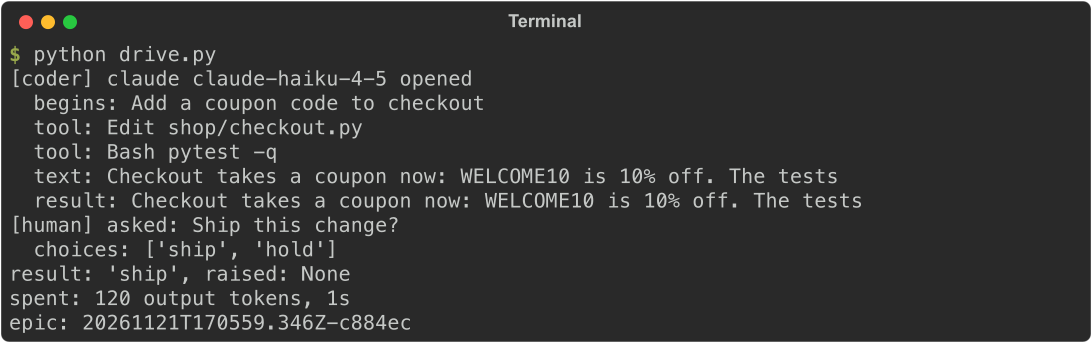
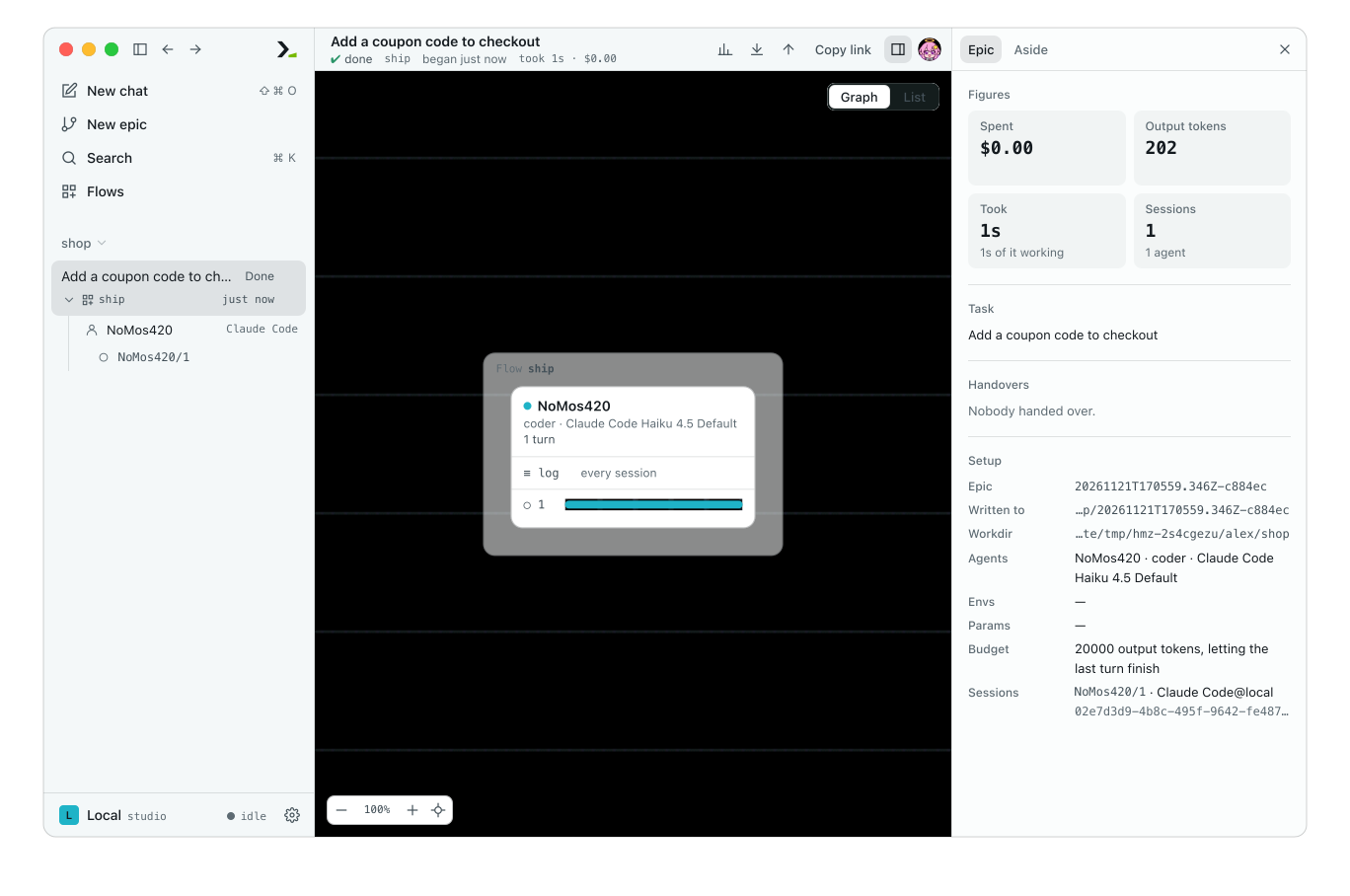
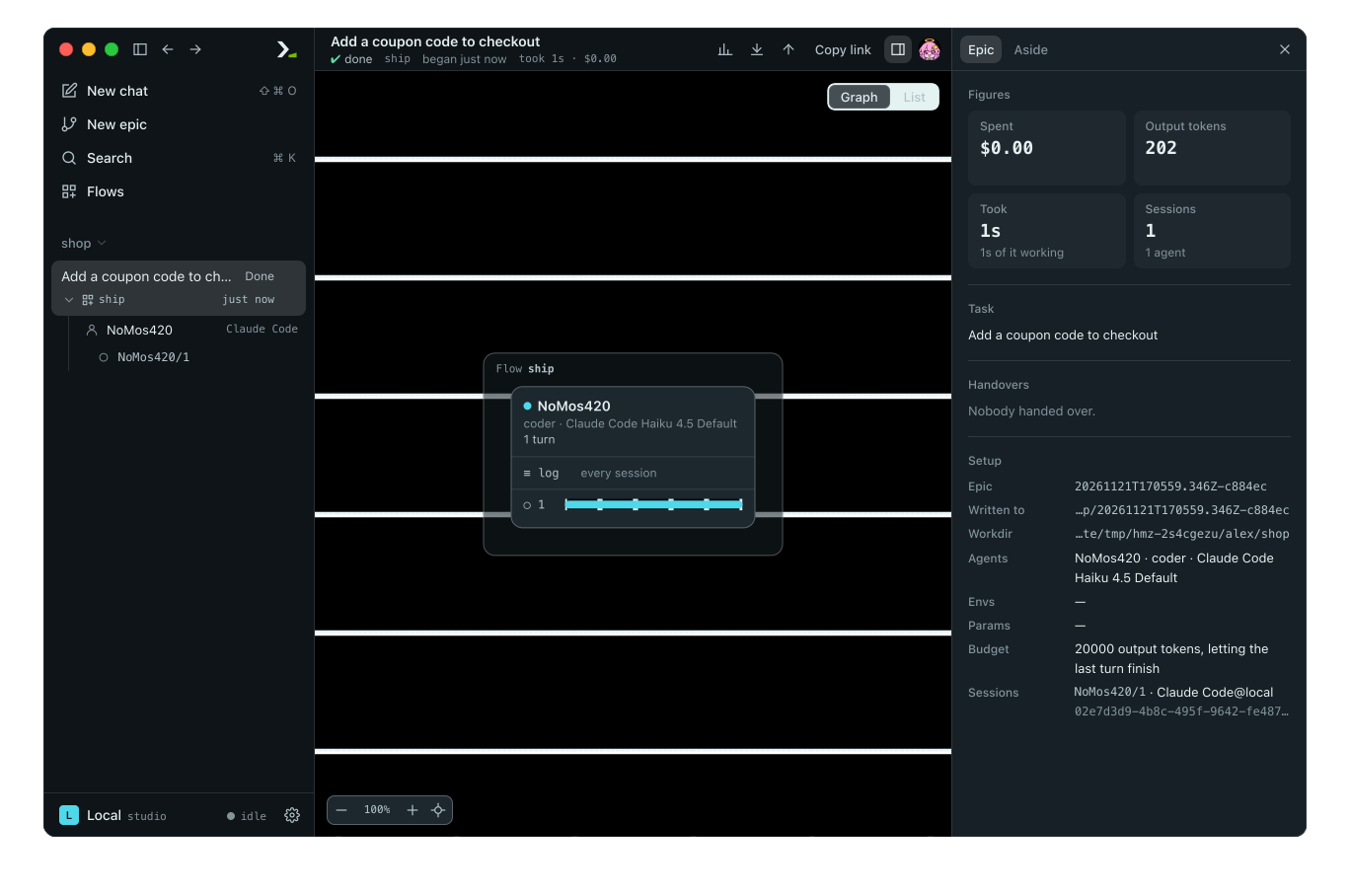
Open Humanize Desktop or run hmz web to see this epic in the sidebar, under its folder shop, with the same output tokens.
6. Stop a run
Replace run.wait() with a five-second timeout:
if not run.wait(timeout=5):
    print("too slow, stopping")
    run.stop()
    run.wait()
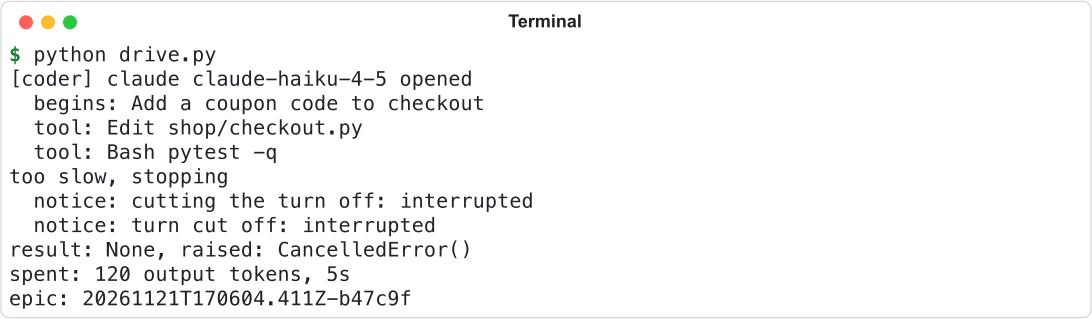
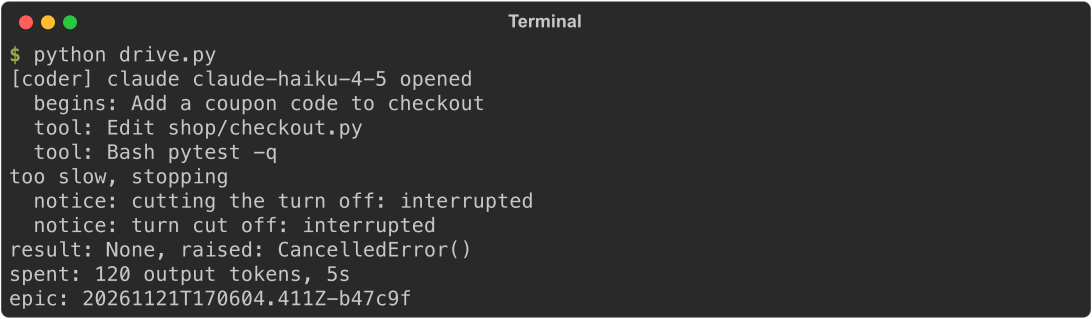
wait(timeout=5) returns False if the epic is still running after five seconds. stop() requests cancellation and returns immediately, so call run.wait() again to wait for shutdown. A stopped run has no result, and run.raised is CancelledError.
TIP
An epic belongs to the daemon, not your script. If the script exits while the epic runs, the epic keeps running. Call run.close() to stop the epic and disconnect in one call.
What you did
- Added a project flow and ran it with
Hmz().run(...). - Followed sessions and events with
openedandwatch. - Answered the flow's question in code with
outworlder=. - Read the result, usage, and epic directory from the
Run. - Stopped a slow run with
stop().
Next
- The Python SDK: everything else
HmzandRuncan do. - The person as an agent: how a flow asks questions and handles away status.
- Test a flow: run a flow with scripted agents and zero tokens.
- Run a flow every night in CI: run the same job with
hmz exec.