Faces
A face is a single HTML file that replaces the default schema form when your flow asks a person a question. Use one when a custom interface fits the decision better, such as reviewing a diff file by file, picking an image, or reordering a plan.
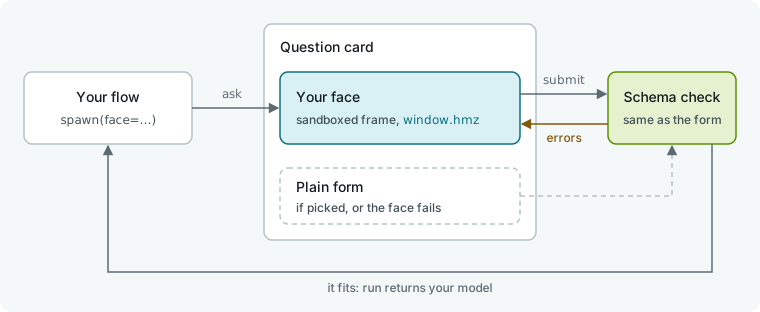
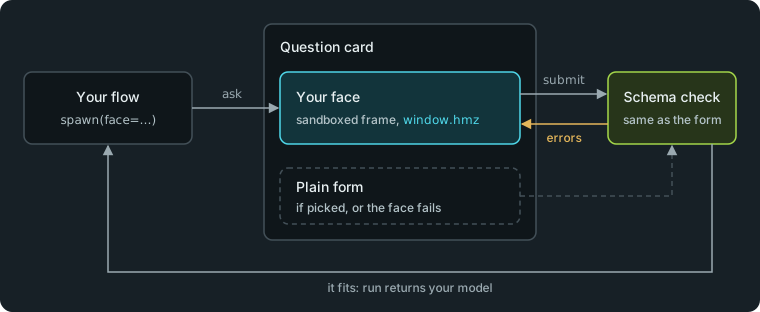
A face changes how a question looks, not what it asks. Humanize validates the submitted answer against output_schema the same way it checks the plain form. This page builds on The person as an agent.
Declare a face
Pass the face to spawn. Humanize mounts it for the whole session: every question in the session uses the same face, preserving its state between turns.
# .hmz/flows/gate/__init__.py
"""Gate: an agent does the task, and you review the change in a face."""

from typing import Literal

from pydantic import BaseModel, Field

from hmz.flows import (
    Agent,
    AgentCollection,
    Diff,
    EnvCollection,
    Face,
    FlowContext,
    FlowParams,
    LocalEnv,
    Outworlder,
    ShellEnvMixin,
    flow,
)

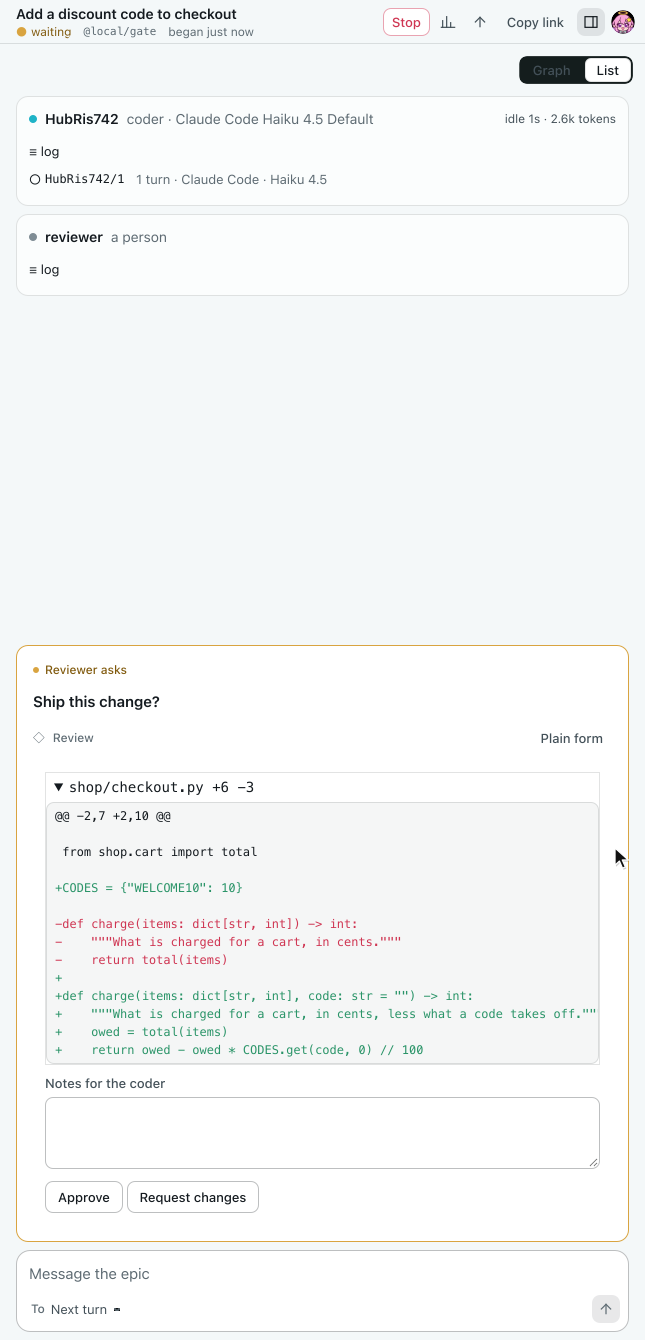
REVIEW = Face.file("review.html", title="Review")


class Review(BaseModel):
    verdict: Literal["approve", "request changes"] = Field(
        description="What to do with the change."
    )
    notes: str = Field("", description="What to change, if anything.")


class Agents(AgentCollection):
    coder: Agent
    reviewer: Outworlder


class Workspace(LocalEnv, ShellEnvMixin): ...


class Envs(EnvCollection):
    workspace: Workspace


@flow(agents=Agents, envs=Envs, params=FlowParams)
async def gate(
    task: str, *, agents: Agents, envs: Envs, params: FlowParams, ctx: FlowContext
) -> str:
    """An agent does the task, and you review the change in a face."""
    coder, reviewer = agents["coder"], agents["reviewer"]
    workspace = envs["workspace"]
    working = await coder.spawn()
    reviewing = await reviewer.spawn(face=REVIEW)
    notes = task
    for _ in range(3):
        await coder.run(notes, session=working, env=workspace)
        _, patch, _ = await workspace.exec(["git", "diff"])
        review = await reviewer.run(
            "Ship this change?",
            session=reviewing,
            output_schema=Review,
            context=[Diff(patch=patch)],
        )
        if review.verdict == "approve":
            return "approved"
        notes = review.notes
    return "not approved"
Create a Face in one of three ways:
| Call | What it makes |
|---|---|
Face.file(path, *, title="") | Reads an HTML file immediately. Relative paths resolve from the calling module's directory. |
Face.html(text, *, title="") | Builds a face from an HTML string. |
await Face.design(agent, *, session, about, output_schema=None, env=None) | Has an agent write a face in one turn using FACE_GUIDE, your about prompt, and the JSON Schema. Extracts the first fenced html block, or takes the whole answer when it is unfenced HTML, and uses its <title>. Raises ValueError if the answer contains no HTML. |
title is the label shown beside the face. A Face is frozen and exposes html, title, and hash (the SHA-256 of the HTML). FACE_GUIDE, exported from hmz.flows, is the contract on this page formatted as an agent prompt.
Write the page
Put everything in a single file with inline <style> and <script> tags and no build step. Register an ask listener when the page loads.
<!-- .hmz/flows/gate/review.html -->
<!doctype html>
<meta charset="utf-8" />
<style>
  body { margin: 0; padding: 12px; font: 14px/1.5 var(--sans); color: var(--ink); }
  details { border: 1px solid var(--line); margin-bottom: 8px; }
  summary { padding: 4px 8px; font-family: var(--mono); }
  pre { margin: 0; padding: 4px 8px; font: 12px/1.5 var(--mono); overflow-x: auto; }
  .add { color: var(--done); }
  .del { color: var(--fail); }
  textarea { width: 100%; box-sizing: border-box; }
  #error { color: var(--fail); }
</style>
<div id="files"></div>
<label for="notes">Notes for the coder</label>
<textarea id="notes" rows="2"></textarea>
<p id="error" role="alert"></p>
<button data-verdict="approve">Approve</button>
<button data-verdict="request changes">Request changes</button>
<script>
  const $ = (id) => document.getElementById(id);
  hmz.on("ask", ({ context, errors }) => {
    const patch = context.find((block) => block.kind === "diff")?.patch ?? "";
    $("files").replaceChildren();
    for (const part of patch.split(/^(?=diff --git )/m).filter(Boolean)) {
      const file = $("files").appendChild(document.createElement("details"));
      const name = file.appendChild(document.createElement("summary"));
      const lines = file.appendChild(document.createElement("pre"));
      const body = part.slice(part.indexOf("\n@@") + 1).split("\n");
      const count = (sign) => body.filter((line) => line.startsWith(sign)).length;
      const path = part.match(/^diff --git a\/(\S+)/)?.[1] ?? "the change";
      name.textContent = `${path}  +${count("+")} -${count("-")}`;
      for (const line of body) {
        const row = lines.appendChild(document.createElement("div"));
        row.textContent = line;
        row.className = line.startsWith("+") ? "add" : line.startsWith("-") ? "del" : "";
      }
      file.open = file === $("files").firstChild;
    }
    $("notes").value = "";
    $("error").textContent = errors.map((error) => error.message).join("; ");
  });
  for (const button of document.querySelectorAll("[data-verdict]")) {
    button.onclick = async () => {
      const value = { verdict: button.dataset.verdict, notes: $("notes").value };
      const said = await hmz.submit(value);
      if (!said.ok) $("error").textContent = said.errors[0].message;
    };
  }
</script>
A face runs under strict rules:
| Rule | Details |
|---|---|
| No network | The frame blocks fetch, CDNs, and web fonts. Embed images and fonts as data: URLs. |
| Two imports | You may import /vendor/markdown.js (render(md) returns safe HTML) and /vendor/vega.js (embed(element, spec)) as modules, and nothing else. |
| Sandboxed frame | The frame has no cookies or localStorage, cannot read the parent page, and ignores link clicks and form submissions. |
| Theme variables | Default buttons, fields, and tables match the host page automatically. In custom CSS, use the theme variables set on :root before your scripts run: --paper, --surface, --raised, --ink, --ink-2, --ink-3, --line, --line-strong, --live, --link, --done, --fail, --sans, --mono. |
Talk to the run with window.hmz
Use window.hmz to communicate with the host page. Humanize injects it before your scripts run.
| Call | What it does |
|---|---|
hmz.on("ask", ({prompt, context, schema, errors}) => ...) | Fires for each question in the session. prompt is the question text. context is the list of blocks passed by the flow. schema is the answer's JSON Schema, or null for plain text. errors is [], or [{path, message}] when the previous submission failed validation; path lists the keys to the field at fault. |
hmz.on("show", (context) => ...) | Fires when the flow pushes blocks with show, requiring no answer. |
hmz.on("theme", (tokens) => ...) | Fires when the theme changes. tokens maps each variable name to its value, which is already set on :root. |
await hmz.submit(value) | Submits the answer: an object when schema is present, or a string when schema is null. Resolves to {ok: true}, or {ok: false, errors} if validation fails. |
hmz.resize(height) | Sets the frame height in pixels. Pass 0 (the default) to size the frame to its content. |
hmz.on returns an unsubscribe function. If you register a listener late, it immediately receives the current question and theme.
Each context block is a JSON object {kind, title?, ...} where kind is markdown, code, diff, table, image, json, or chart. While the face is active, the host page does not render context blocks for you.
See where it shows
In the app
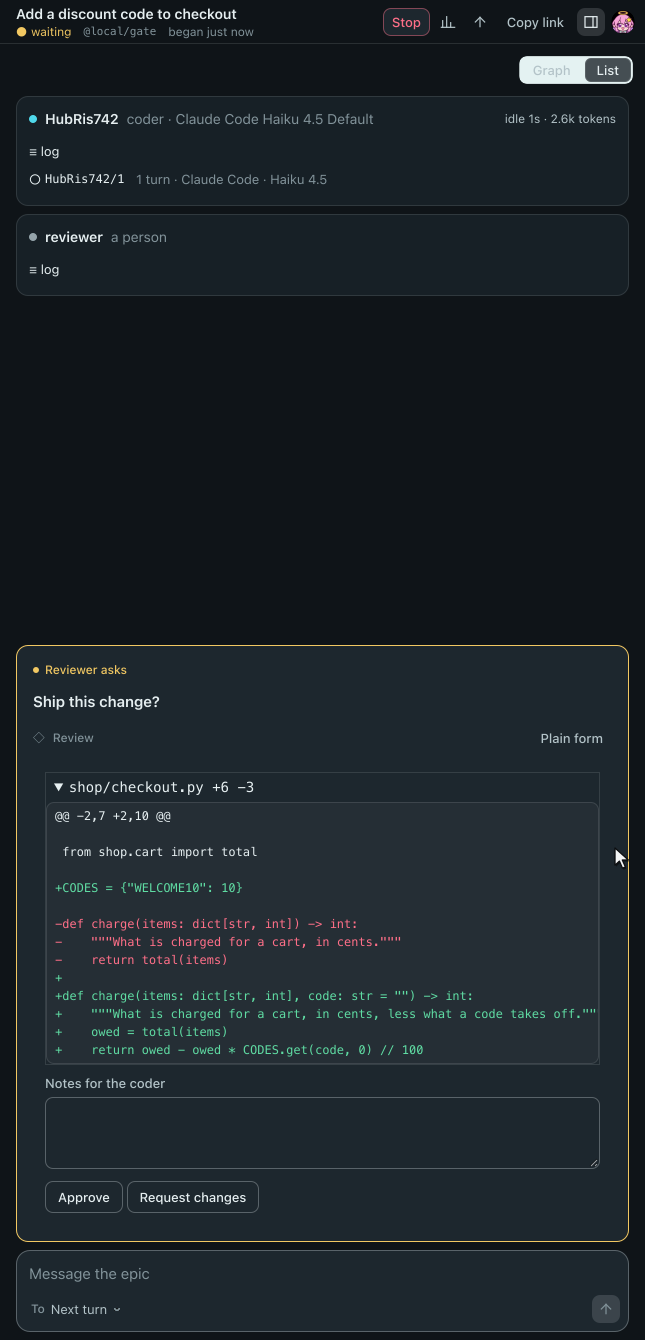
Humanize Desktop and the web page render the face inside the question card below the prompt.
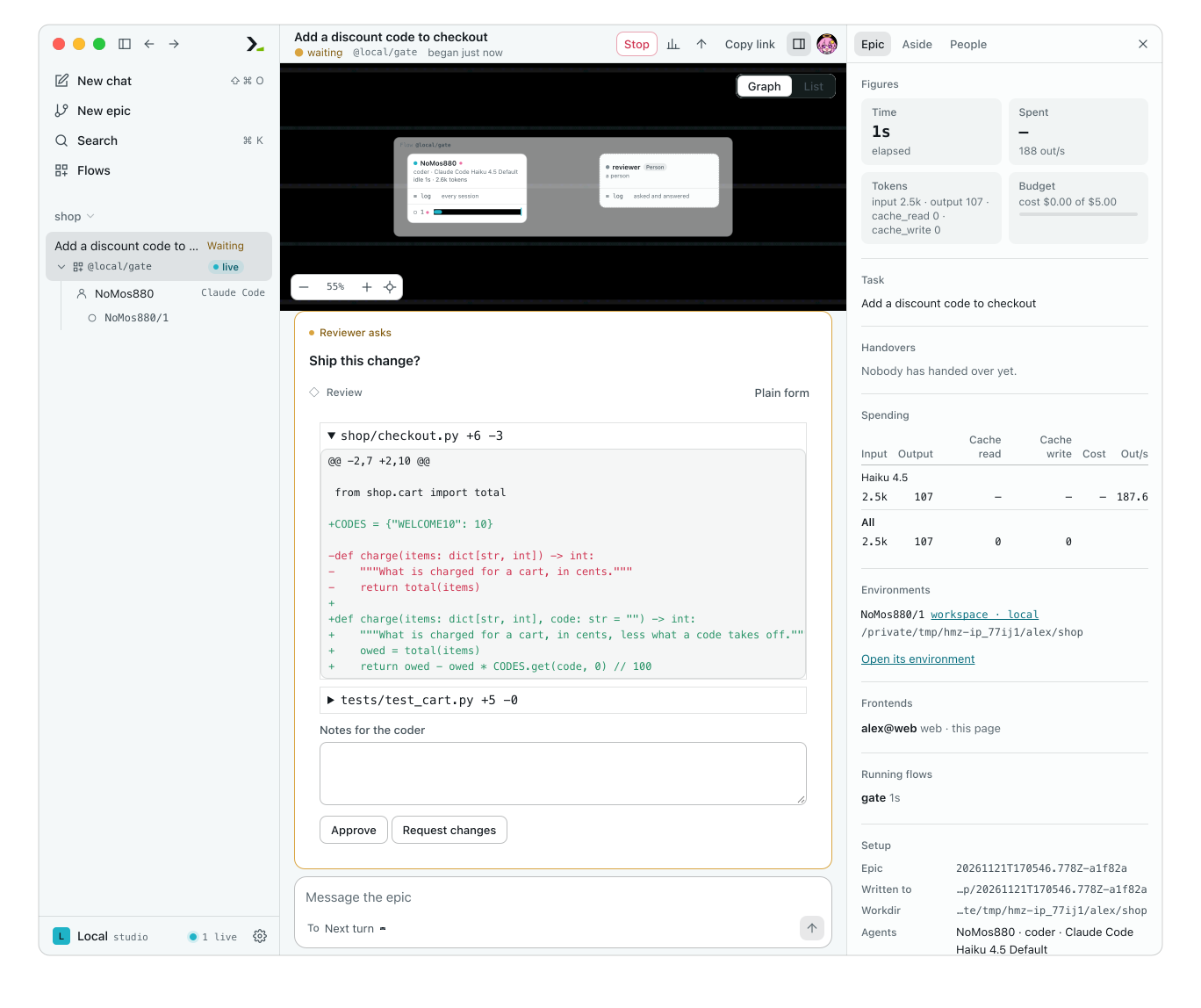
Click Plain form beside the face's title to switch to the schema form and default context blocks. Click Back to Review to return to the face with its state intact. You can submit your answer from either view.
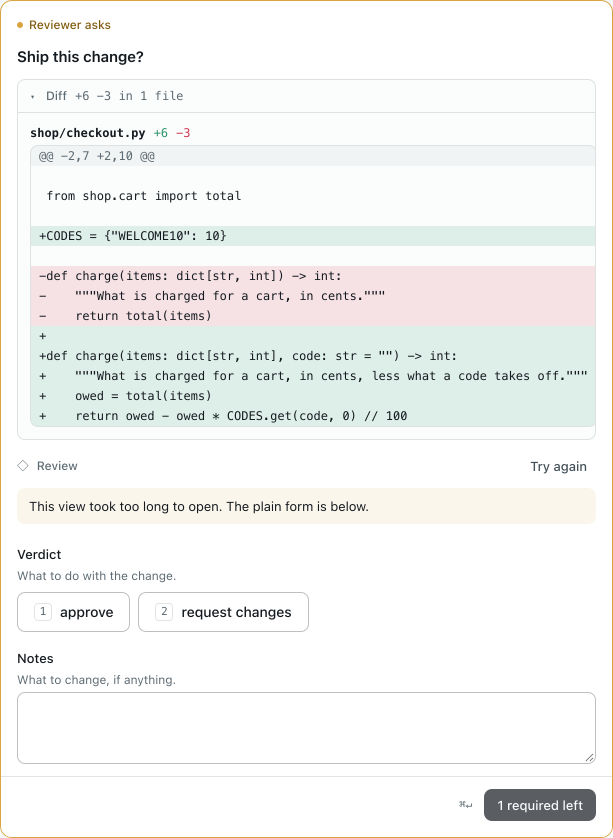
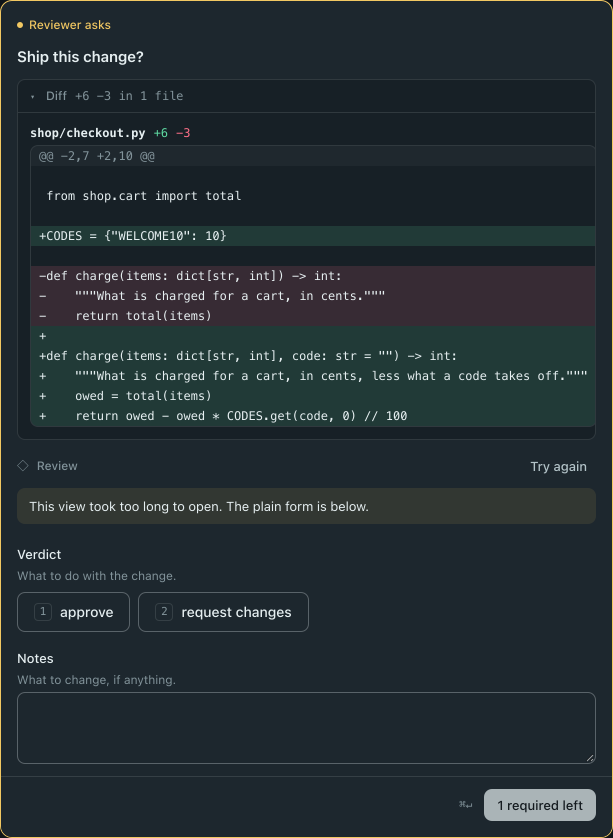
If the face fails to load, throws an error before calling hmz.on("ask", ...), or does not register within 5 seconds, the card falls back to the plain form and shows the reason. Click Try again to reload the face.
In the terminal
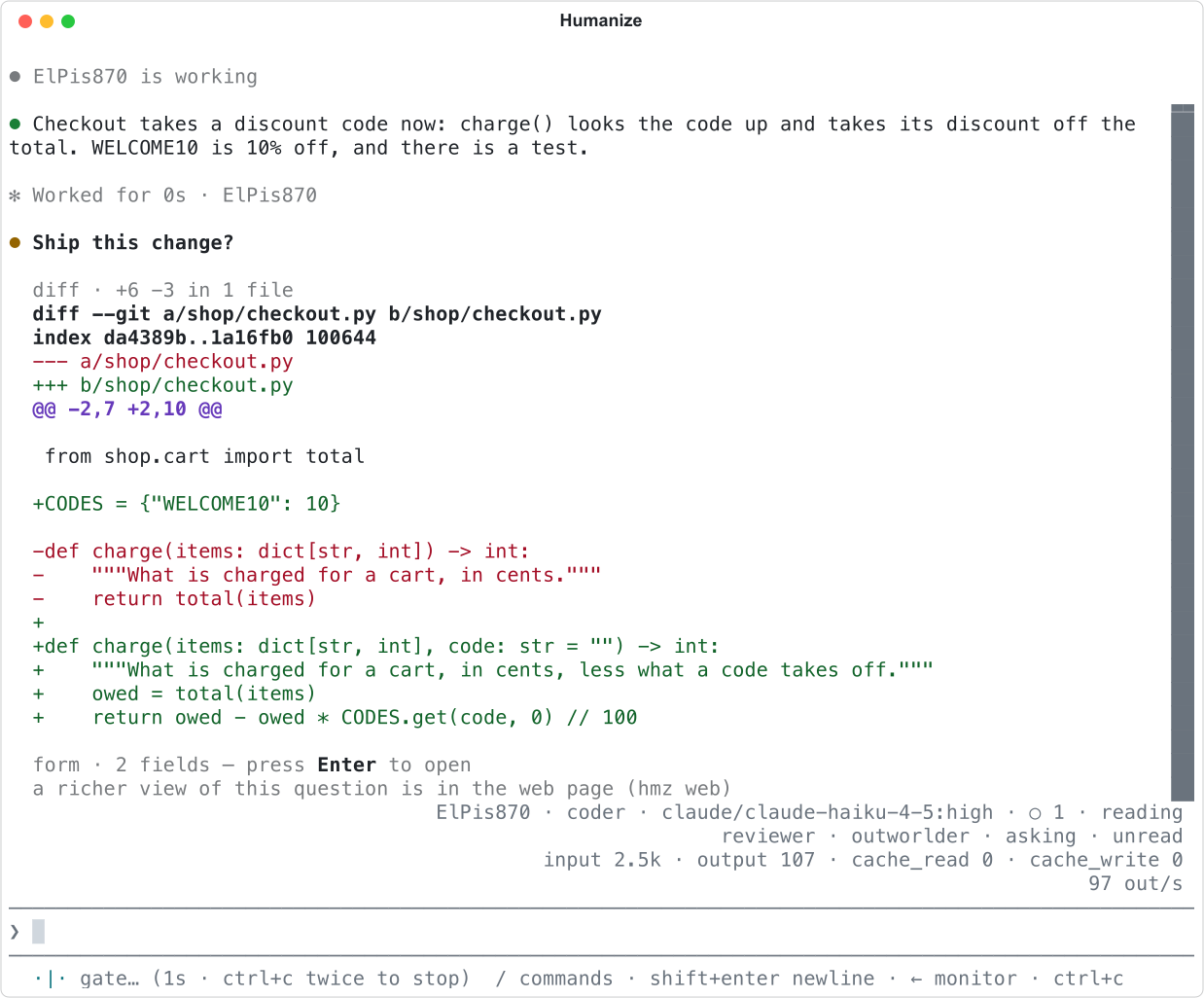
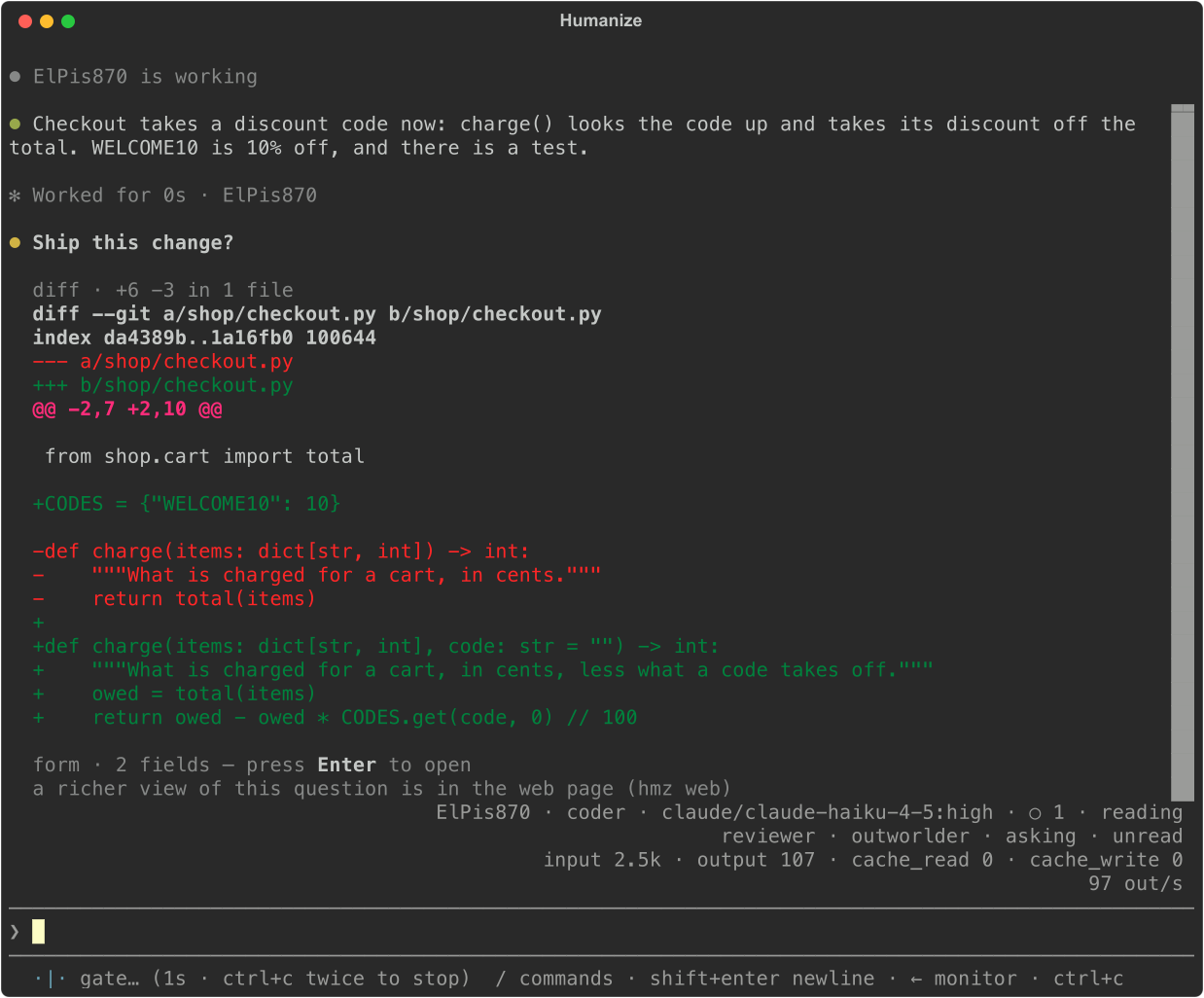
hmz does not render faces in the terminal. You see the standard schema form along with a note that the web page has a richer view.
From Python
Programmatic callers answer the schema directly without running the face.
- A stand-in created with
Outworlder.new()receives theFaceasfacein itson_outworlder_runhook parameters. - An SDK driver receives the face's hash as
Ask.face.
Test it
Run the flow with run_fake and FakeOutworlder to script answers and inspect the face hash on each recorded ask in asks.
# tests/test_gate.py
import asyncio

from hmz.flows import Face
from hmz.sdk import fakes


def test_asked_in_the_face_and_sent_back_once() -> None:
    you = fakes.FakeOutworlder(
        reply=[
            {"verdict": "request changes", "notes": "add a test"},
            {"verdict": "approve"},
        ]
    )
    coder = fakes.FakeAgentDriver(reply=["done", "added a test"])
    result = asyncio.run(
        fakes.run_fake(
            "gate", "add a discount code", agents={"coder": coder}, outworlder=you
        )
    )
    assert result == "approved"
    assert coder.prompts == ["add a discount code", "add a test"]
    face = Face.file("../.hmz/flows/gate/review.html")
    assert [ask.face for ask in you.asks] == [face.hash, face.hash]
    assert you.asks[0].context[0]["kind"] == "diff"

See Test a flow for more on fakes.
Good to know
- A face is optional at runtime. Because the terminal, Python callers, and Plain form users see the generated form, add a
descriptionto every schema field. - Put validation rules in the schema, not only in the face. Client-side checks in the face are for convenience.
- Each session supports one face. Spawn a new session to use a different face.
- Insert agent output and diffs with
textContent, never as raw HTML. - A face without a
titleis labeled Custom view. - A second
hmz.submitwhile one is in flight resolves to{ok: false, errors}without sending anything. - Frame height is clamped between 48 and 4000 pixels.
- The host page caches frames for the last 8 rendered sessions. When a frame reloads, Humanize replays up to 32 of the session's
showcalls.