Worktrees, clones and scratch
A flow gets one working directory per environment role. From that directory, you can derive a git worktree, a throwaway copy, or an empty scratch directory on the same machine. You can also snapshot the directory and rewind it later.
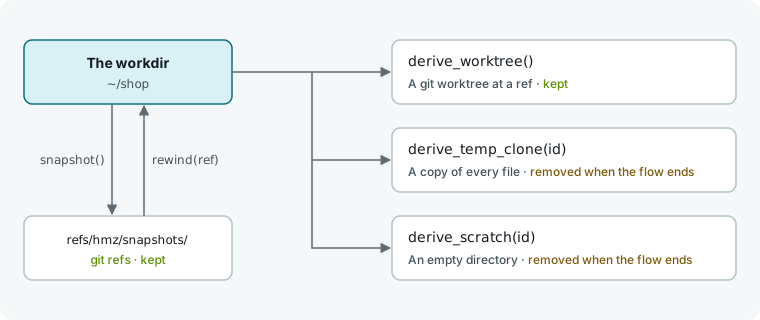
Choose a directory type
Declare the mixin for each capability on the role's type. See Environment roles for how roles and mixins work.
| You want | Declare | Call | Removed |
|---|---|---|---|
| A new git worktree at any ref | GitWorktreeEnvMixin | derive_worktree(ref=, dir=) | Never |
| A copy of the workdir as it is now | TemporaryClonedDirEnvMixin | derive_temp_clone(id) | When the flow ends |
| An empty directory of the flow's own | ScratchDirEnvMixin | derive_scratch(id) | When the flow ends |
| The workdir put back as it was | GitEnvMixin | snapshot(name), rewind(ref) | Never |
class Workspace(
    LocalEnv,
    FilesEnvMixin,
    GitWorktreeEnvMixin,
    TemporaryClonedDirEnvMixin,
    ScratchDirEnvMixin,
):
    """The project, and what the flow may derive from it."""
Every derive_… call returns a new environment on the same machine, with the same role and mixins as the original. Pass it to a turn to have an agent work there: run(…, env=tree). Calling a method without declaring its mixin raises CapabilityNotGranted.
The examples below use workspace = envs["workspace"] and coder = agents["coder"].
Derive a git worktree
tree = await workspace.derive_worktree()This adds a git worktree to the repository and returns an environment at the new path. Use this when several agents work on the same repository at once and must not touch each other's files. See Fan out agents across git worktrees for a full example.
| Argument | Default | Meaning |
|---|---|---|
ref | None | What to check out, detached: a branch, a tag, a commit. None is what the workdir has checked out. |
dir | None | Where to put it: relative to the workdir, absolute, or ~/… on the machine. None is a fresh directory Humanize picks. |
A worktree holds only committed files at ref, excluding uncommitted changes from the workdir. The call raises WorktreeError if the workdir is not in a repository, git does not know the ref, or dir is already taken. It also refuses a ref that is empty or starts with -.
Make a temporary clone
trial = await workspace.derive_temp_clone("try-1")
said = await coder.run(task, session=await coder.spawn(), env=trial)
This copies the workdir as it is now, including uncommitted and untracked files, and returns an environment at the copy. Use it for an attempt that must leave the project untouched, or when the workdir is not a git repository.
Pass an id to name the copy. Requesting the same id from the same environment returns the existing copy, while requesting it from another environment raises TempCloneBusy. Call await workspace.destroy_temp_clone("try-1") to remove the copy early and free the id; removing a missing copy does nothing. A failed copy raises EnvError.
Make a scratch directory
notes = await workspace.derive_scratch("notes")
await notes.write("try-1.md", said.encode())
This returns an environment at an empty directory outside the repository on the same machine. Use it for files the flow keeps for itself, such as notes between rounds. Passing the same id returns the same directory. Declare FilesEnvMixin on the role to write files.
Call await workspace.destroy_scratch("notes") to remove the directory early. If the directory cannot be created or removed, it raises ScratchError.
Inspect derived environments
Open the running epic in Humanize Desktop and click Open its 4 environments to see every derived environment beside the role's own. Each environment shows its own files, terminal, and changes.
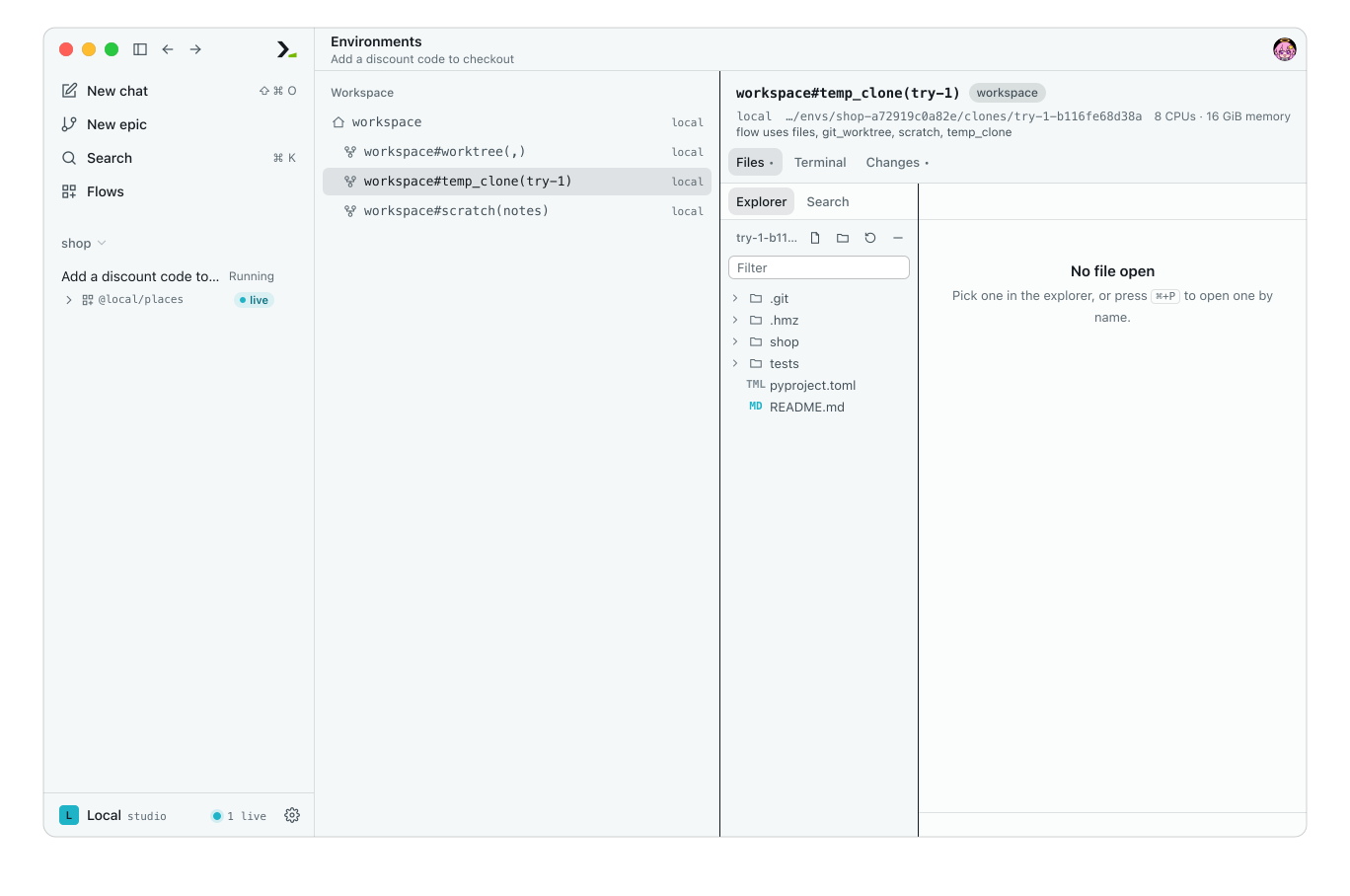
The agent's turn is working in workspace#temp_clone(try-1).
Snapshot and rewind
Declare GitEnvMixin to snapshot and rewind the workdir using git:
| Call | What it does |
|---|---|
snapshot(name=None) | Records the whole worktree as a commit under refs/hmz/snapshots/<name> and returns that ref. Nothing checked out moves and no file changes. A name already used is replaced. Without a name, Humanize picks one from the UTC time. |
rewind(ref) | Puts the worktree back as the ref has it. Takes a snapshot's ref or any ref git knows, such as HEAD~1, a branch or a tag. |
snapshots() | Lists the snapshot refs kept in the repository, oldest first. Every worktree of the repository shares them. |
This flow snapshots the project, runs the agent, and rewinds if the tests fail.
# .hmz/flows/guarded/__init__.py
from hmz.flows import (
    Agent,
    AgentCollection,
    EnvCollection,
    FlowContext,
    FlowParams,
    GitEnvMixin,
    LocalEnv,
    ShellEnvMixin,
    flow,
)

CHECK = ["python3", "-m", "pytest", "-q"]


class Agents(AgentCollection):
    coder: Agent


class Workspace(LocalEnv, ShellEnvMixin, GitEnvMixin):
    """The project. The flow may run programs in it and put it back."""


class Envs(EnvCollection):
    workspace: Workspace


@flow(agents=Agents, envs=Envs, params=FlowParams)
async def guarded(
    task: str, *, agents: Agents, envs: Envs, params: FlowParams, ctx: FlowContext
) -> bool:
    """Try the task, and put everything back if the check fails."""
    coder, workspace = agents["coder"], envs["workspace"]
    before = await workspace.snapshot("before-task")
    await coder.run(task, session=await coder.spawn(), env=workspace)
    status, _, _ = await workspace.exec(CHECK)
    if status == 0:
        print("check passed: change kept")
        return True
    await workspace.rewind(before)
    print(f"check failed: rewound to {before}")
    return False
Run the flow on a task where the agent's edit breaks a test:
hmz exec -f @local/guarded -a coder=claude/claude-haiku-4-5 -p budget.duration=30m "Add a discount code to checkout"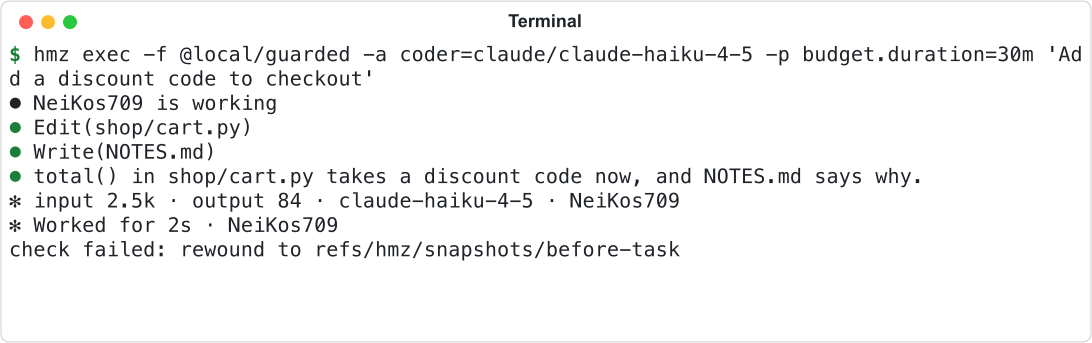
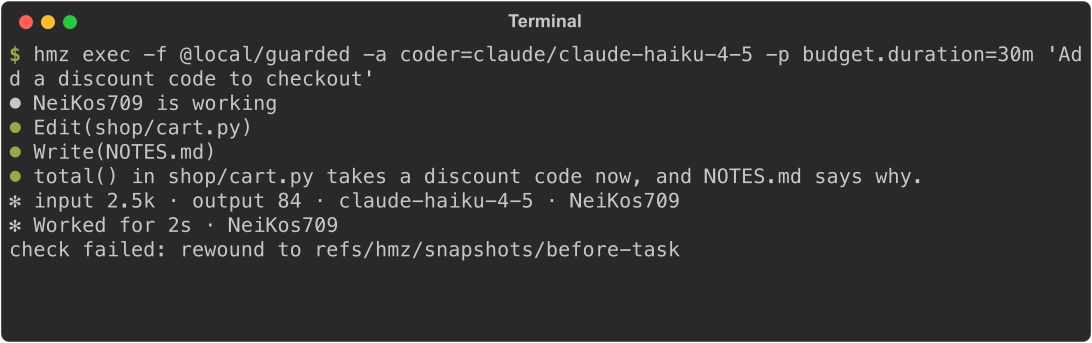
The rewind removes both the edit and the new file:


Rewinding restores the checked-out commit, the index, and every file, returning untracked files as untracked. It moves the checked-out branch to that commit, losing any commits made after the snapshot. It also removes files not in the snapshot (including nested repositories) and abandons any in-progress merge, cherry-pick, or revert. It never records or removes git-ignored files or a top-level .hmz/ directory.
snapshot, rewind, and snapshots raise RewindError when the workdir is not in a git worktree, the snapshot name is not a valid git ref name, or git does not recognize the ref. rewind also refuses a ref that is empty or starts with -.
You can also rewind to these snapshots manually while the flow runs. See Snapshots and rewind.
Storage and cleanup
Humanize stores derived directories under envs/ inside ~/.hmz (or HUMANIZE_HOME when set) on the environment's machine.
| Kind | Directory under envs/<workdir name>-<digest>/ | Removed |
|---|---|---|
Worktree without dir | worktrees/<ref>-<random>/ | Never. Remove it with git worktree remove. |
| Temporary clone | clones/<id>-<digest>/ | When the flow call that made it ends |
| Scratch directory | scratch/<id>-<digest>/ | When the flow call that made it ends |
| Snapshot | A ref in the repository, not a directory | Never. Remove it with git update-ref -d. |
While the flow runs, all three directories exist on disk:


When the flow ends, only the worktree remains:


Clones and scratch directories stay until the flow call that created them and all child flows finish, or until you stop the epic. The flow waits up to 30 seconds for this cleanup; a slower one finishes in the background.
A resumable flow keeps its clones and scratch directories when the epic ends. A resumed run that asks for the same id gets the same directory, so destroy unneeded directories yourself.
Test without git
Use FakeEnvDriver with run_fake to keep worktrees, clones, scratch directories, and snapshots in memory without a git repository. See Test a flow.
Good to know
GitWorktreeEnvMixinandGitEnvMixinrequiregiton the machine's PATH and an existing git repository in the workdir. Humanize does not initialize repositories, and refuses the flow withCapabilityMissingbefore running ifgitis missing.- A temporary clone requires only
shandcp, unless the workdir is a linked git worktree, which also requiresgit. - Deriving a worktree does not move existing agent sessions into it. Pass the worktree as
envon the next turn, and see Machines and moving sessions for which agents can move conversations across directories. - Worktrees are not cleaned up automatically, so deriving one per round leaves one per round on disk. Pass a fixed
dirand remove it yourself, or use a temporary clone. - In a container that Humanize starts for the environment, derived directories live inside the container and are removed with it.
- Type code that only snapshots and rewinds against
RewindableEnvMixin, the interfaceGitEnvMixinimplements, while still declaringGitEnvMixinon the role. - To use a plain subdirectory under the workdir without a mixin, call
derive_subdiras shown in Environment roles.