Hooks
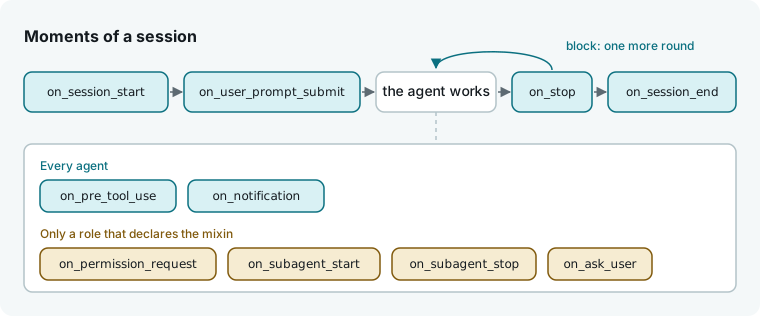
A hook is an async function your flow attaches to a moment in an agent's session, such as before a prompt goes out, before a tool runs, or before a turn ends. The harness waits for your hook's return value before continuing.
Hang a hook
Call on_<moment> on an agent to attach a hook. Each moment has a matching params class and result class in hmz.flows; for example, on_stop takes a function from StopHookParams to StopHookResult.
This flow attaches two hooks: one prepends a rule to the session's first prompt, and the other keeps the turn going until the agent reports test results.
# .hmz/flows/tested/__init__.py
from hmz.flows import (
    Agent,
    AgentCollection,
    EnvCollection,
    FlowContext,
    FlowParams,
    LocalEnv,
    SessionStartHookParams,
    SessionStartHookResult,
    StopHookParams,
    StopHookResult,
    flow,
)


class Agents(AgentCollection):
    coder: Agent


class Envs(EnvCollection):
    workspace: LocalEnv


async def house_rules(params: SessionStartHookParams) -> SessionStartHookResult:
    return SessionStartHookResult(context="Keep the change small.")


async def until_tested(params: StopHookParams) -> StopHookResult:
    if "passed" in params.said or params.again >= 2:
        return StopHookResult()  # changes nothing: the turn ends
    return StopHookResult(block=True, reason="Run pytest -q and say what it printed.")


@flow(agents=Agents, envs=Envs, params=FlowParams)
async def tested(
    task: str, *, agents: Agents, envs: Envs, params: FlowParams, ctx: FlowContext
) -> str:
    """A coder does the task and is kept going until it reports its tests."""
    coder = agents["coder"]
    coder.on_session_start(house_rules)
    coder.on_stop(until_tested)
    return await coder.run(task, session=await coder.spawn(), env=envs["workspace"])
Run the flow:
hmz exec -f @local/tested -a coder=claude/claude-haiku-4-5 \
    -p budget.output_tokens=20000 "Add a coupon code to checkout"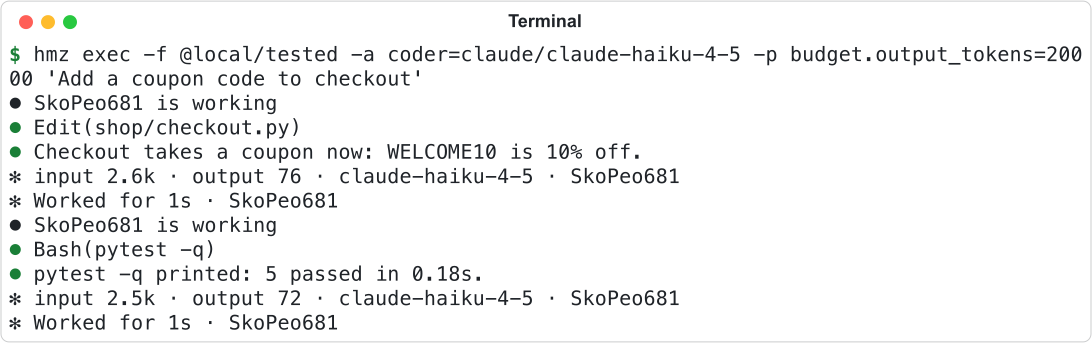
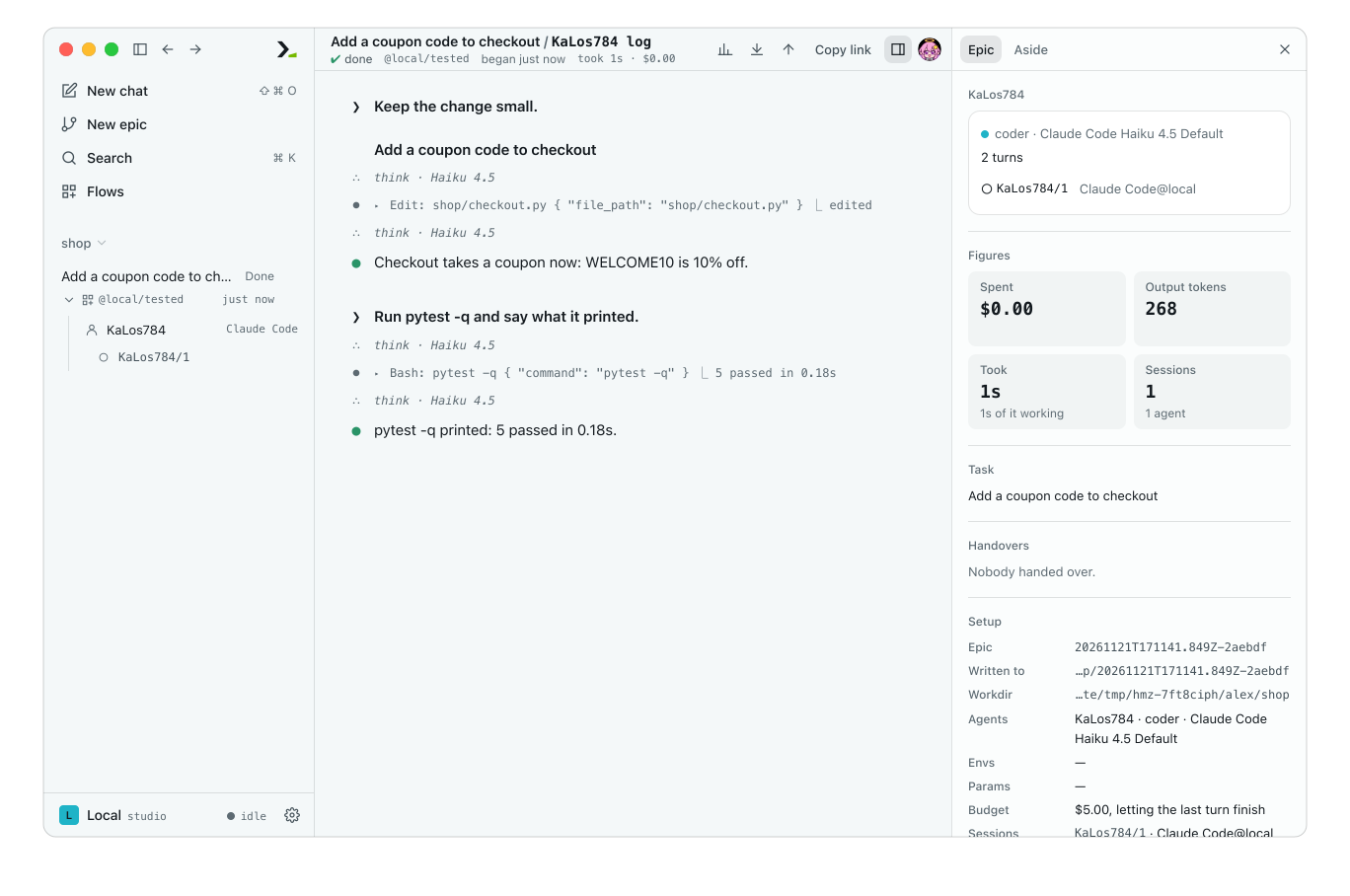
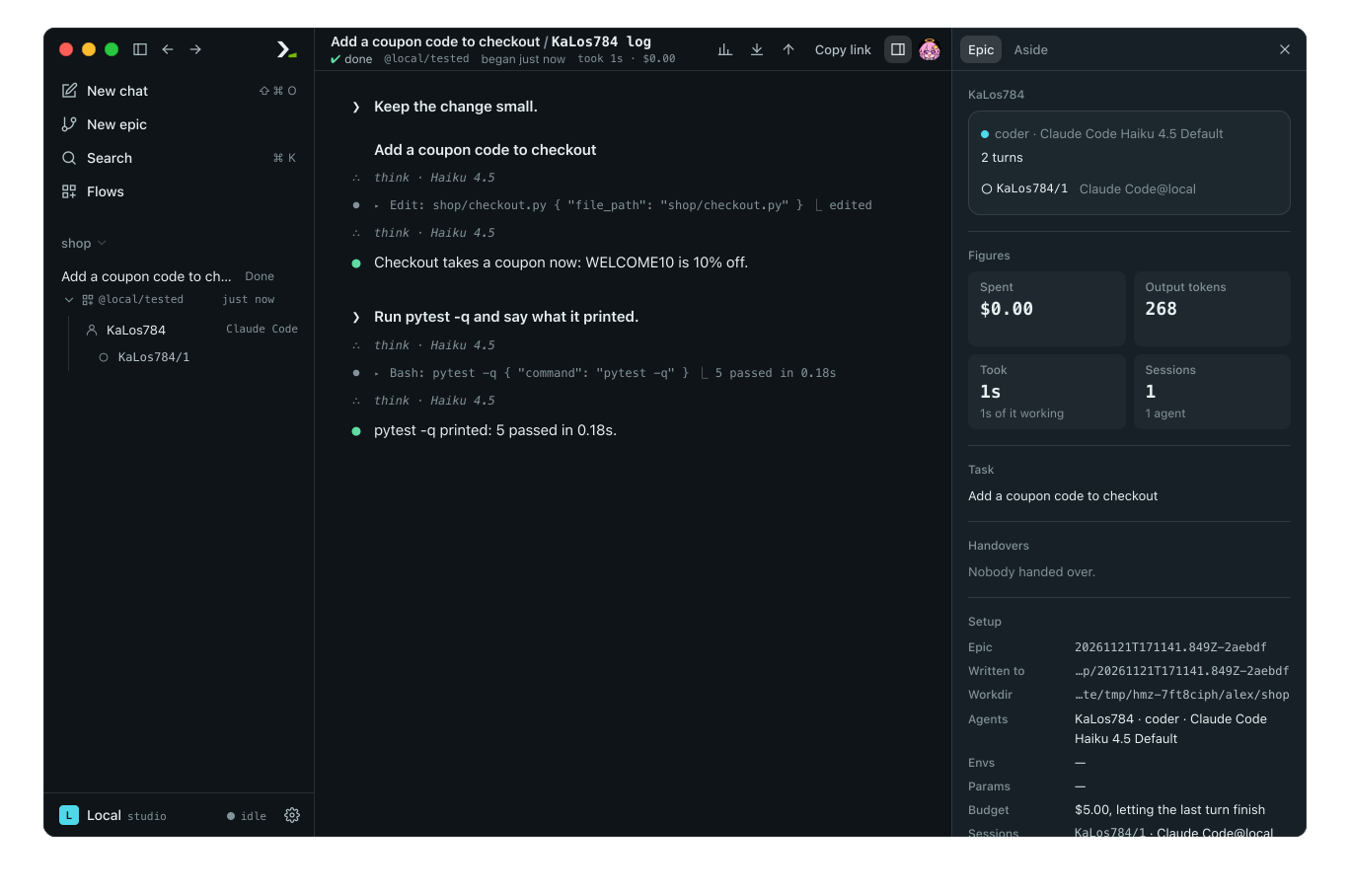
One run, two rounds: the stop hook sent the agent back for its tests.
Open the session log in Humanize Desktop to see the rule prepended to the task and the stop hook's reason sent as the next prompt.
Every hook follows these rules:
- A hook applies to all sessions of its agent, including sessions opened later and agents created from it with
derive. - Every params object includes
ctx(the flow context) andsession(the current session). - Returning a result with no arguments changes nothing. Use this when a hook only observes.
- Each agent holds at most one hook per moment. Attaching a second replaces the first; passing
Noneremoves it.
Moments on every agent
| Method | When | Params | What the result does |
|---|---|---|---|
on_session_start | a session is about to take its first turn | none | context goes in front of the first prompt |
on_user_prompt_submit | a prompt is about to go to the agent | prompt | context is added after the prompt; block refuses it, and run raises SessionError with reason |
on_pre_tool_use | the agent has reached for a tool | tool, input | block refuses the tool and tells the agent reason, on claude and qwen only |
on_notification | the agent stops to tell its user something | message | nothing |
on_stop | a turn is about to end | said, again | block with a non-empty reason sends reason as the next prompt of the same turn |
on_session_end | a session is being closed | none | nothing |
tool is the harness's name for the tool, and input holds its arguments (or is empty if the harness provides none). said is the agent's final text. again counts how many times a stop hook has already extended this turn; use it to cap retries, as until_tested does.
On harnesses other than claude and qwen, on_pre_tool_use is observation-only: the harness has already announced the tool, and block does not stop it. On litellm, which uses no tools, it never fires.
Moments that need a mixin
Declare a mixin on the agent role to use moments that only some harnesses support. Humanize rejects unsupported harnesses for that role before the first turn.
| Method | Mixin on the role | When | Params | What the result does |
|---|---|---|---|---|
on_permission_request | PermissionRequestHookAgentMixin | the harness asks whether a tool may run | tool, input | allow=False refuses the tool and tells the agent reason |
on_subagent_start | SubagentStartHookAgentMixin | the agent starts a subagent | subagent, task | nothing: watch only |
on_subagent_stop | SubagentStopHookAgentMixin | a subagent is about to finish | subagent, said | nothing: watch only |
on_ask_user | AskUserHookAgentMixin | the agent stops mid-turn to ask its user a question | question, options | answer is told to the agent; None leaves the question unanswered |
Harness (-a) | Permission request | Subagent start and stop | Ask user |
|---|---|---|---|
claude, codex | yes | yes | yes |
kimi | yes | no | yes |
cursor-agent, mcode | no | yes | no |
pi, omp | no | no | yes |
| every other harness | no | no | no |
This role handles permission requests and agent questions inside the flow:
class Builder(Agent, PermissionRequestHookAgentMixin, AskUserHookAgentMixin):
    """Its permission requests and its questions come to the flow."""


async def no_deleting(params: PermissionRequestHookParams) -> PermissionRequestHookResult:
    if "rm " in str(params.input.get("command", "")):
        return PermissionRequestHookResult(allow=False, reason="nothing is deleted here")
    return PermissionRequestHookResult()


async def decide(params: AskUserHookParams) -> AskUserHookResult:
    return AskUserHookResult(answer=params.options[0] if params.options else "your call")


# in the flow function
builder = agents["builder"]
builder.on_permission_request(no_deleting)
builder.on_ask_user(decide)
Harnesses run with human approvals bypassed. A permission hook puts your flow in the approver's place: a request the harness would grant is granted unless the hook returns allow=False. Each harness chooses which tools trigger a permission request, so the hook does not see every tool call. For on_ask_user, answer does not need to be one of options. If no on_ask_user hook is attached, the agent is told nobody answered.
Calling any of these four methods on a role without its mixin raises CapabilityNotGranted, regardless of the harness. See Agent roles for details on mixins.
An outworlder created with Outworlder.new() provides one more hook method, on_outworlder_run, which answers on its behalf. See The person as an agent. No other hook fires for an outworlder: a person's sessions have no hook moments.
Test hooks
A scripted agent automatically fires session start on a session's first turn, prompt submit and stop on every turn, and session end on close. Inside a reply function, use FakeSession methods to trigger the remaining moments: session.tool(name, input) fires pre-tool-use and permission-request hooks and returns whether the tool runs; session.ask(question, options) returns the hook's answer; session.notify(message) fires a notification; and session.subagent(name, task=..., said=...) fires subagent start and stop.
# tests/test_hooks.py
import pytest

from hmz.flows import CapabilityMissing
from hmz.sdk import fakes


async def test_the_turn_goes_on_until_tests_are_reported() -> None:
    coder = fakes.FakeAgentDriver(reply=["Checkout takes a coupon.", "5 passed"])

    said = await fakes.run_fake("tested", "add a coupon", agents={"coder": coder})

    assert said == "5 passed"
    assert coder.prompts == [
        "Keep the change small.\n\nadd a coupon",
        "Run pytest -q and say what it printed.",
    ]


async def reaches(prompt: str, *, session: fakes.FakeSession, **_: object) -> str:
    deleted = await session.tool("Bash", {"command": "rm -rf build"})
    picked = await session.ask("Which database?", ["sqlite", "postgres"])
    return f"deleted={deleted} picked={picked}"


async def test_a_deletion_is_refused_and_a_question_answered() -> None:
    builder = fakes.FakeAgentDriver(reply=reaches)

    said = await fakes.run_fake("gated", "tidy up", agents={"builder": builder})

    assert said == "deleted=False picked=sqlite"


async def test_a_harness_that_never_asks_cannot_fill_the_role() -> None:
    with pytest.raises(CapabilityMissing):
        await fakes.run_fake("gated", "x", agents={"builder": fakes.FakeAgentDriver("qwen")})
See Test a flow.
Good to know
- An unhandled exception in a hook aborts the turn and is raised by
run. Catch expected errors inside the hook. - A hook runs in the flow's context: it can run another agent, inspect an environment, or call a subflow while the harness waits.
- The harness waits at most 900 seconds for
on_pre_tool_use,on_permission_request,on_notification,on_subagent_startandon_subagent_stop, then continues as if no hook were attached.on_ask_userand the four moments around a turn (session start, prompt submit, stop, session end) have no time limit. - Attach
on_pre_tool_use,on_permission_request, andon_ask_userbefore the turn starts. Where they change how the harness launches, attaching them mid-turn only takes effect on the next turn. Other hooks take effect immediately for the rest of the current turn. - Subflows have their own agents. Your hooks never fire for a subflow's sessions, and its hooks never fire for yours.
- An exhausted budget ends the turn even if a stop hook requests another round. See Budgets in a flow.
- A permission hook can deny an otherwise allowed request, but cannot grant a request that is denied.
- Refusing a tool is not a sandbox: a blocked agent may find another way to perform the same action. Use permissions to restrict what a role can touch. See Skills and permissions.
- When
kimi,pi,qwenormimoruns locally with a pre-tool-use hook attached,on_pre_tool_usealso fires for actions by the harness process. For these events,toolisspawn,read,writeorconnect(not a tool of the harness), andinputis{"about": ...}with the command, file or address. Because they report after the fact,blockdoes nothing. Nothing is watched without an attached hook. Onmimo, only the launcher and its spawn of the native binary appear. Onkimi, attach the hook before the first session, or it receives none of these events. - Sessions where the harness runs on the environment's machine raise
UnsupportedOperationifon_pre_tool_useoron_permission_requestis attached. See Machines and moving sessions. HookKindenumerates all hook moments, andHOOK_TYPESmaps each moment to its params and result classes. See Flow API.