Anatomy of a flow
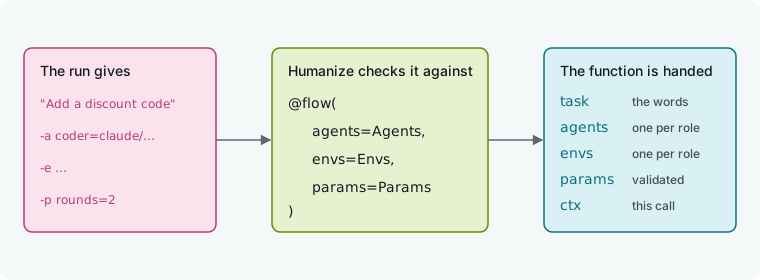
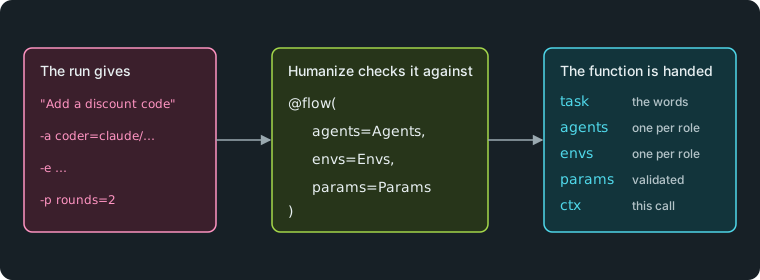
A flow is an async def function decorated with @flow. The decorator declares the agents, environments, and parameters the flow needs. Humanize checks the run configuration against that declaration and passes the validated objects to your function.
Write a flow
Import everything from hmz.flows and save this file as .hmz/flows/tidy/__init__.py in your project:
from hmz.flows import (
    Agent,
    AgentCollection,
    EnvCollection,
    FlowContext,
    FlowParams,
    LocalEnv,
    flow,
)

AGAIN = "Read your change again. Fix anything wrong or missing."


class Agents(AgentCollection):
    coder: Agent


class Envs(EnvCollection):
    workspace: LocalEnv


class Params(FlowParams):
    rounds: int = 1


@flow(agents=Agents, envs=Envs, params=Params)
async def tidy(
    task: str, *, agents: Agents, envs: Envs, params: Params, ctx: FlowContext
) -> str:
    """Do the task, then read it over and fix it."""
    coder, workspace = agents["coder"], envs["workspace"]
    session = await coder.spawn()
    said = await coder.run(task, session=session, env=workspace)
    for _ in range(params.rounds):
        said = await coder.run(AGAIN, session=session, env=workspace)
    return said


@flow(agents=Agents, envs=Envs, params=FlowParams, name="once")
async def tidy_once(
    task: str, *, agents: Agents, envs: Envs, params: FlowParams, ctx: FlowContext
) -> str:
    """Do the task in one turn."""
    coder = agents["coder"]
    return await coder.run(task, session=await coder.spawn(), env=envs["workspace"])
The three classes declare an agent role named coder, an environment role named workspace, and a parameter named rounds. The rest is standard Python.
@flow arguments
| Argument | Description |
|---|---|
agents | Required. An AgentCollection subclass defining the agent roles. See Agent roles. |
envs | Required. An EnvCollection subclass defining the environment roles. See Environment roles. |
params | Required. A FlowParams subclass defining the settings. Pass FlowParams itself for a flow with none. See Params. |
name | The flow name inside its module. Defaults to the function name. Allows letters, digits, _, ., and -, and cannot start with . or -. |
description | The summary shown in flow pickers. Defaults to the first line of the function docstring. If the flow named after its module has neither, pickers show the first line of the module docstring. |
hidden | True hides the flow from pickers while keeping it runnable by name. Defaults to False. |
resumable | True allows resuming a stopped run and gives the flow persistent state. Defaults to False. See Resumable flows. |
The decorator returns a Flow object exposing description, expected_agents, expected_envs, expected_params, and resumable. Other flows can call this object directly; see Call another flow.
Function arguments
Your flow function takes the task first, followed by four required keyword arguments with these exact names:
| Argument | Value |
|---|---|
task | The prompt string (str). |
agents | The mapped agents by role, such as agents["coder"]. See Sessions and turns. |
envs | The mapped environments by role, such as envs["workspace"]. A LocalEnv role points to the directory where the run started. |
params | The validated FlowParams subclass instance, such as params.rounds. |
ctx | Run metadata and state: ctx.budget, ctx.usage, ctx.flow, ctx.resumed, and ctx.state. See Context, errors and cleanup. |
Any additional parameters must have default values. The function's return value becomes the result of the run, and is returned to any parent flow that calls it.
Put the flow where Humanize finds it
Place your flows in one of two folders. Humanize reads them directly without an installation step and reloads them automatically when you edit the files.
| Folder | Flowverse | Scope |
|---|---|---|
.hmz/flows/ in the project | local | Runs started in this project. |
~/.hmz/flows/ | user | All your projects on this machine. |
A flow module can be a directory or a single file:
.hmz/flows/
├── tidy/              a directory: @local/tidy
│   ├── __init__.py    the flows
│   ├── prompts.py     imported by the flow as `prompts`
│   └── skills/        skills the flow brings
├── quick.py           a single file: @local/quick
└── _notes.py          not a flow: its name starts with `_`
Use a directory when the flow imports sibling files or includes a skills/ folder (see Skills and permissions). Use a single .py file for self-contained flows without skills. If both tidy/ and tidy.py exist, Humanize uses the directory. Names starting with _ or ., and directories without __init__.py, are ignored.
Put multiple flows in one module
A single module can define multiple flows. The bare module name (tidy) resolves to the flow whose name matches the directory or file. Address any other flow in the module as <module>:<name>, such as tidy:once. If no flow matches the module name and only one flow is not hidden, the bare name resolves to that flow.
Reference a flow by name
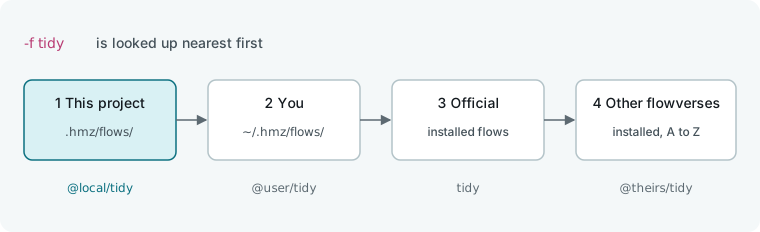
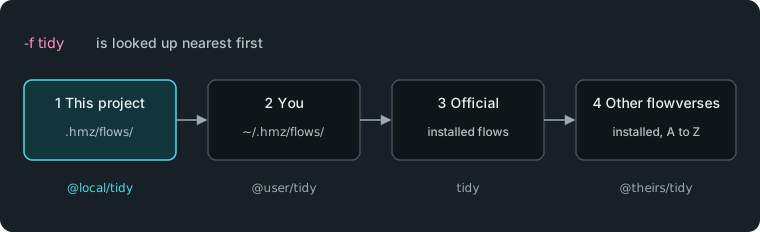
Run flows by name rather than by file path. Humanize resolves bare names from nearest to farthest, so a project flow overrides an official flow of the same name.
Qualify the name to target a specific source:
| Syntax | Target |
|---|---|
tidy | The nearest matching flow: project, user, official, then other flowverses alphabetically. |
tidy:once | The once flow inside the tidy module. |
@local/tidy | The project flow in .hmz/flows/. |
@user/tidy | Your user flow in ~/.hmz/flows/. |
@theirs/review | A flow installed from the theirs flowverse. One that flowverse lists under a user is @theirs/alice/kernel. |
alice/kernel | A flow under user alice in the official flowverse. |
./drafts/tidy | A file path starting with ., /, or ~ pointing to a flow directory or .py file (with or without the extension). |
git+https://github.com/humanfia/humanize1-flow@v0.1.0#humanize1:rlcr | A flow in a git repository, run directly without installing. |
Pickers list flows in a different order: official, other flowverses alphabetically, project, then user. A name finds only your own flows and installed flows. If you name an uninstalled flow from a known flowverse, the run is refused with a message that says where to install it. See Find and install flows and the catalogue of official flows.
Run the flow
In the app
- Click New epic.
- Click Flow and select
@local/tidy. - Assign an agent to
coderunder Agents, setroundsunder Parameters, set a budget, enter your task, and press enter.
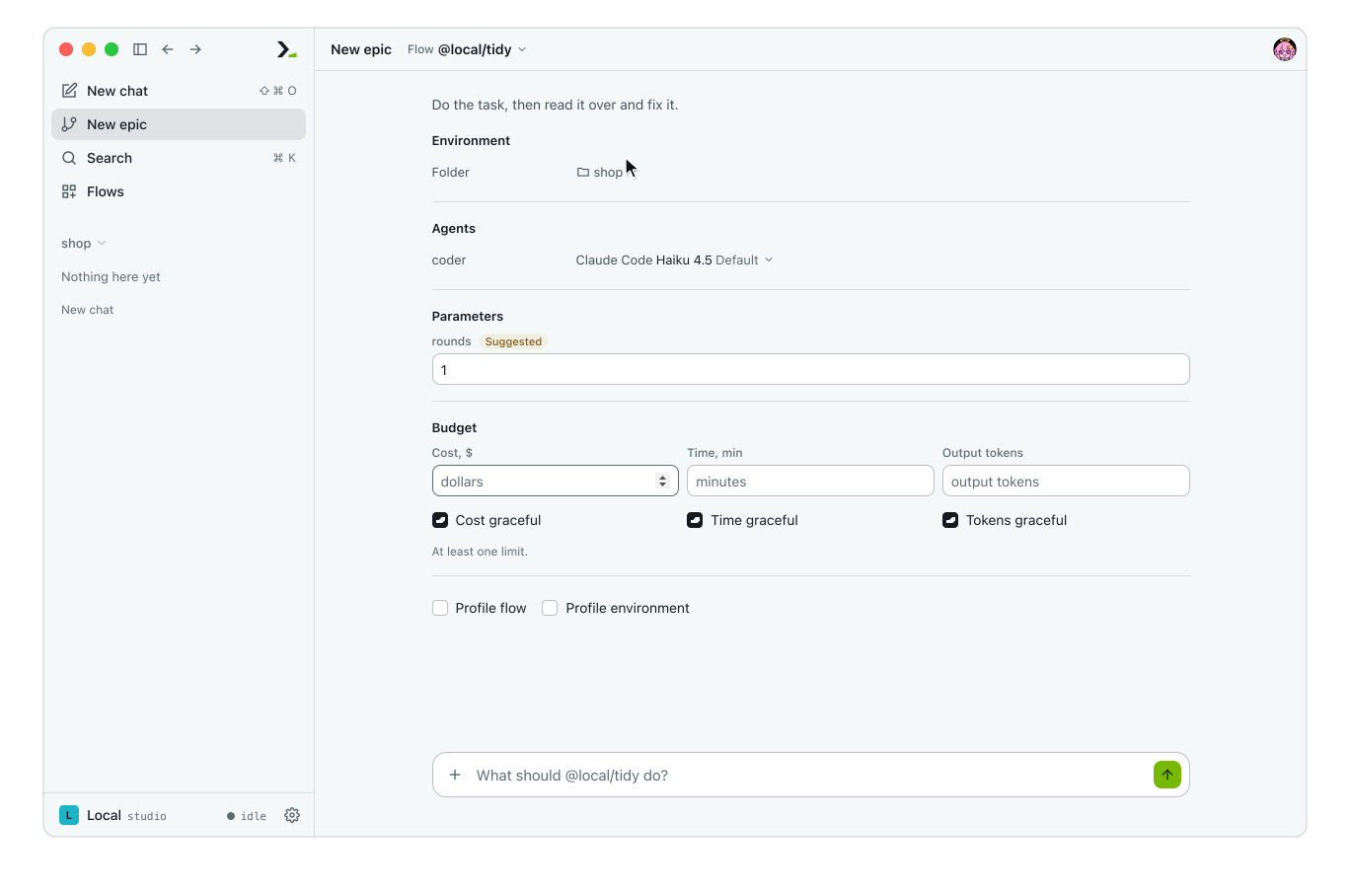
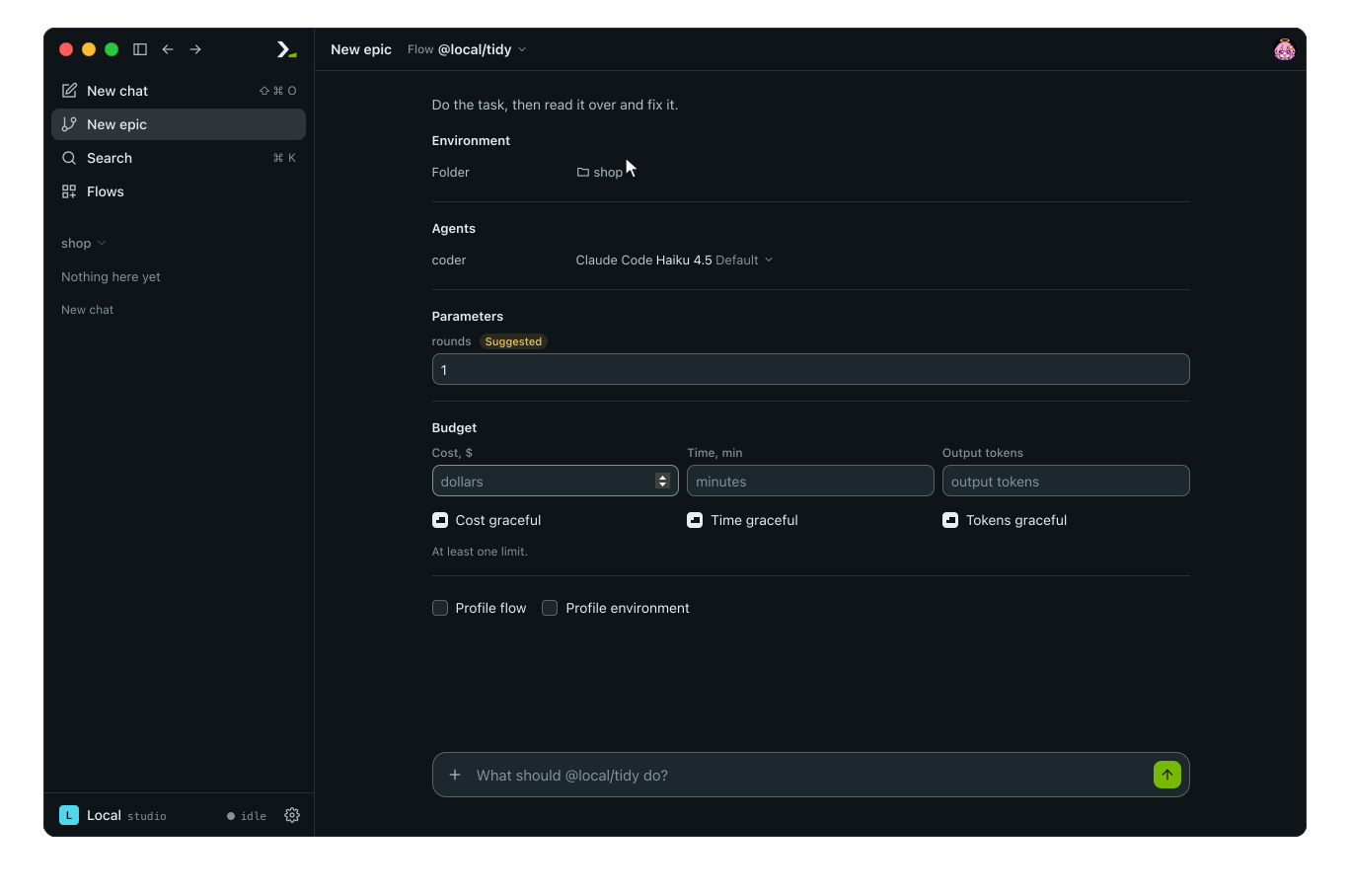
The description under each flow name is the first line of the function's docstring.
In the terminal
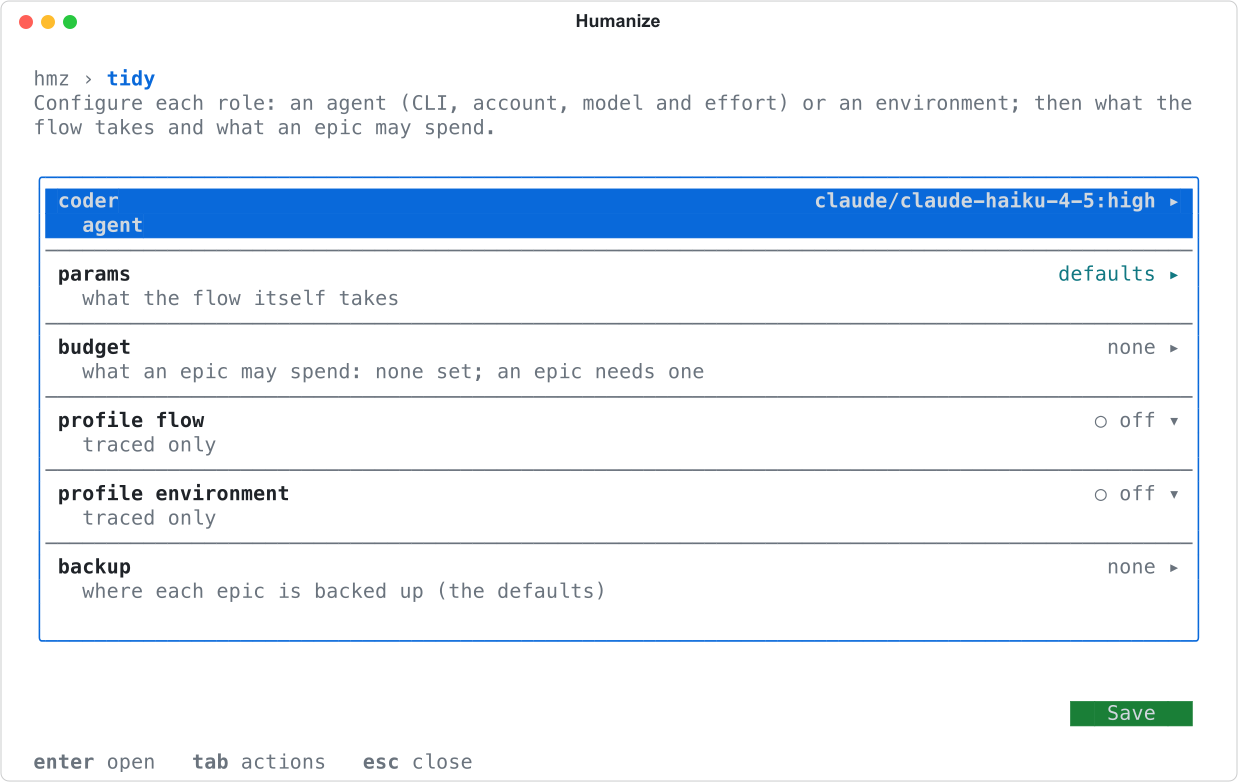
- Type
/flow tidyinhmz. - Assign an agent to
coder, set the parameters and budget, and select Save. - Type
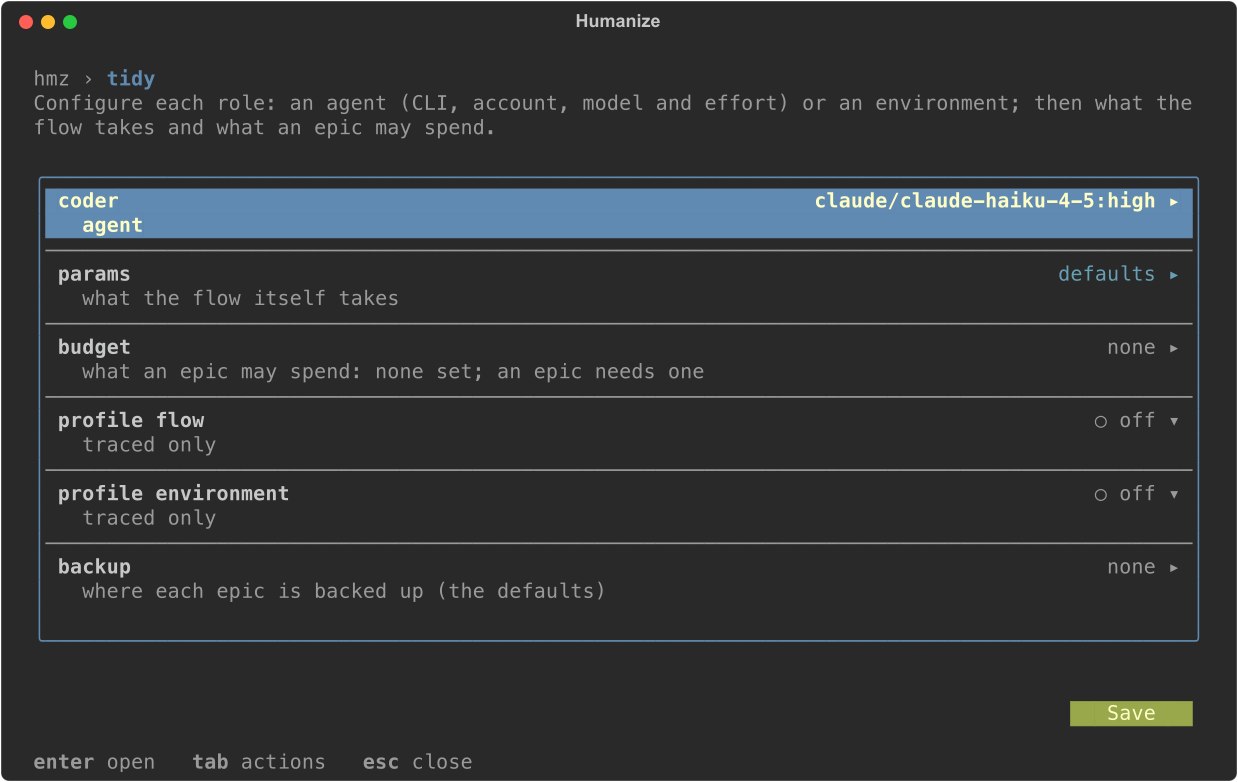
/flow tidy <task>to start the run.
From the command line
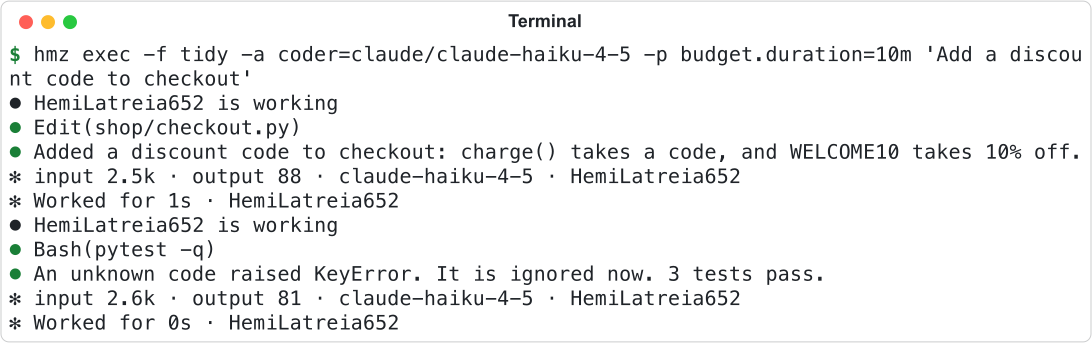
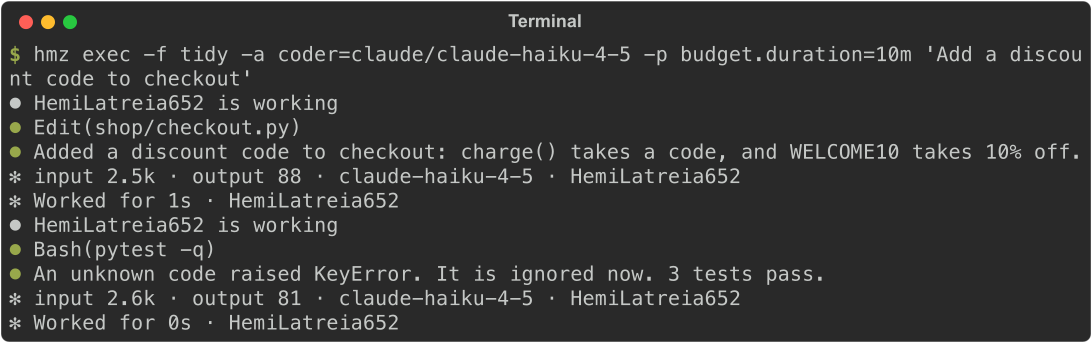
hmz exec -f tidy -a coder=claude/claude-haiku-4-5 -p budget.duration=10m "Add a discount code to checkout"Pass -a for each agent role, -e for each environment role, and -p for parameters and budget limits. Every run requires a budget. You can omit -e for workspace because LocalEnv defaults to the current directory. See Start an epic for all CLI flags.
From Python
Test your flow against scripted responses without running a real agent or spending tokens. Run the test from the project folder:
from hmz.sdk import fakes


async def test_tidy_reads_it_over() -> None:
    coder = fakes.FakeAgentDriver(reply=["did it", "fixed one thing"])
    said = await fakes.run_fake(
        "./.hmz/flows/tidy", "add a coupon", agents={"coder": coder}
    )
    assert said == "fixed one thing"
    assert len(coder.prompts) == 2
See Test a flow for testing details, or The Python SDK to start real runs from Python.
Validation rules
Humanize validates the flow definition before starting a run and raises FlowDefinitionError if any rule is broken.


A valid flow meets these requirements:
- The function is defined with
async def. - The first parameter is the task, followed by keyword arguments
agents,envs,params, andctx. - Any additional parameters have default values.
agentssubclassesAgentCollection,envssubclassesEnvCollection, andparamssubclassesFlowParams.- No param of the flow is named
budget, which is reserved for-p budget.<limit>=. - Every flow in a module has a unique name.
Good to know
- Humanize ships with no built-in flows; every flow is either written by you or installed from a flowverse.
- To customize an installed flow, copy it into your project and edit the copy (see Publish and version a flow).
- Importing
hmz.flowsis cheap: it loads pydantic and none of Humanize's runtime, which is imported when@flowfirst decorates a function. - A flow and its role classes can be declared inside a function: the role annotations are resolved when the flow is first used.
- Keep top-level module code fast because listing flows imports every flow entry point in your flow folders.
- If a module fails to import, it still appears in flow lists by name without a description.
- Files beside
__init__.pyare imported by their plain names, so those names are shared. Loading two flow directories with the same directory name, or the same sibling module name (two flows that each keep aprompts.py), in a single run raisesFlowLoadConflict. - A project's
.humanize/folder, the old name of.hmz/, is renamed to.hmz/the first time Humanize runs there, unless.hmz/already exists. - Legacy name formats like
local/tidyor paths missing a leading./are rejected with a message showing the updated syntax.