Gateways, LiteLLM and custom CLIs
Go beyond a CLI's built-in sign-in in four ways: point it at your own endpoint, route it to another vendor through a local LiteLLM gateway, run a bare model with no CLI, or add a custom CLI. The first two are account types, and the last two are harnesses.
Point a CLI at your own endpoint
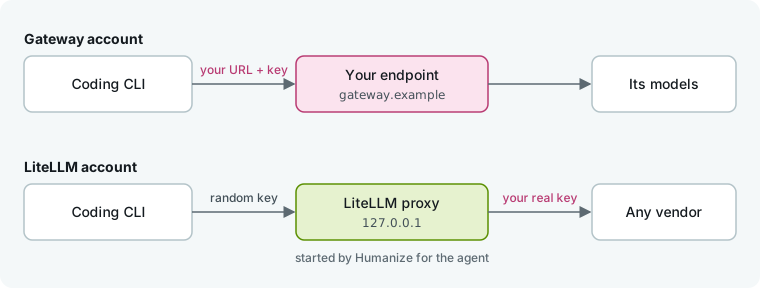
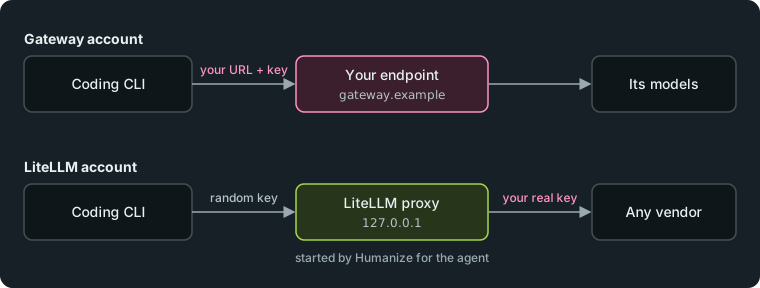
Create a gateway account to send a CLI's requests to your own URL and key instead of its vendor. The endpoint can be a proxy, router or another vendor that speaks the API named by the sign-in method.
| CLI | Gateway sign-in methods |
|---|---|
claude | anthropic-gateway, bedrock-gateway, vertex-gateway |
codex | openai-gateway; ollama and lmstudio for a model server on this machine |
agy | gemini-gateway, openai-gateway |
dsh, kimi, pi, qwen, opencode, mimo | openai-gateway, anthropic-gateway, gemini-gateway |
grok, mcode | openai-gateway, anthropic-gateway |
cursor-agent | cursor-gateway |
litellm | openai-gateway, anthropic-gateway |
omp | none |
Every method asks for a URL and key, except ollama and lmstudio, which ask for a URL only. Some CLIs also ask for a model name or API variant, and vertex-gateway asks for a project and region.
In the app
- Open Settings, then Accounts.
- Under New account, pick the CLI and a gateway Sign-in method, then type a Name.
- Fill in the fields that appear and click Create.
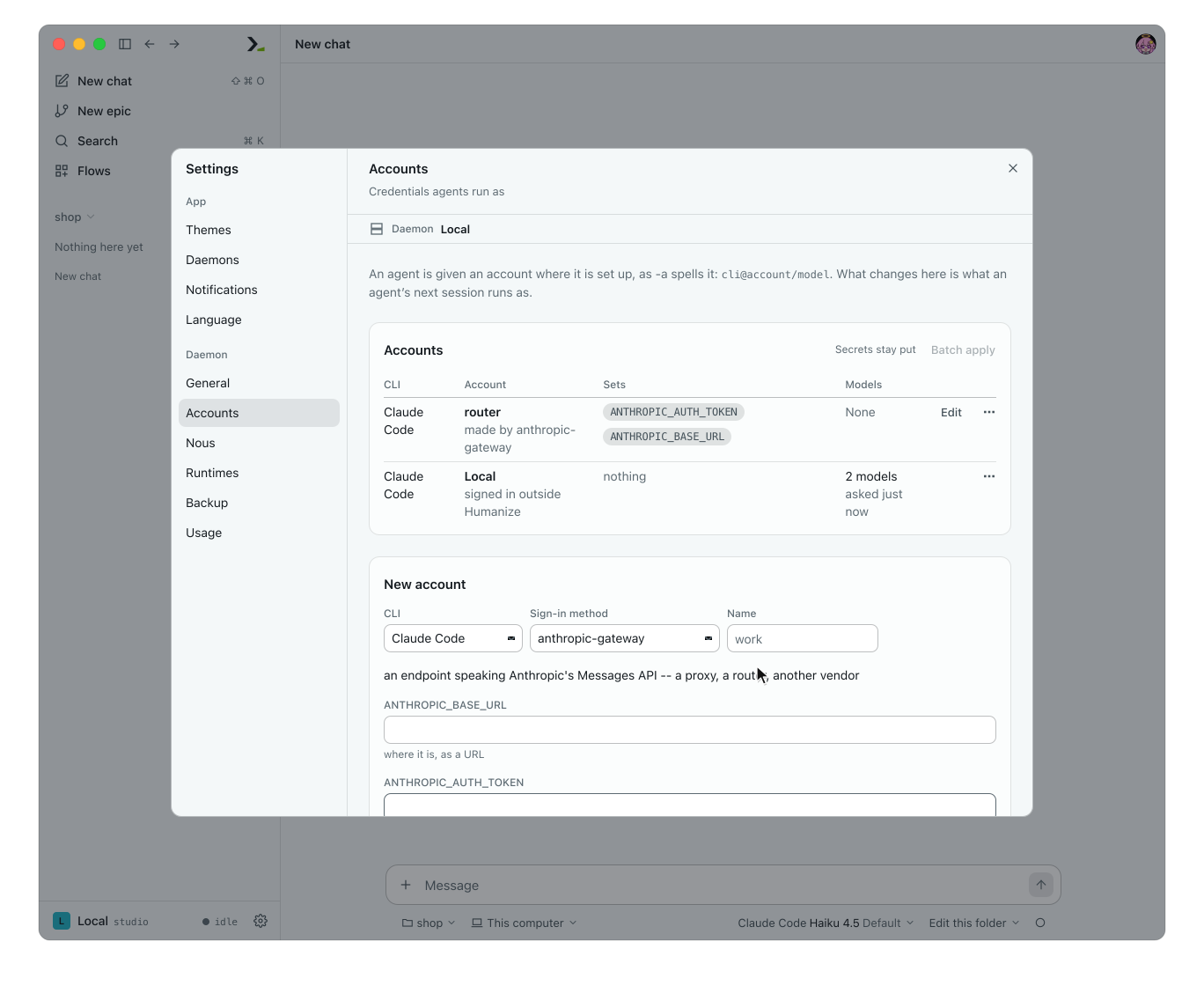
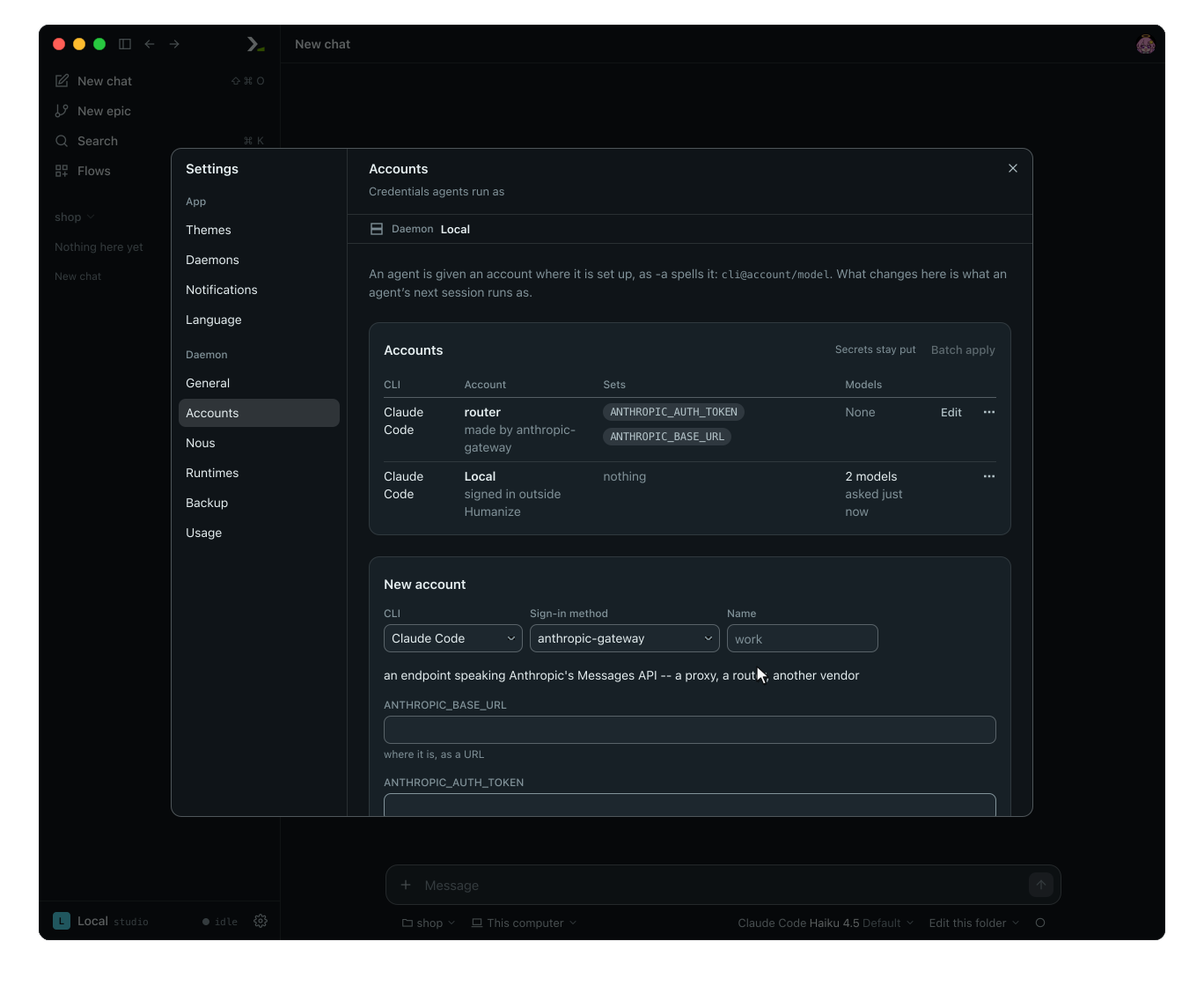
The account list shows the variable names it sets, and never shows their values again.
In the terminal
- Type
/settings accountsand press enter on Add an account. - Set
cliandway, fill in the added rows, and choose Done.
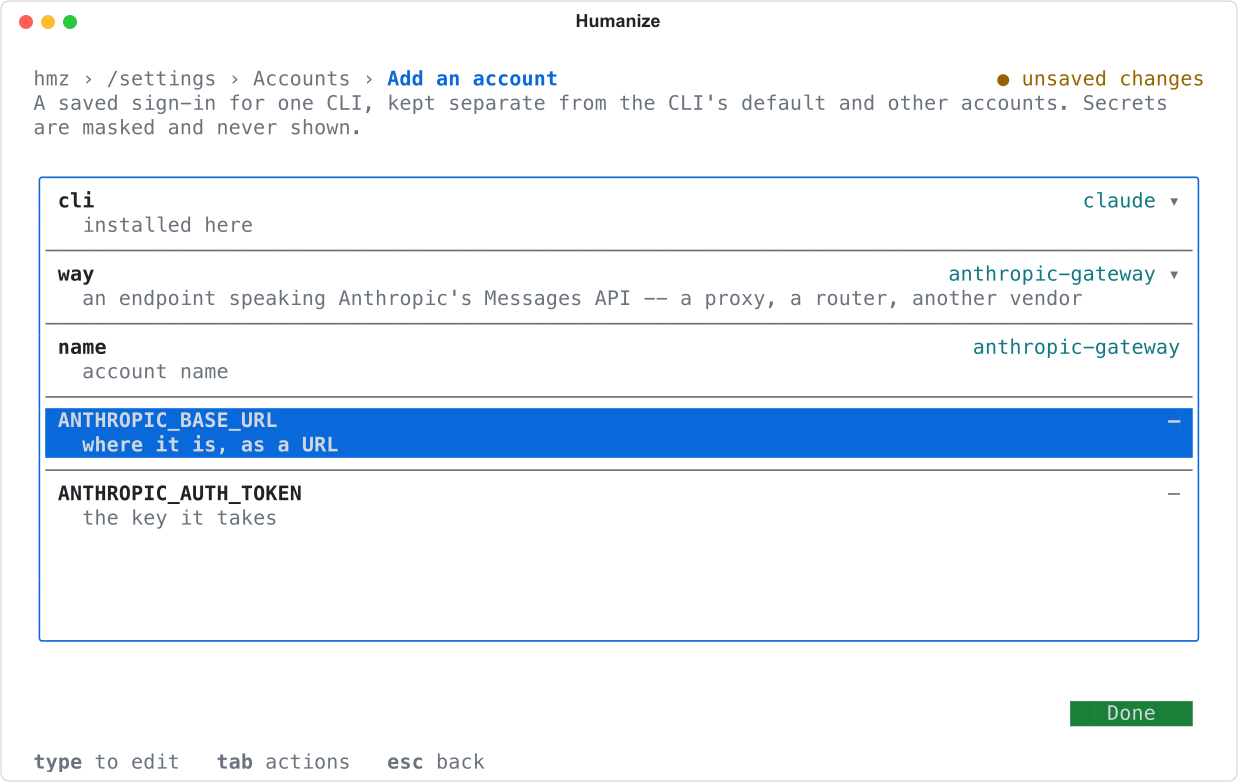
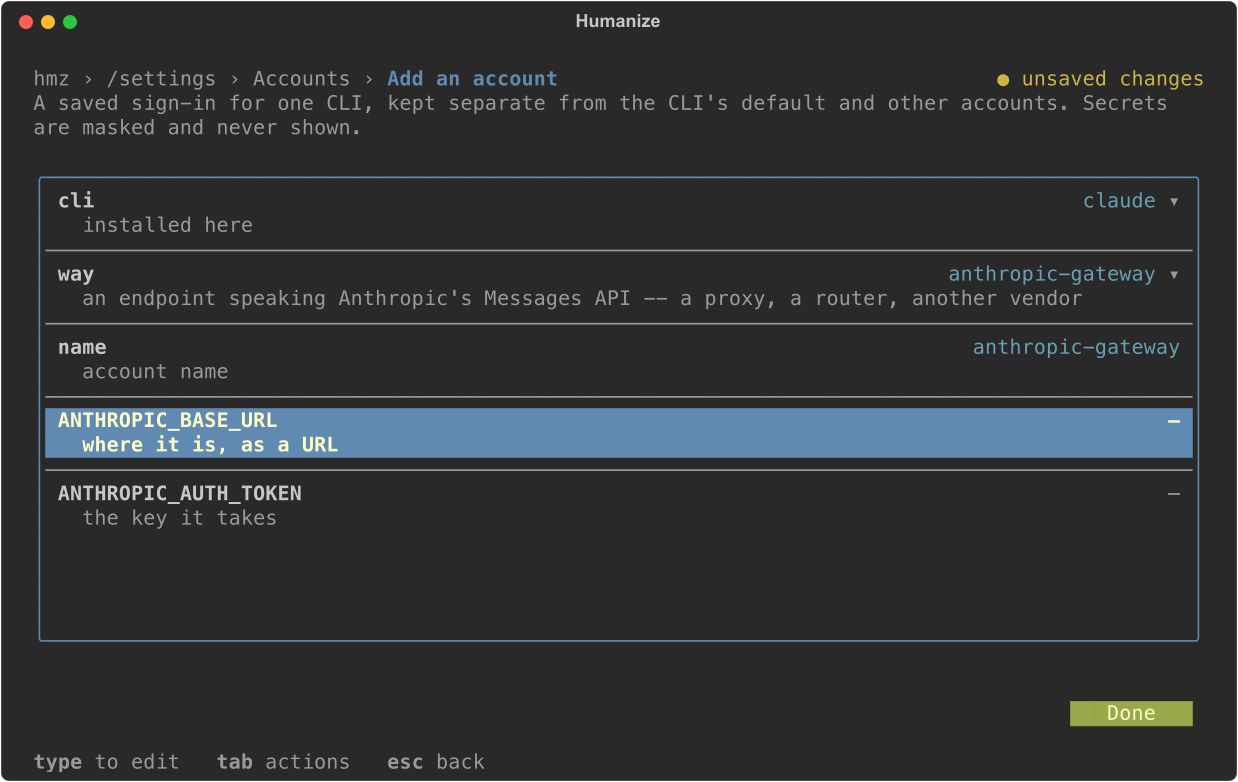
You must create mcode gateway accounts in the terminal, because they run an mcode command.
Use the account
Pick the account in the agent chip, or pass it after @ on the command line with a model served by the endpoint:
hmz chat -a claude@router/claude-haiku-4-5 "Where is the cart total computed?"For most CLIs, Humanize reads the model list from the endpoint itself.
Run a CLI on another vendor through LiteLLM
Use a LiteLLM account to run a CLI on a vendor it does not natively support, such as Claude Code on an OpenAI key. Humanize starts a local LiteLLM proxy for the agent, passes your real key only to the proxy, and gives the CLI a random key. The proxy stops when the agent stops.
Find these methods at the bottom of Sign-in method under LiteLLM (or under LiteLLM in way in the terminal):
| Method | What it asks for |
|---|---|
litellm-openai-key, litellm-anthropic-key, litellm-gemini-key, litellm-xai-key, litellm-openrouter-key, litellm-deepseek-key, litellm-groq-key, litellm-mistral-key | that vendor's API key |
litellm-openai-gateway, litellm-anthropic-gateway | an endpoint's URL and key |
litellm-bedrock | an AWS profile and region |
litellm-vertex | a Google Cloud project and location |
litellm-azure | an Azure OpenAI resource URL, key and API version |
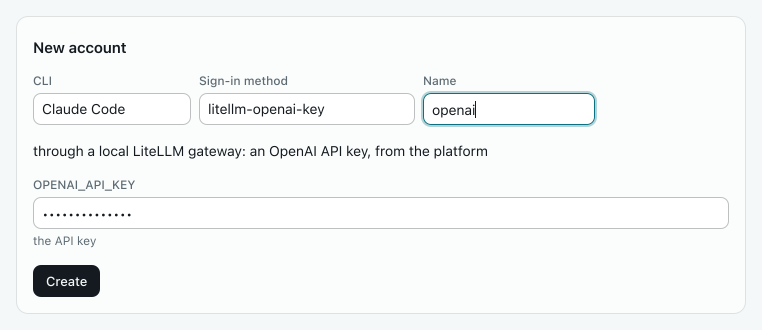
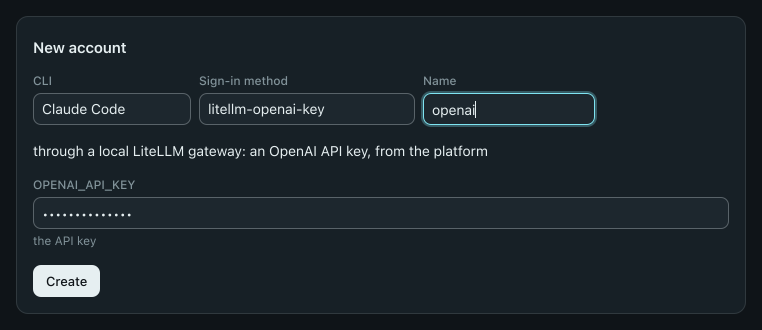
Create and use the account like any other. LiteLLM provides the model list instead of the CLI.
These methods require the litellm extra of the hmz package. If it is missing, the LiteLLM group shows Not installed alongside the install command. Run the command and reopen Humanize.
Use a bare model as an agent
Pick LiteLLM as the harness in the agent chip, or pass litellm on the command line with a LiteLLM model name:
hmz chat -a litellm/anthropic/claude-haiku-4-5:low "Summarise this plan in one line."The litellm harness runs a bare model without a coding CLI. Each turn sends the conversation history in a single request. The model has no tools, reads no files, and runs no commands, which fits roles like a reviewer. It needs the litellm extra too.
Supported efforts are high, medium, low, minimal and none. Without an account, it reads the vendor's standard environment variable, such as ANTHROPIC_API_KEY. With an account, write litellm@NAME/MODEL. In chat, every line is sent as plain text, so /, ! and @ have no special meaning. Humanize never picks litellm as the default agent.
See Agent roles to declare a bare-model role in a flow.
Add a CLI that speaks ACP
Add any coding agent that speaks the Agent Client Protocol over stdin and stdout by providing its start command. The app has no form for this: use the terminal or the settings file.
In the terminal
- Type
/settings accounts. - Select Add a custom CLI and press enter.
- Type the start command in the
commandrow, such asmy-agent --acp, and choose Done.
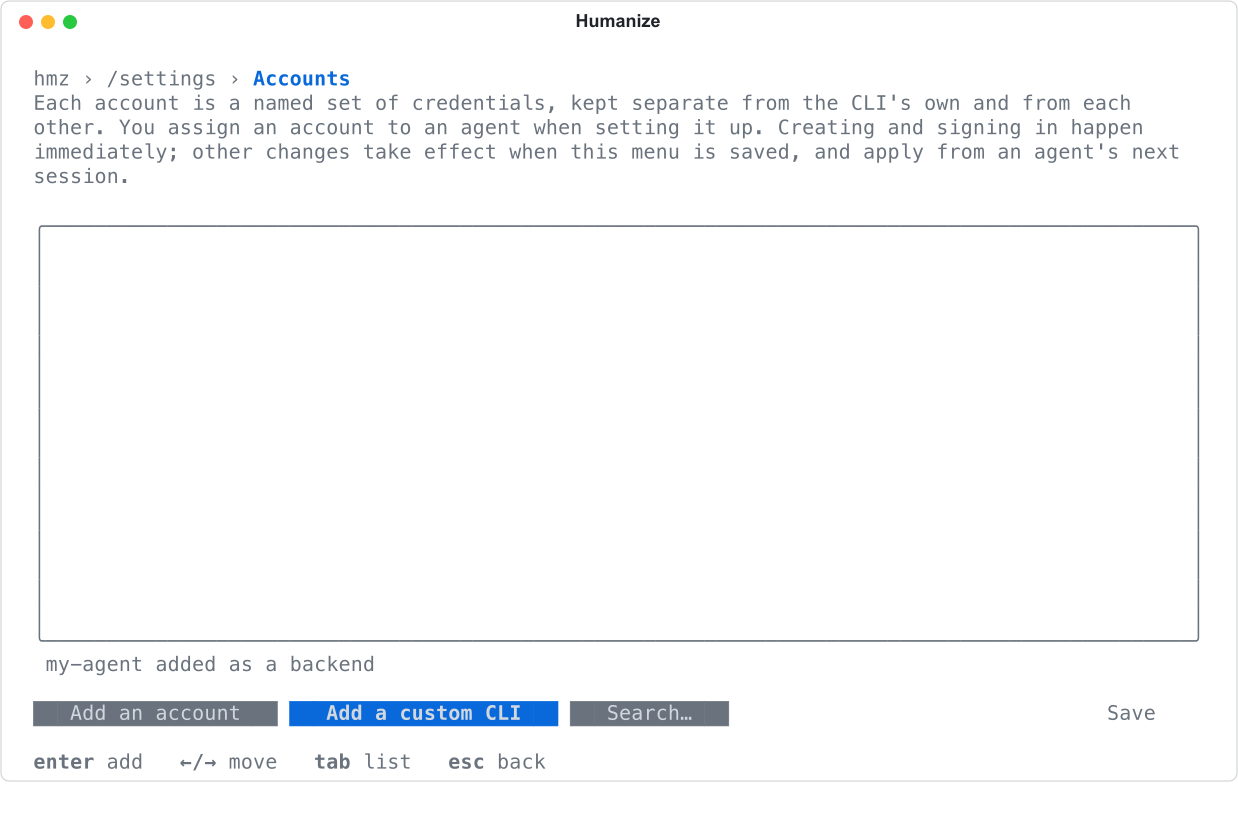
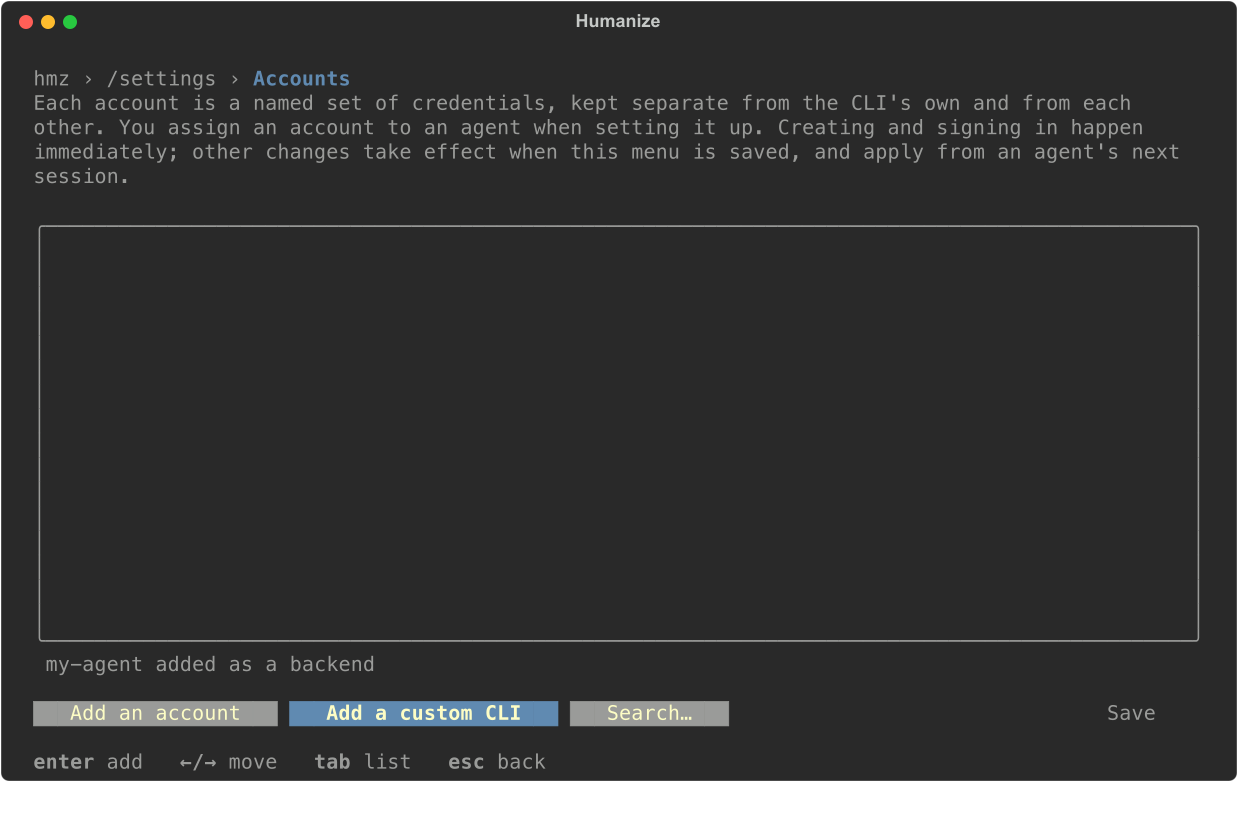
Humanize saves the CLI immediately for all folders and names it after the executable (my-agent here).
In settings.yaml
Add an entry under clis in ~/.hmz/settings.yaml to also declare what the CLI needs when a flow restricts it:
clis:
  my-agent:
    command: [my-agent, --acp]
    hosts: [api.my-agent.example]
state: [~/.my-agent]| Key | Meaning |
|---|---|
command | The command that starts it, word by word. |
hosts | Hosts it may reach when a flow cuts the network, each a host name, an IP address or a URL. With none declared, such a flow refuses to run it. |
state | Paths it writes its own state to, which stay writable under any permission. |
An entry with only a command can be written as a list, my-agent: [my-agent, --acp], which is what the terminal form saves. To remove a custom CLI, delete its entry under clis.
Use it
Pick the added CLI in the Harness list of the agent chip, in the terminal's agent pickers, or with -a:
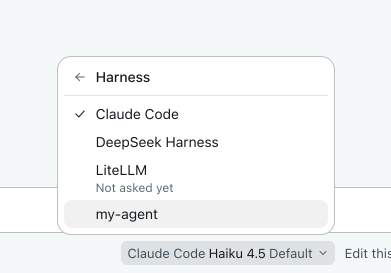
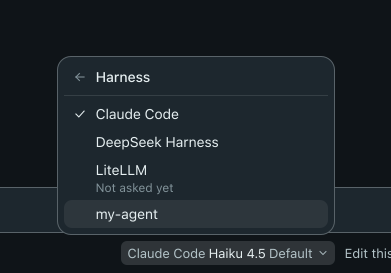
hmz chat -a my-agent/default "Where is the cart total computed?"

ACP does not set a model or effort, so the CLI uses its own configuration. The app shows the model as As configured. On the command line, pass any word after / to satisfy the model argument; Humanize does not send it.
Good to know
- When a flow cuts the network, Humanize still allows the CLI to reach its gateway account's endpoint host.
- A LiteLLM account requires the CLI to run on the same machine as Humanize; remote turns are refused.
- LiteLLM accounts are not available for
omp,cursor-agentor thelitellmharness. - A custom CLI cannot use the name of a built-in CLI, so
claude --acpis refused. - A custom CLI started through a launcher is named after the launcher:
npx my-agentis added asnpx. - Humanize approves all permission requests from a custom CLI while keeping the outer sandbox active. Custom CLIs cannot be steered mid-turn, report no usage, and in chat receive every line as plain text.
- See Coding agents for supported CLIs and Nous for models, retries and fallback.