The command line
Run flows and chats from scripts, cron, and CI with two non-interactive commands. hmz exec runs a flow to completion as a new epic. hmz chat sends one message to an agent and prints the answer. Both run in the current directory, start the daemon if needed, and never wait for you at a prompt during a run or a turn.
Run a flow
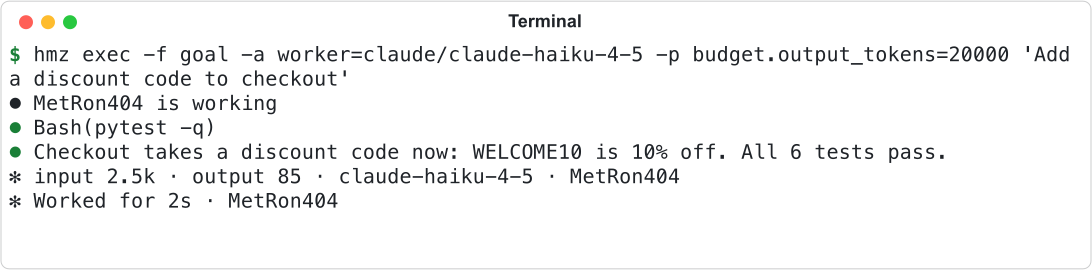
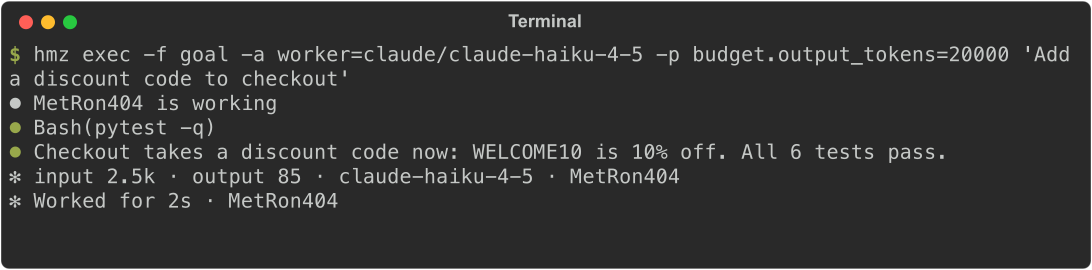
hmz exec -f goal -a worker=claude/claude-haiku-4-5 -p budget.output_tokens=20000 "Add a discount code to checkout"Pass the flow, a budget, and the task. The task is a single argument; place it after -- if it starts with a dash. Put options in any order, before or after the task. Repeat -a, -e, and -p, or pass comma-separated values.
| Option | What it sets | More |
|---|---|---|
-f FLOW | The flow: an installed name (goal, @local/FLOW), a path starting with ., / or ~, or git+URL#subdir. hmz exec never installs a flow. | Find and install flows |
-a ROLE=CLI[@ACCOUNT]/MODEL[:EFFORT] | What each agent role runs. ROLE=NAME assigns a virtual nous. | Start an epic |
-e ROLE=BACKEND[@RUNTIME][/WORKDIR] | Where each environment role the flow declares works. A required role left out refuses the run. The flow's own workspace is always the current directory and takes no -e. | Environments |
-p KEY=VALUE | A flow param. | Start an epic |
-p budget.duration=, -p budget.cost=, -p budget.output_tokens=, -p budget.graceful= | What the run may spend. At least one limit is required. | Budgets |
--resume | Pick up the newest run of this flow here instead of starting over. | Resume a run |
--json | Write events to stdout as NDJSON. | Below |
--backup NAME | A backup target for the epic. Repeatable. --backup none disables backups. | Back up to git |
--profile-flow, --profile-environment | Sample the flow's Python or the programs the agents start into the run's trace. | Trace a run with Exomyth |
Invalid commands fail before any agent starts, printing the reason on one line to stderr and exiting with status 2.


Ask one question
hmz chat -a claude/claude-haiku-4-5 "What does charge() do with an empty cart?"hmz chat runs one chat turn and exits. It takes no flow, budget, or --json. It prints hmz chat: chat <id> as the first line on stderr so you can continue the chat later.


| Option | What it does |
|---|---|
-a CLI[@ACCOUNT]/MODEL[:EFFORT] | The agent. If omitted, a new chat uses the directory's saved agent, or fails if none is saved. |
--resume CHAT | Send the message as the next turn of an existing chat. It keeps its agent unless you pass -a. |
--worktree | Start the chat in a new git worktree of this directory. Cannot combine with --resume. |
-e BACKEND[@RUNTIME][/DIRECTORY] | Where the agent works. With --resume, moves the chat there. |
--list, --list --archived | List this directory's chats, newest first: id, state, title. |
--rename CHAT TITLE, --fork CHAT, --archive CHAT, --unarchive CHAT, --delete CHAT | Manage a chat without taking a turn. See Organise chats. |
--yes | Skip confirmation with --delete. Required in scripts: without a terminal, --delete alone deletes nothing and exits 1. |


Capture the answer
Redirect stdout and stderr to separate the answer from the logs in both commands.
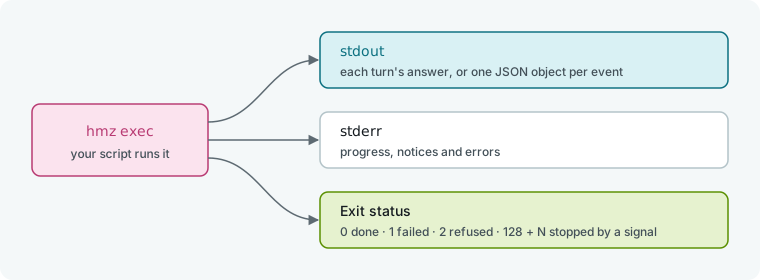
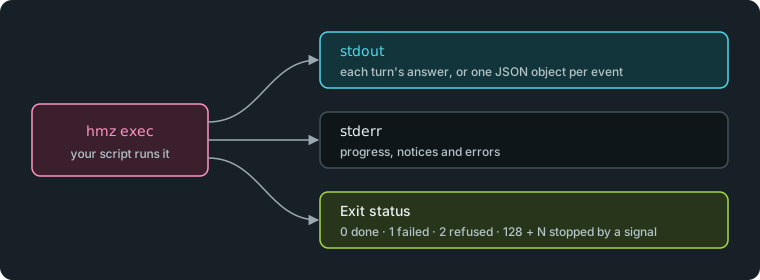
stdout receives each turn's answer and any flow output. stderr receives progress: active agents, tool calls, notices, errors, and each turn's tokens and time.
hmz exec -f goal -a worker=claude/claude-haiku-4-5 -p budget.output_tokens=20000 "Add a discount code to checkout" > answer.txt 2> run.log

When both streams go to the same terminal, Humanize prints the answer once, inline with the progress.
Read the events as JSON
Pass --json to hmz exec to stream one JSON object per event to stdout. Any flow output goes to stderr instead.
hmz exec -f goal -a worker=claude/claude-haiku-4-5 -p budget.output_tokens=20000 --json "Add a discount code to checkout" > events.ndjson
jq -c '{kind, cli, text}' events.ndjson

Every object has the keys at, agent, cli, model, session, kind, text, whose, tokens, and spent. See Events and records for event kinds and their meanings.
Control colour output
Only the progress on stderr is ever coloured; stdout is always plain. These rules are checked in order and the first match wins:
NO_COLORis set and not empty: no colour.TERM=dumb: no colour.FORCE_COLORis set, not empty, and not0: colour.- stderr is a terminal: colour. Otherwise, no colour.
A redirected stderr is plain. Set FORCE_COLOR=1 for CI logs that render colour. The live clock under a run appears only on a terminal with colour enabled.
Handle prompts without a user
hmz exec marks you as away for the entire run. If the flow asks a question, Humanize answers immediately with an empty response or the form's defaults, and the run continues. See Answer a flow's questions.
hmz chat runs one turn, keeps the chat, and exits. Pass --resume to continue it.
Stop a run with a signal
| Signal | hmz exec | hmz chat |
|---|---|---|
| ctrl+c (SIGINT), SIGTERM, SIGHUP | Stops the epic, waits for it to end, then exits. | Detaches from the chat, leaves it running in the daemon, and exits. |
| A second ctrl+c | Forces the stop: closes open turns and exits immediately. |
Both commands exit with 128 plus the signal number: 130 for SIGINT, 143 for SIGTERM, and 129 for SIGHUP.
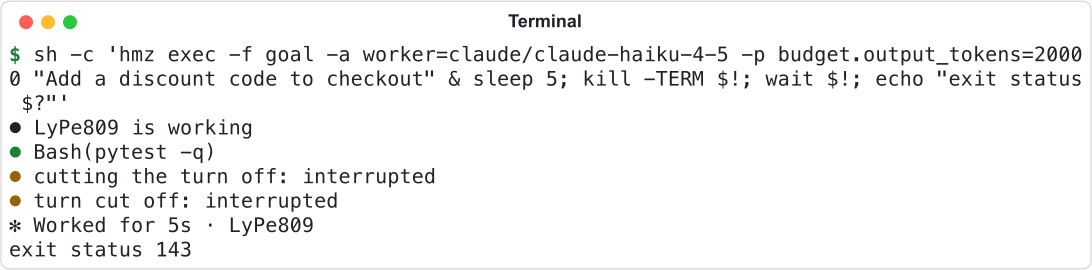
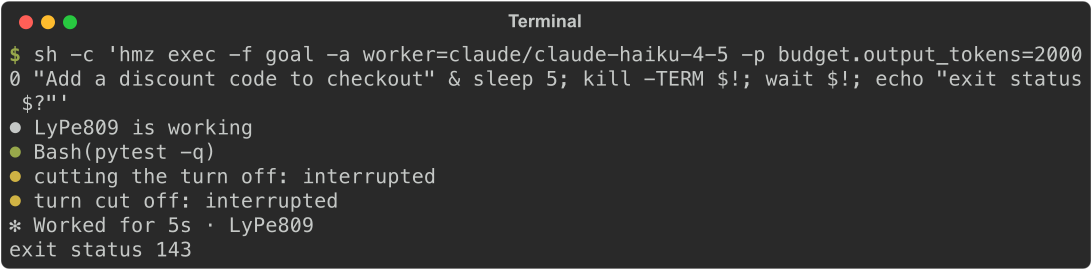
Signals already ignored at startup stay ignored, such as SIGHUP under nohup. If hmz exec dies any other way, the epic keeps running in the daemon. See Stop a run.
Check the exit status
| Status | hmz exec | hmz chat |
|---|---|---|
| 0 | The flow returned, or its budget ran out. | The turn finished. |
| 1 | The flow failed, or the daemon was unreachable. | The turn failed, the daemon was unreachable, or a delete was not confirmed. |
| 2 | The command was refused before starting. | The command or chat was refused. |
| 128 + N | Signal N stopped it. | Signal N ended it. |
Exhausting the budget is a normal exit. hmz exec prints hmz exec: stopped -- <reason> to stderr and exits 0.
Good to know
No option of hmz exec or hmz chat reads from an environment variable; pass everything on the command line. The coding agent's CLI must be installed and signed in on the machine; see Coding agents.
After the epic ends, hmz exec waits up to 60 seconds for backups to finish, then leaves a slow one and says so on stderr. Pass --backup none to skip them. A cost limit cannot stop a model with no listed price; hmz exec warns on stderr and continues.
hmz chat rejects messages that match Humanize's / commands or a $ flow name; run flows with hmz exec. The agent's own /, $, ! and @ lines work as in any chat; see Commands, skills and files in a chat. For all flags, see the CLI reference. For a complete example, see Run a flow every night in CI.