Nous: models, retries and fallback
A nous is what an agent thinks with: a harness, an account, a model and an effort. Use this page to pick a nous, set how a failed turn retries, and build a virtual nous that falls back to another model.
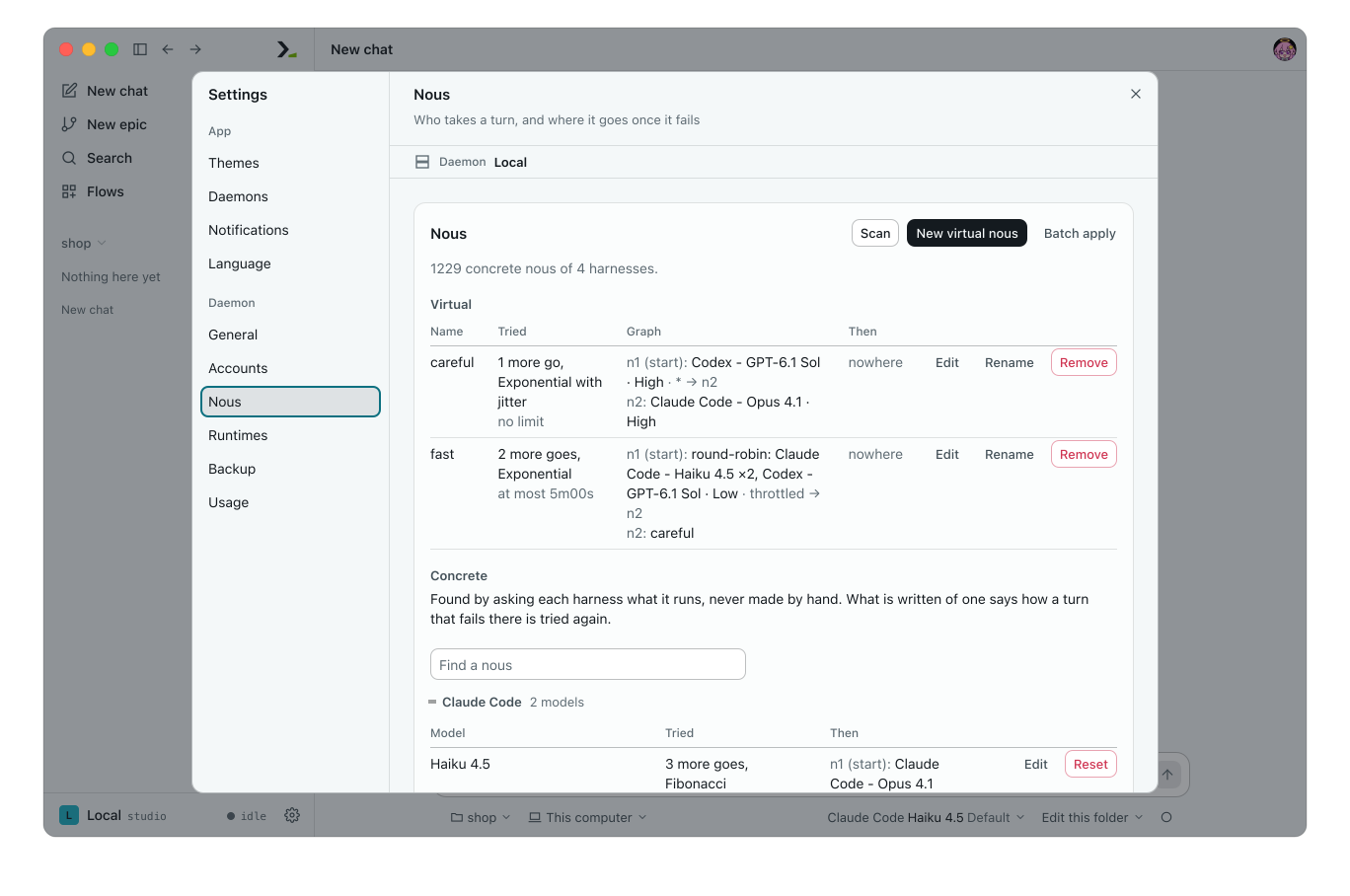
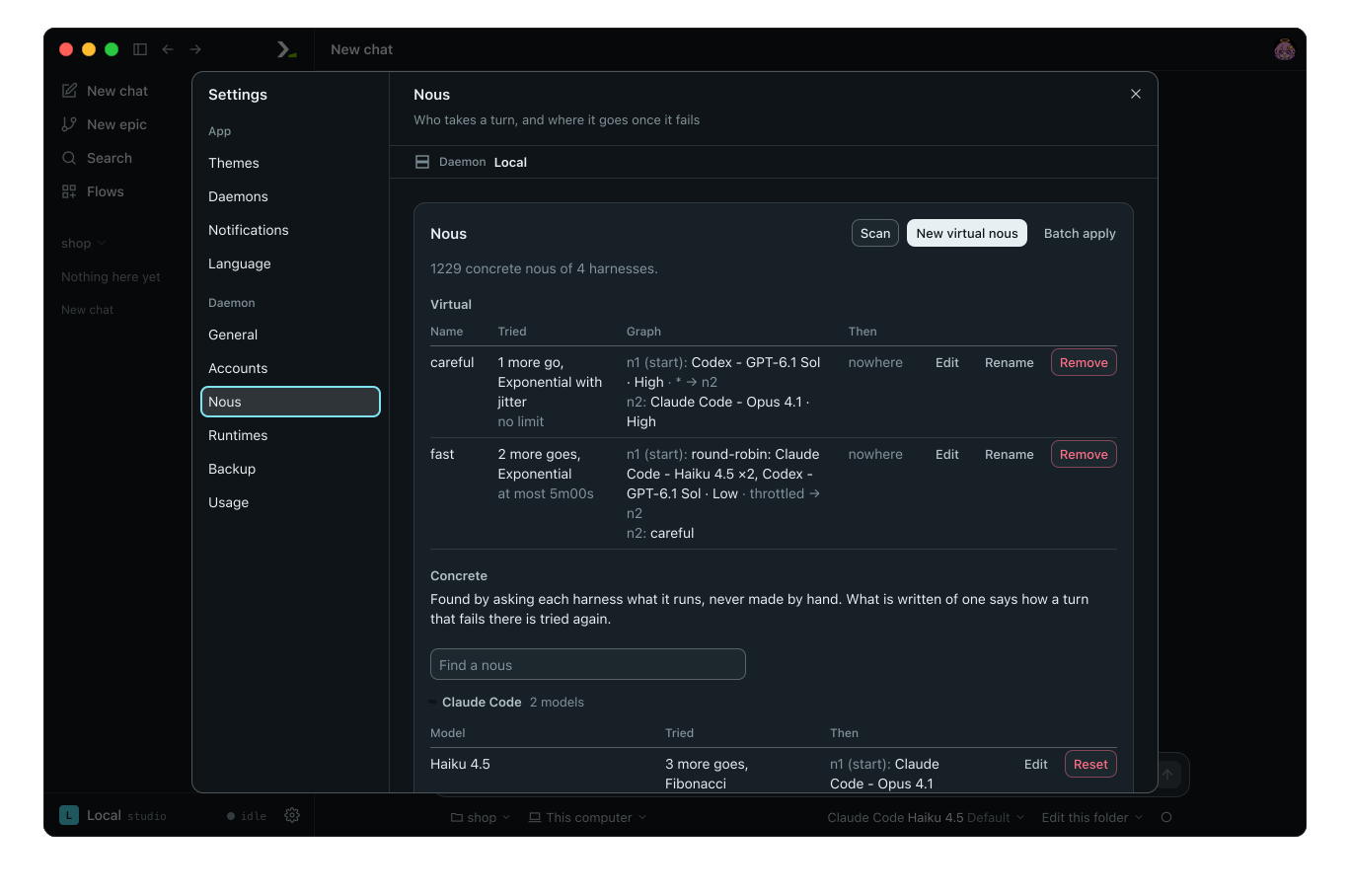
Understand concrete and virtual nous
A concrete nous is one model: HARNESS[@ACCOUNT]/MODEL[:EFFORT], such as claude@work/claude-opus-4-1:high. Omit @ACCOUNT to use this machine's sign-in. Omit :EFFORT to use the harness default.
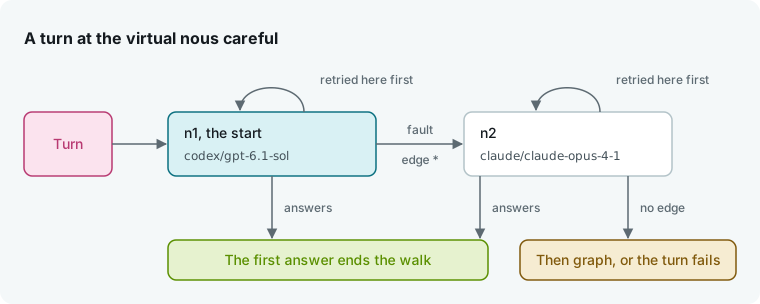
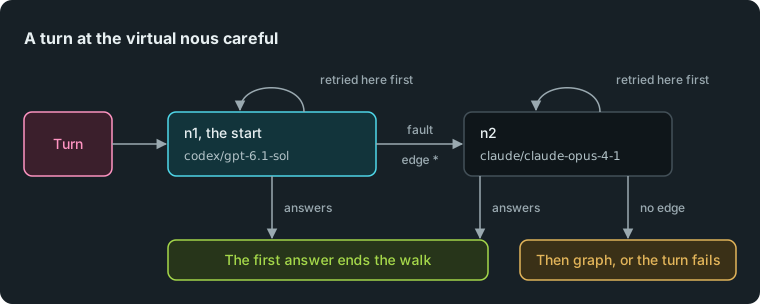
A virtual nous is a short name, such as careful, that stands for a graph of other nous. Use it anywhere you name a concrete nous.
Every nous has four retry settings: extra tries on failure, wait time between tries, a time limit across all tries, and a then graph to run when the tries run out.
In the app
Pick a nous
Click the nous chip under a chat box, on a role in New epic, for Ai-chan, or on a graph node. The menu lists virtual nous under Virtual. Under Concrete, pick Harness, Account, Model and Effort in order. Each step filters the next.
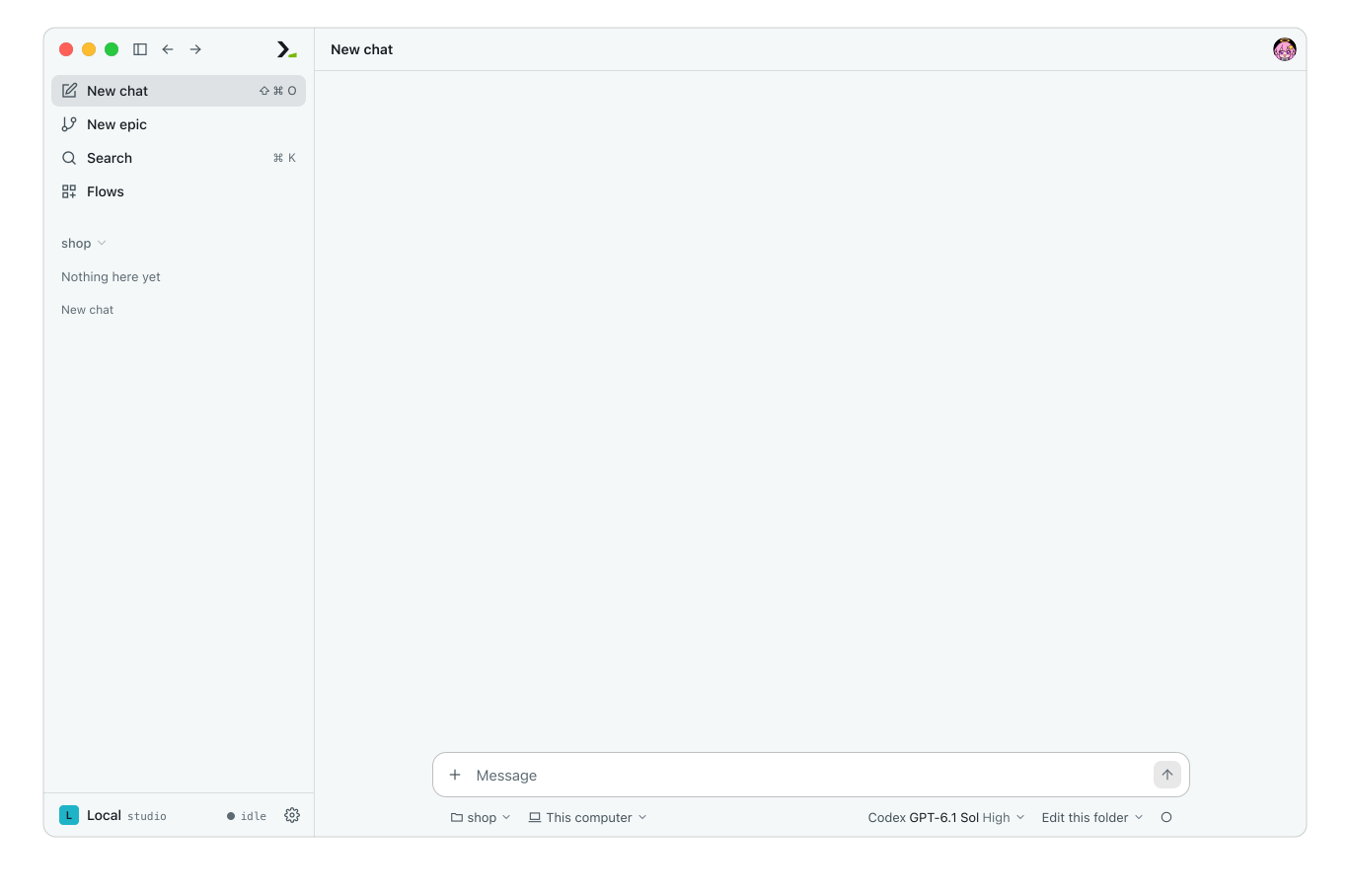
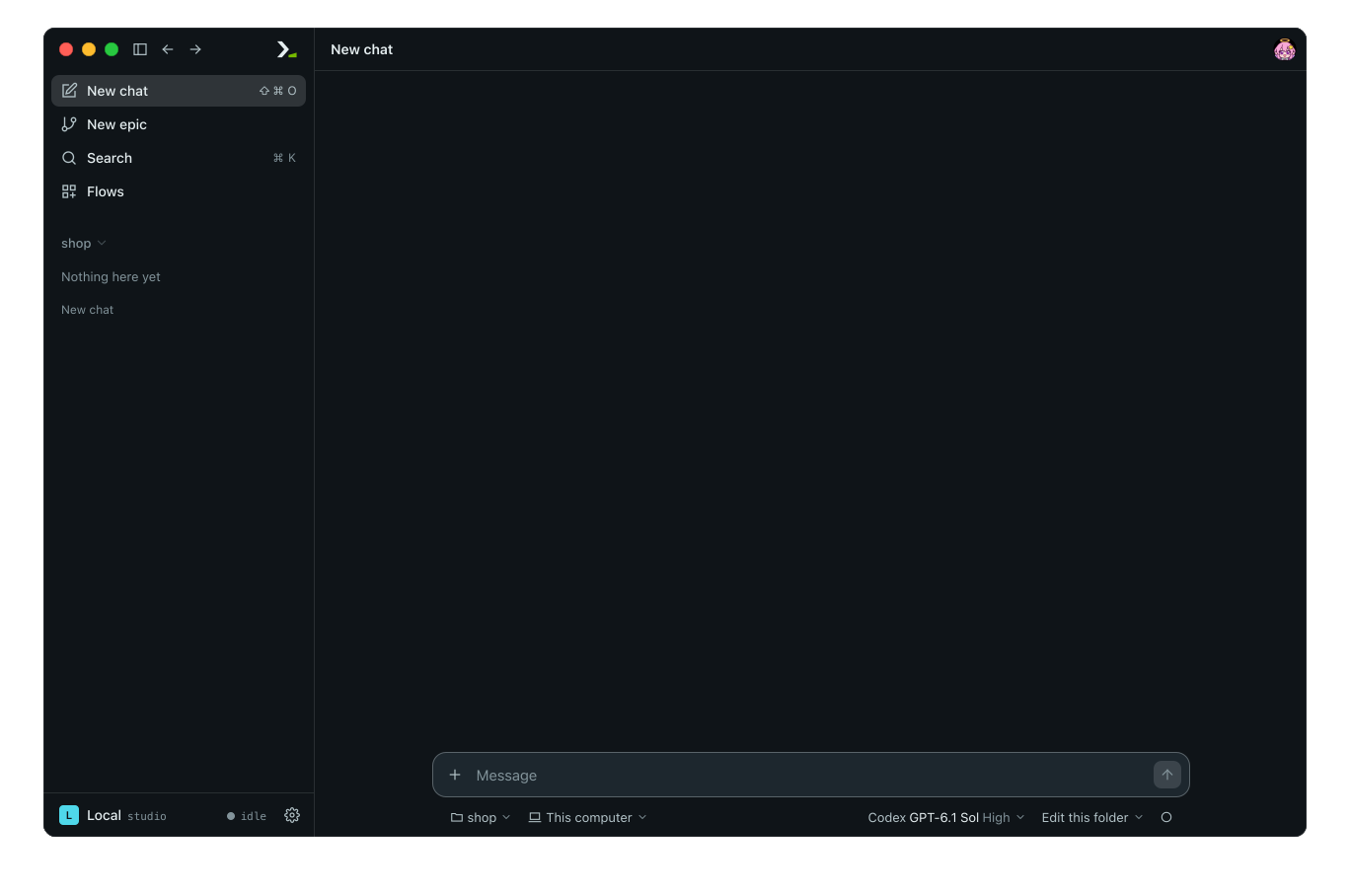
- Account appears when a harness has an account besides Local (this machine's sign-in). Click Add account… to open Accounts.
- Model offers Find a model to search a list of more than ten models, Other model to enter an unlisted ID, and Refresh models to query the harness again.
- Effort lists the levels the model accepts. See Effort and swarm mode.
View concrete nous
Open Settings and click Nous. You do not create concrete nous by hand. The daemon queries each installed harness at startup and when you click Scan. They appear under Concrete, grouped by harness. When there are more than 12, use Find a nous to filter the list; a harness with more than 12 models starts folded unless one of them has saved settings.
The line under the heading counts them, such as 3 concrete nous of 2 harnesses., or reads No harness is installed on this daemon., and each harness fold shows 2 models, No models listed or Not asked yet. After a Scan, a harness or account that did not answer is named on that line, as Codex would not answer: <why> or Codex @work would not answer: <why>. The other harnesses are still queried and listed.
Click Edit on a row to set its retries and then graph. A row with saved settings has Reset, which clears them and keeps the nous in the list.
Create a virtual nous
- Click New virtual nous.
- Enter a Name. Start with a letter, use only letters, digits,
_,.and-, and do not use a harness name. - Set the retries and build the Graph.
- Click Save.
The new nous appears under Virtual with Edit, Rename and Remove. Renaming updates every graph that references it. You cannot remove a virtual nous while another graph references it.
Set retries


| Field | What it sets | Default |
|---|---|---|
| Tries | Extra attempts at this nous after a failed turn. | 0: tried once |
| Limit, s | Seconds after which no further try starts. | 0: no limit |
| Wait | Delay between tries. | Exponential with jitter |
| Wait | Waits |
|---|---|
| No wait | None. |
| Constant | 1s, 1s, 1s. |
| Linear | 1s, 2s, 3s. |
| Exponential | 1s, 2s, 4s, 8s. |
| Exponential with jitter | Random delay up to the exponential wait, so agents that fail together do not retry together. |
| Fibonacci | 1s, 1s, 2s, 3s, 5s. |
Single waits cap at 60 seconds.
Build a graph
Click Add use node or Add balance node to add nodes, and set Start to choose where a turn begins.
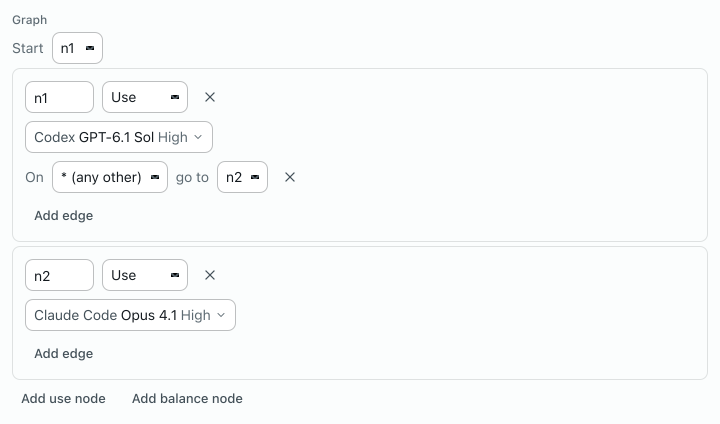
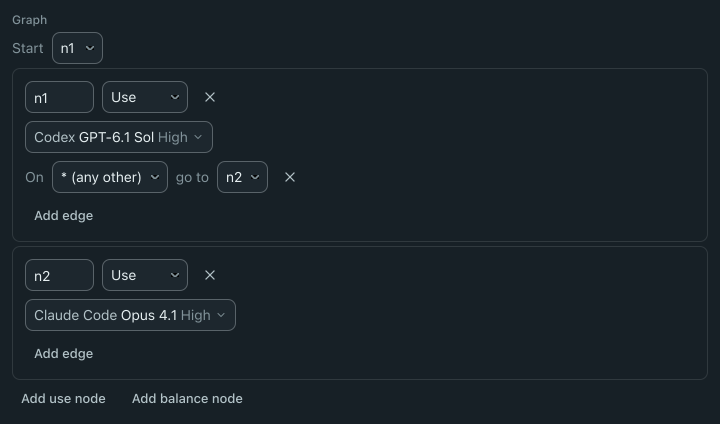
A use node runs the turn on the concrete or virtual nous picked on its chip.
When a node fails, it follows an edge. Once the graph has a second node, click Add edge, pick a fault after On, and pick a target node after go to. Name an edge for a specific fault (see the table below) or * (any other). If a node has no matching edge, the graph fails.
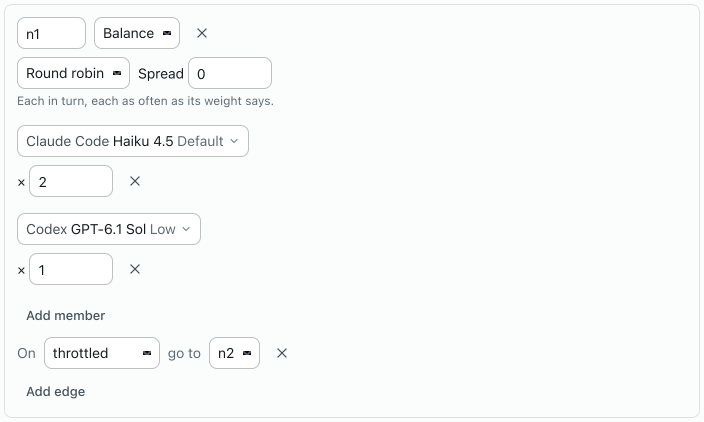
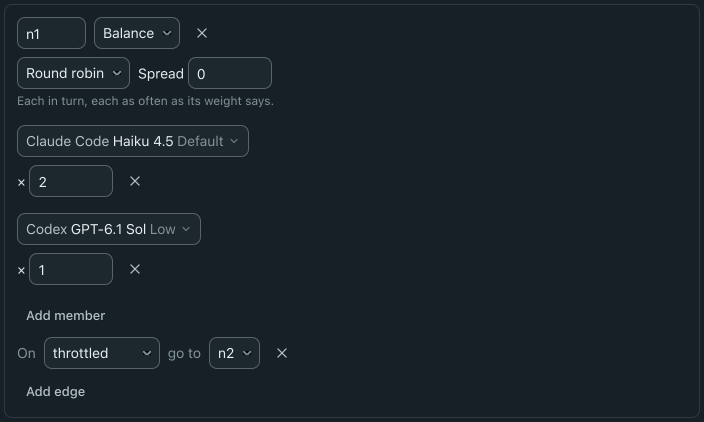
A balance node picks among several nous. Click Add member for each nous and set its weight after ×. When a member fails, the node tries another. Set Spread to cap how many members may fail before the node gives up; 0 tries all of them.
| Strategy | Picks |
|---|---|
| Shuffle | At random, weighted. |
| Round robin | In turn, weighted. |
| Least busy | Fewest active turns right now. |
| Fastest | Fastest recent turn responses. |
| Least used | Fewest tokens spent in the last minute. |
| Cheapest | Lowest model cost per token. |
Then is a second graph that runs when the nous exhausts its tries. Without Then, the nous fails with its last fault.
In the terminal
Run /settings nous to list each nous you have written down, its retries and its fallback target.
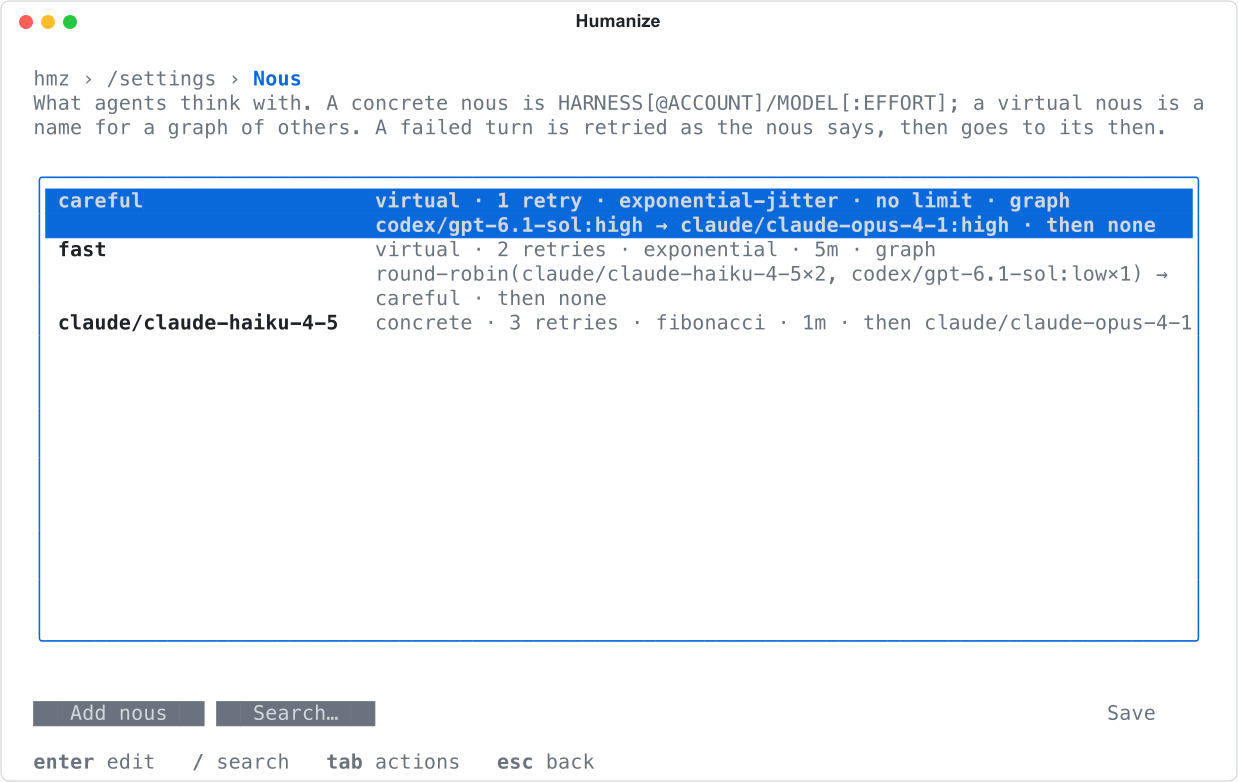
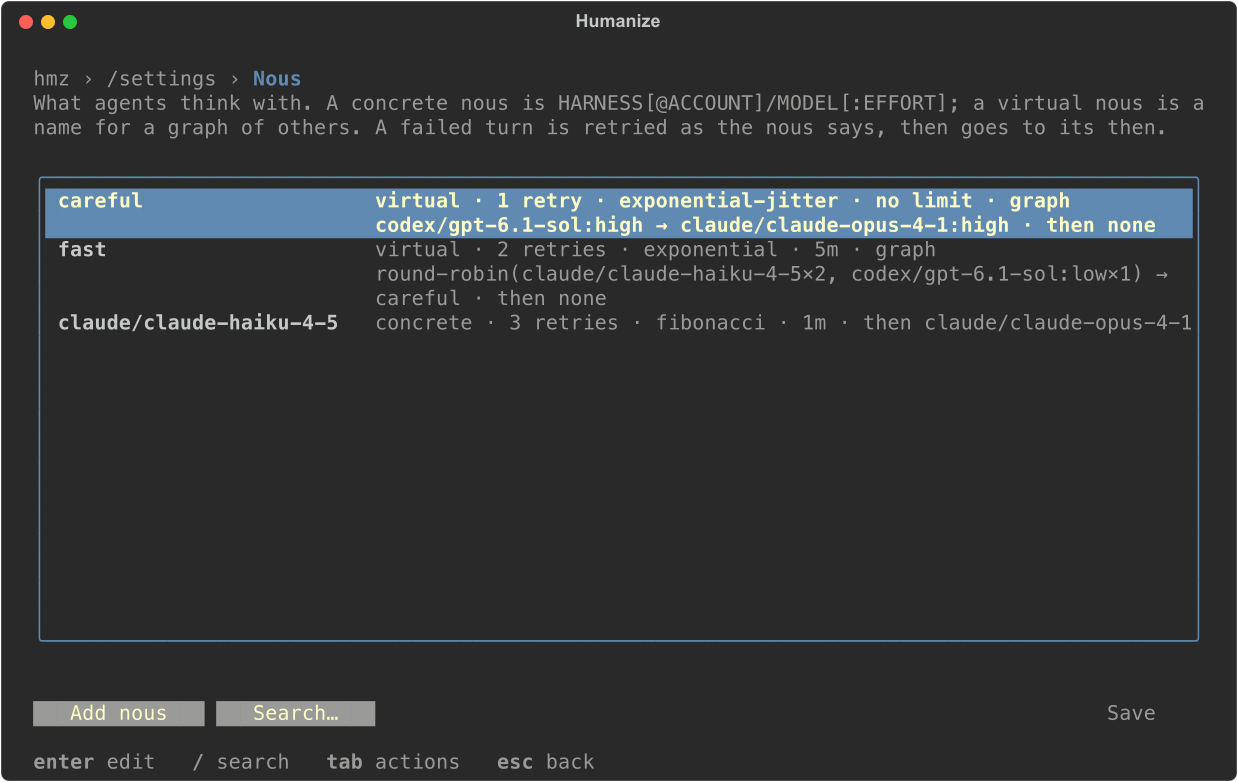
Press enter on a row to edit it, or select Add nous. Search… or / narrows the list. To configure a concrete nous, type its ID in name or pick it with choose. The form of a saved nous has Remove, and editing name renames a virtual nous.
| Row | What it sets |
|---|---|
name | Concrete nous ID or virtual nous name. |
choose | Concrete nous from a list. Shown while adding. |
effort | Effort of a concrete nous. Shown while adding. |
tries | none, 1, 2, 3, 5, 8, 13 or 21. |
policy | Wait between tries. |
limit | no limit, or 30 seconds up to an hour. |
graph | Graph of a virtual nous. |
then | then graph. |
The graph form shows start, one row per node, and add node. Each node has id and kind. A use node has nous and choose. A balance node has strategy, among (formatted as claude/opus 2, codex/gpt-5 1), choose and spread. Once the graph has another node, each node ends with one on row per fault.
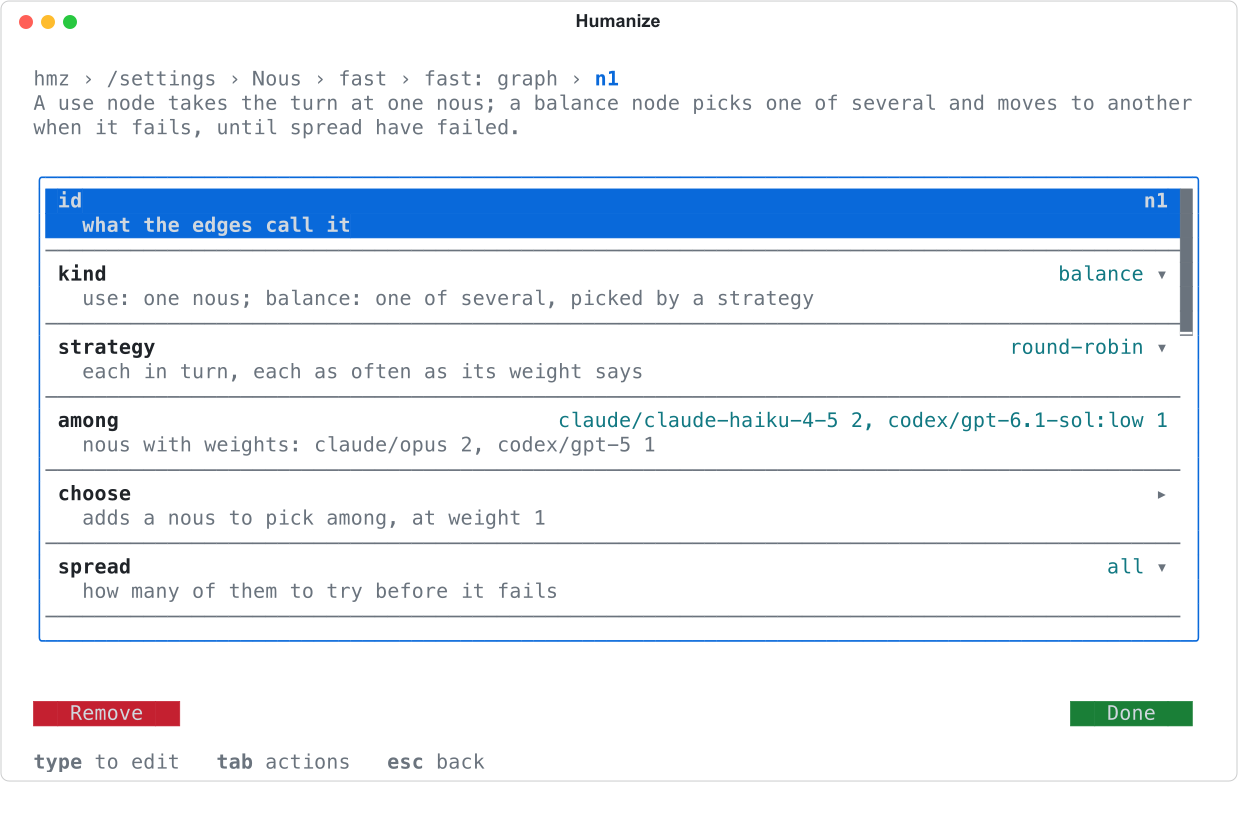
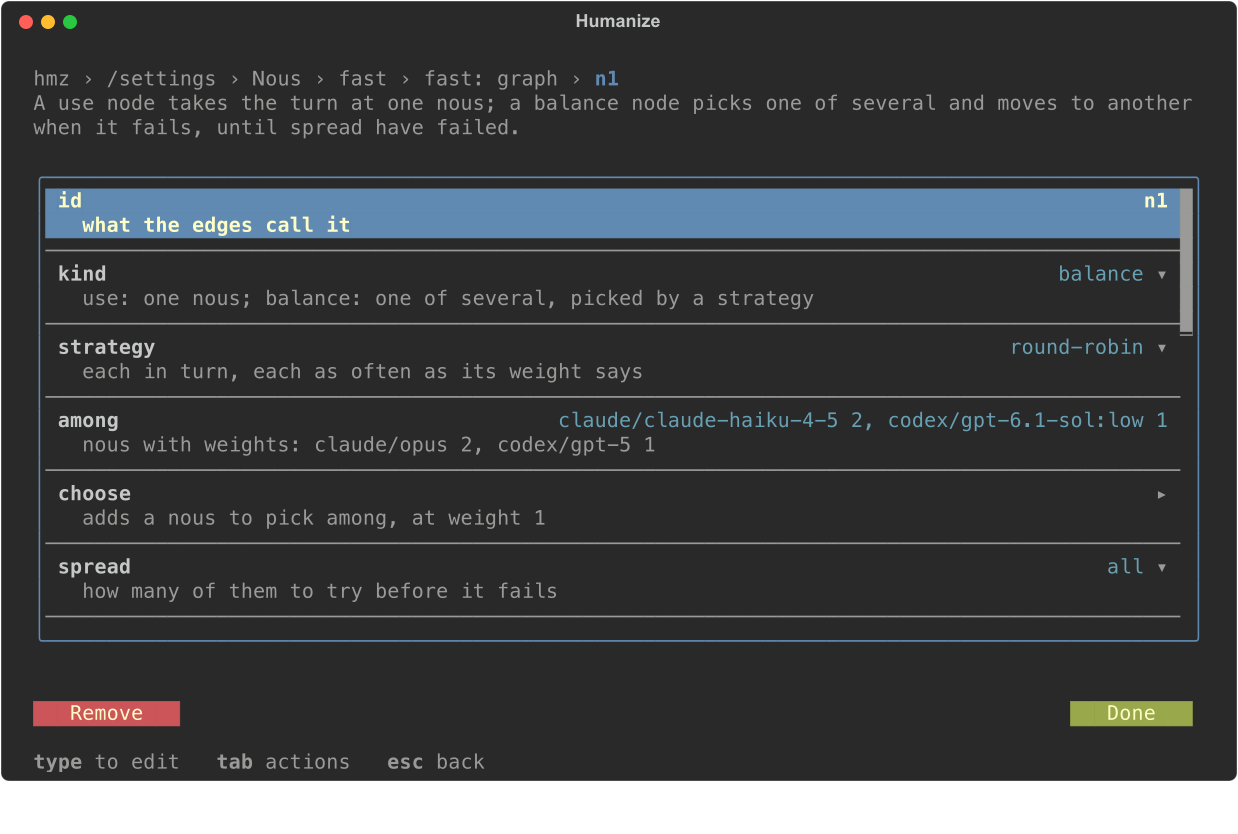
Select Save on the Nous page to apply your changes.
From the command line
Pass a concrete or virtual nous wherever a command accepts an agent:
hmz chat -a careful "Add a discount code to checkout"
hmz exec -f rlar -a actor=careful,reviewer=claude/claude-haiku-4-5 -p budget.cost=5 "Add a discount code to checkout"
The CLI logs each wait and each fallback to another nous.
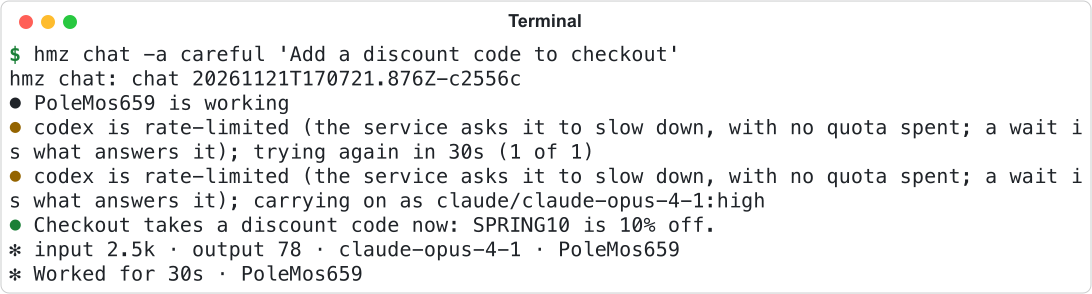
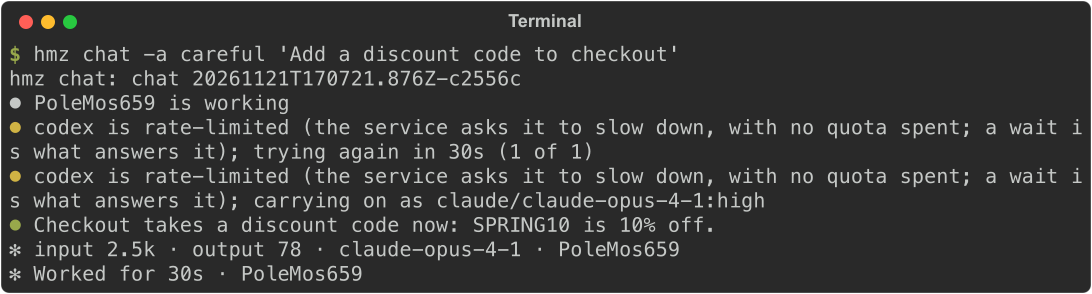
You cannot create a nous from the CLI. Create it in the app, in the terminal, or in Python with the SDK. Humanize saves every nous in ~/.hmz/settings.yaml under nous:. See settings.yaml.
How faults work
When a turn fails, Humanize reads the harness output and classifies the failure into one of twelve faults. The fault selects which edge a node follows, and sets a floor or a stop on the retries at that nous:
| Fault | What happened | At the same nous |
|---|---|---|
throttled | Service rate-limited the account. | At least 1 more try, after at least 30 seconds. |
spent | Account quota or balance is exhausted. | At least 1 more try, after at least 30 seconds. |
contended | Another turn holds the harness local store. | At least 3 more tries, at a constant wait. |
dropped | Connection lost. | At least 1 more try, in a new harness process. |
killed | Harness process died. | At least 1 more try, in a new harness process. |
refused | Credentials refused. | Never retried. |
unlisted | Account cannot use this model. | Never retried. |
retired | Model does not exist. | Never retried. |
missing | Harness is not installed. | Never retried. |
sandboxed | Harness could not start its sandbox. | Never retried. |
unmirrored | Local copy of a remote workspace could not be created. | Never retried. |
fenced | Network fence blocked the harness from a host. | Never retried. |
A failure that matches no fault is retried as the nous says and follows the * (any other) edge. Faults that never retry skip the tries: the turn goes to Then if the nous has one, then to the node's edge. For a complete example, see Run two coding agents with a fallback.
Good to know
- Switching to another concrete nous starts a new conversation because harnesses cannot share sessions. A nous exhausts its own tries before following an edge.
- For each conversation, a balance node remembers the last member that answered and tries it first on the next turn.
- Saving fails if a graph contains a cycle of nodes or virtual nous, or a node that no edge reaches from the start.
- Settings saved for a concrete nous without an effort, such as
claude/claude-opus-4-1, apply to every effort of it that has none of its own. - A concrete nous with
0tries and no Then is not saved: it says nothing. - A balance node tries members that were
throttledorspentin the last minute only after the others. - Batch apply on the Nous page copies your configured nous to other daemons without deleting any already there. See Settings.
- While scanning harnesses for models, the page shows
Scanning the harnesses in the background….